One trip, quote to invoice.
Follow a single load through the system: the operator quotes and creates it, the driver runs it, the customer watches it, the accountant bills it. Nobody types it twice.
Quote
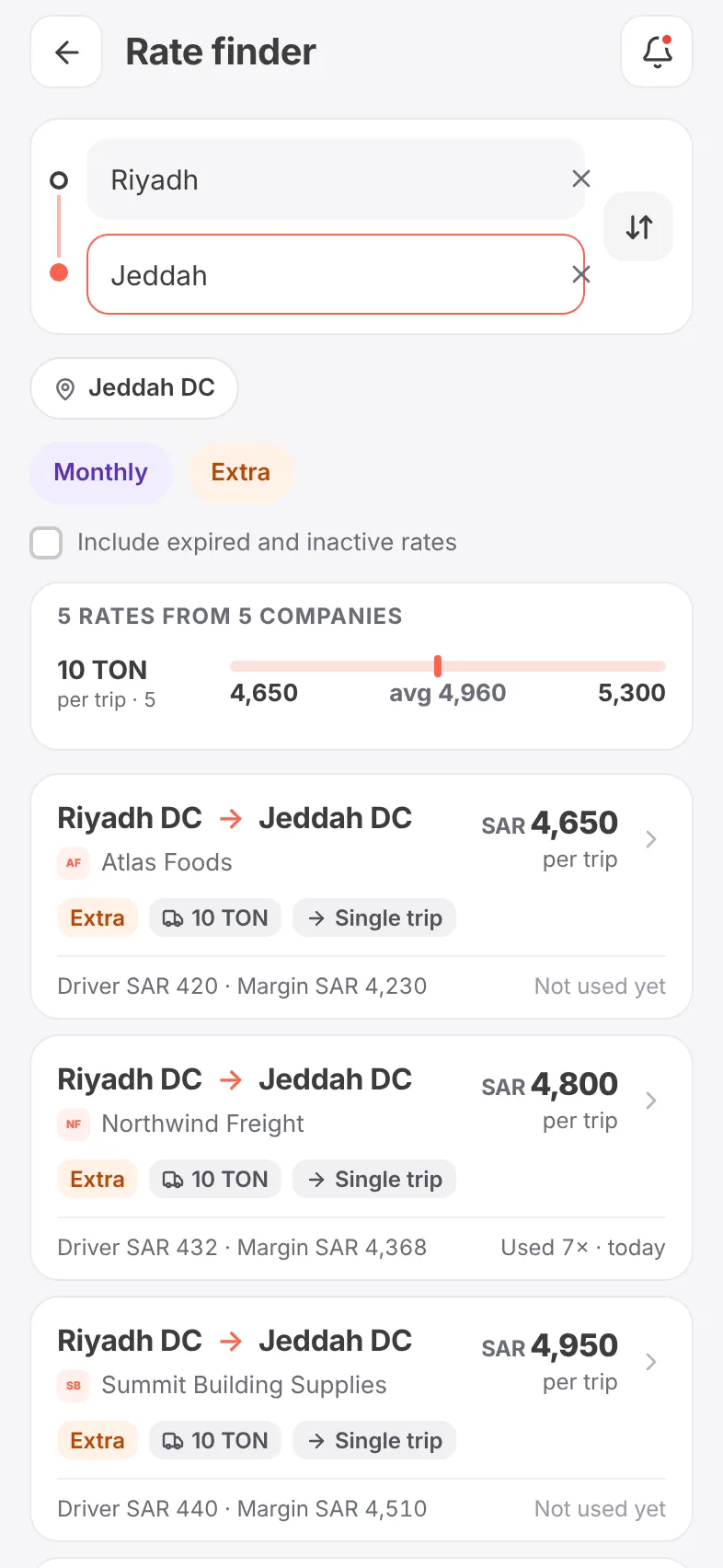
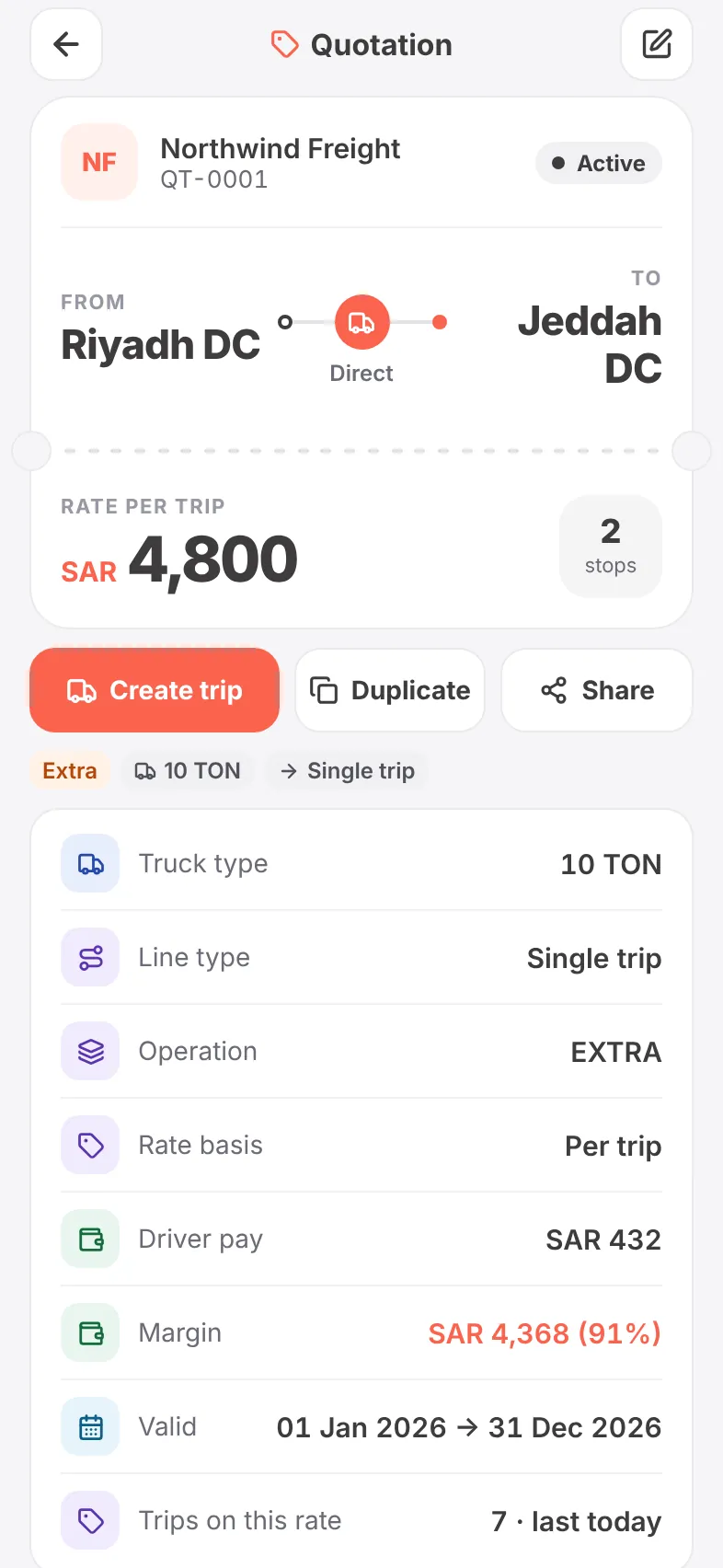
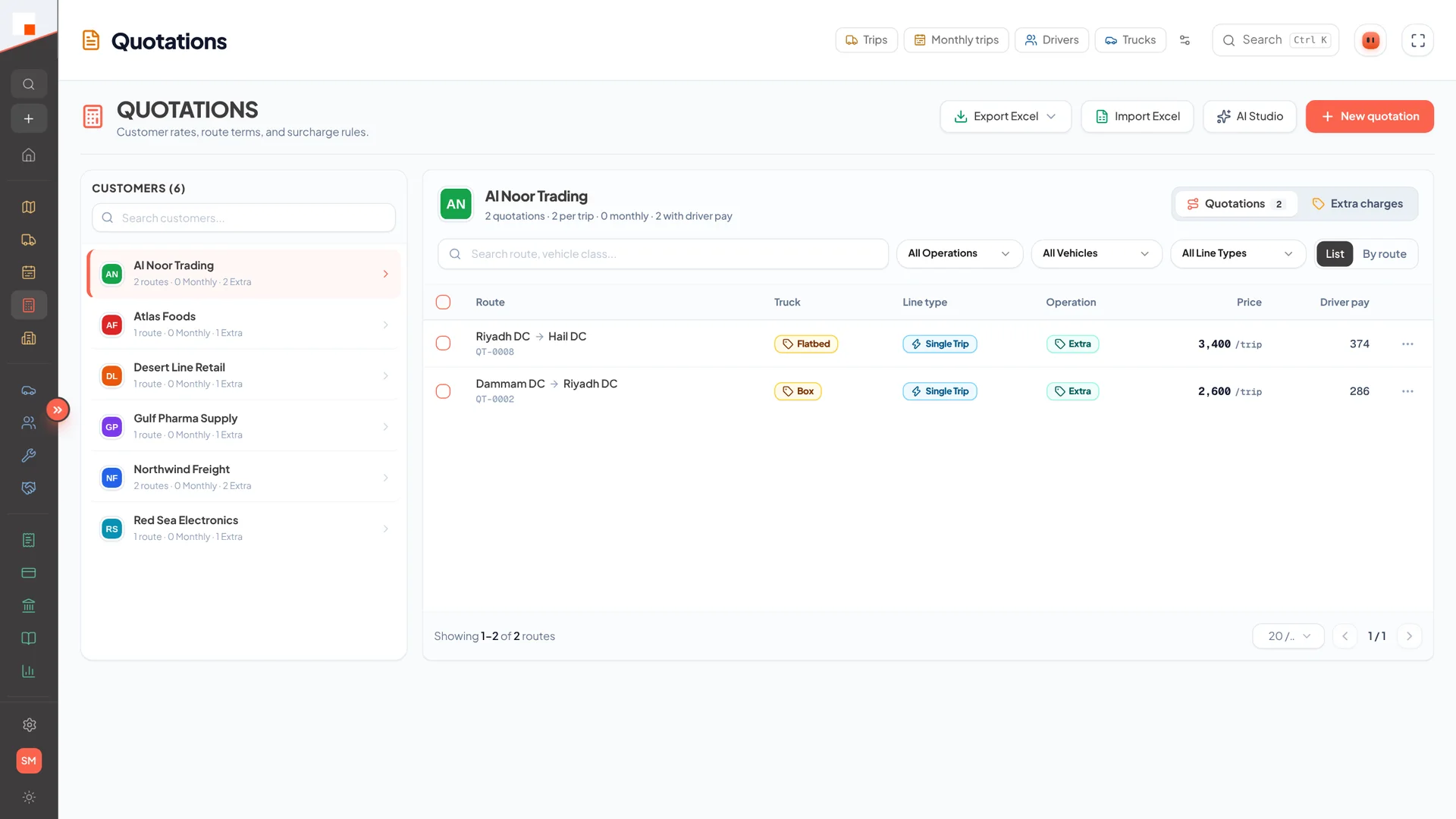
Price the lane from the customer’s rates — or compare what every customer pays for it — and send a branded quotation.
- Rates per lane, truck size and trip type
- Rate finder across every customer
- Branded PDF, expiry alerts
- Turn the quotation into a trip in one tap
Create the trip
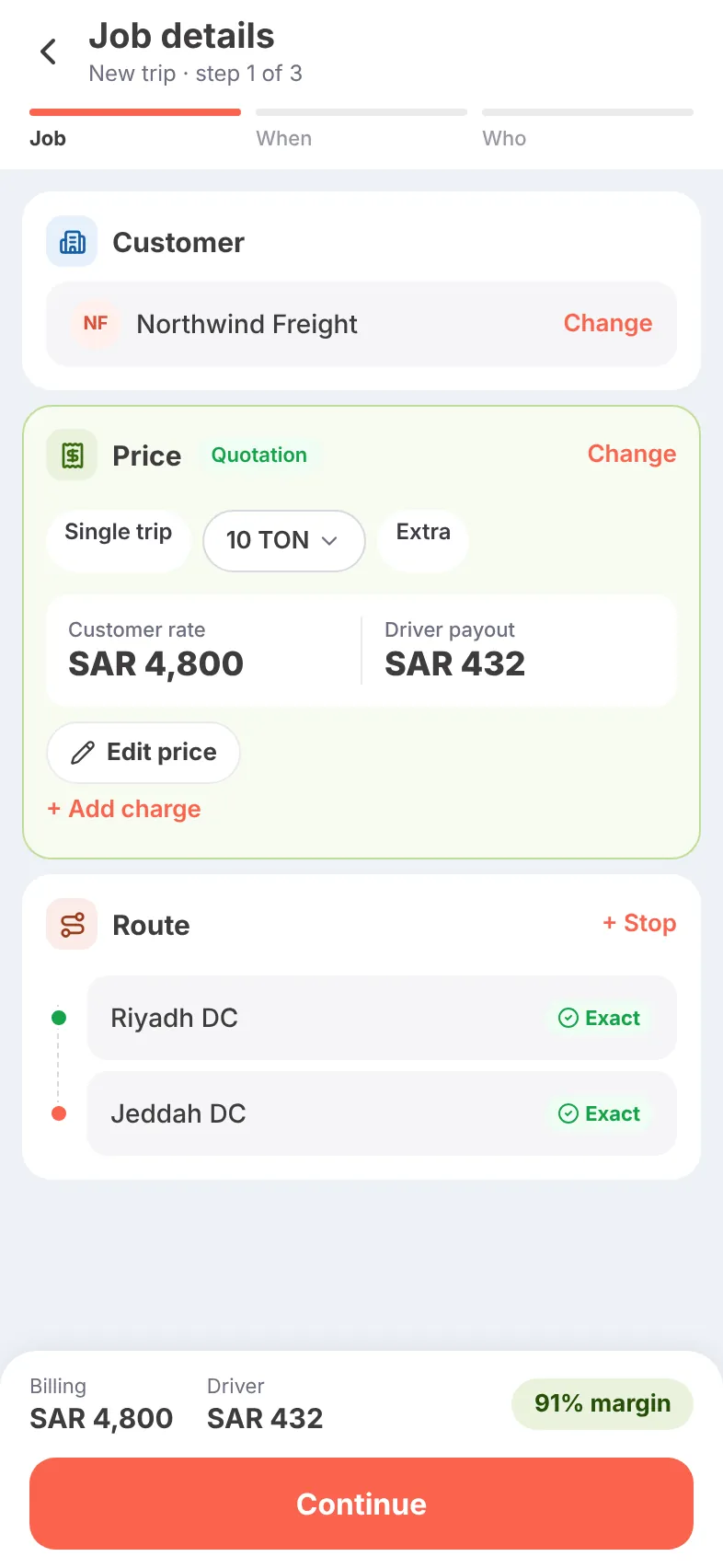
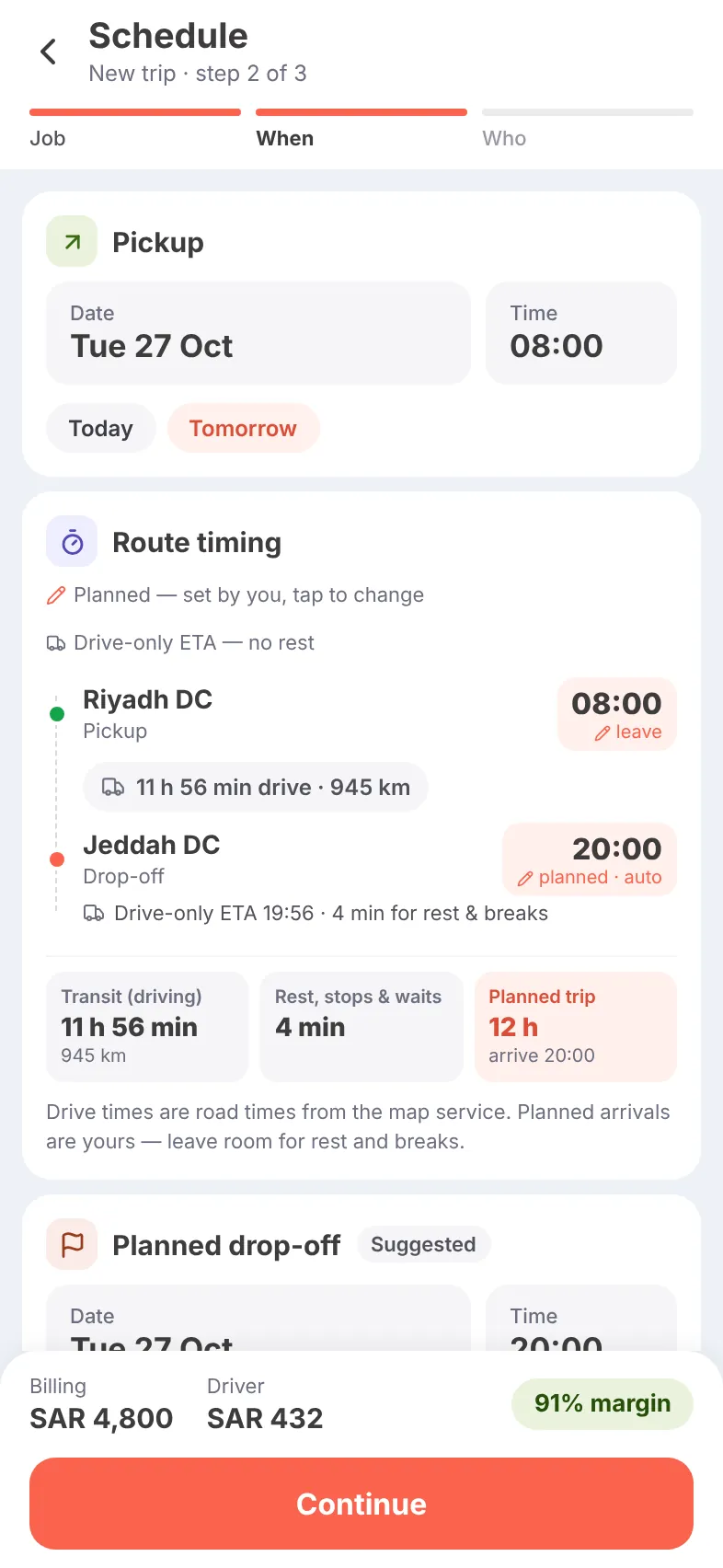
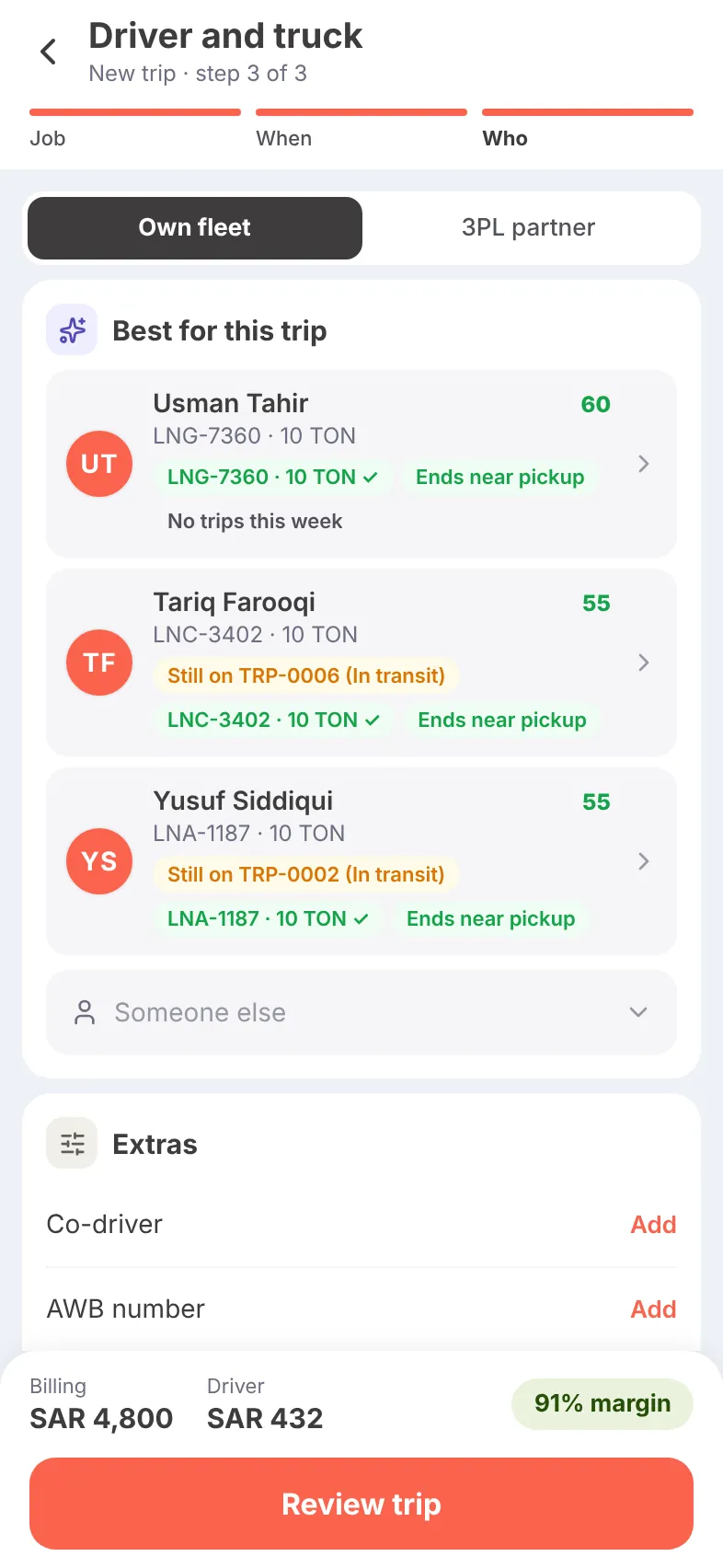
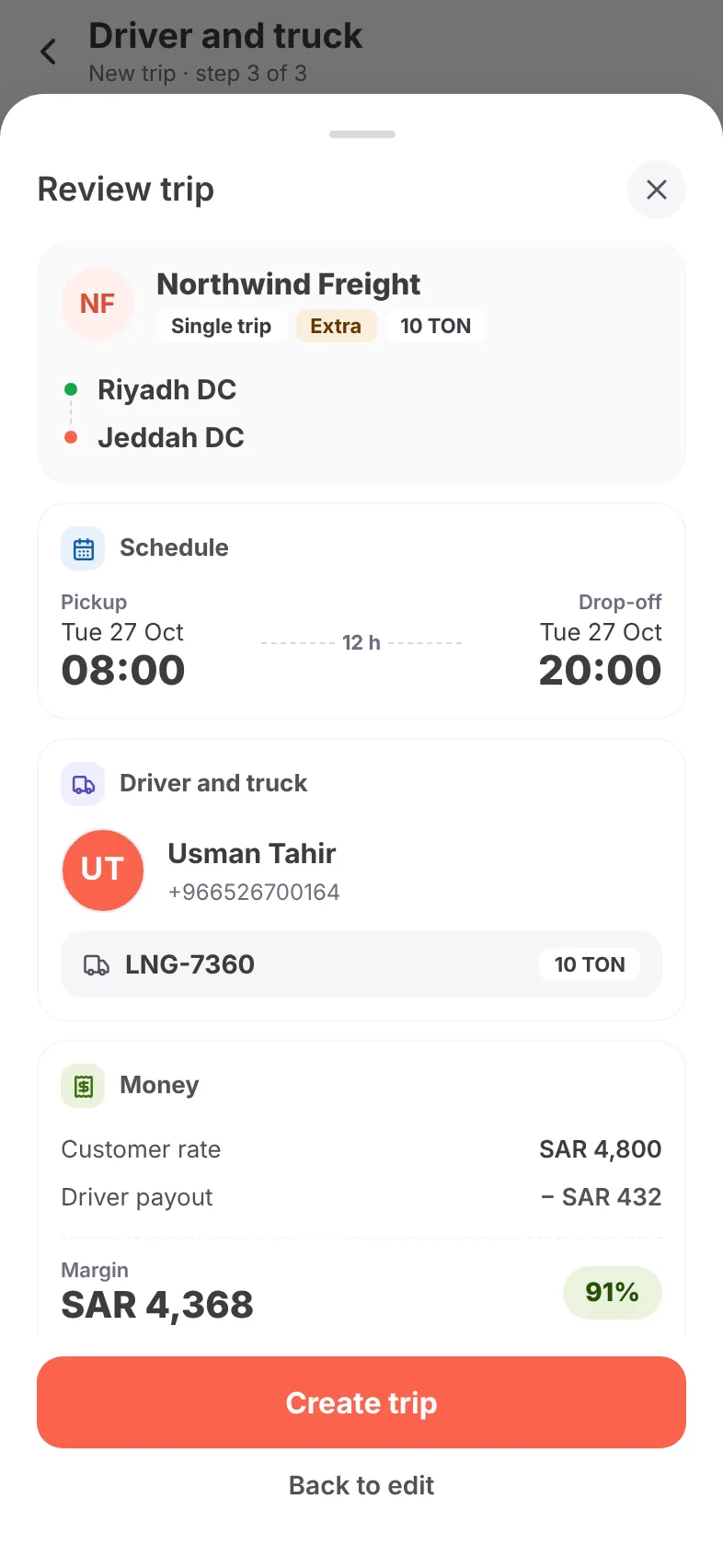
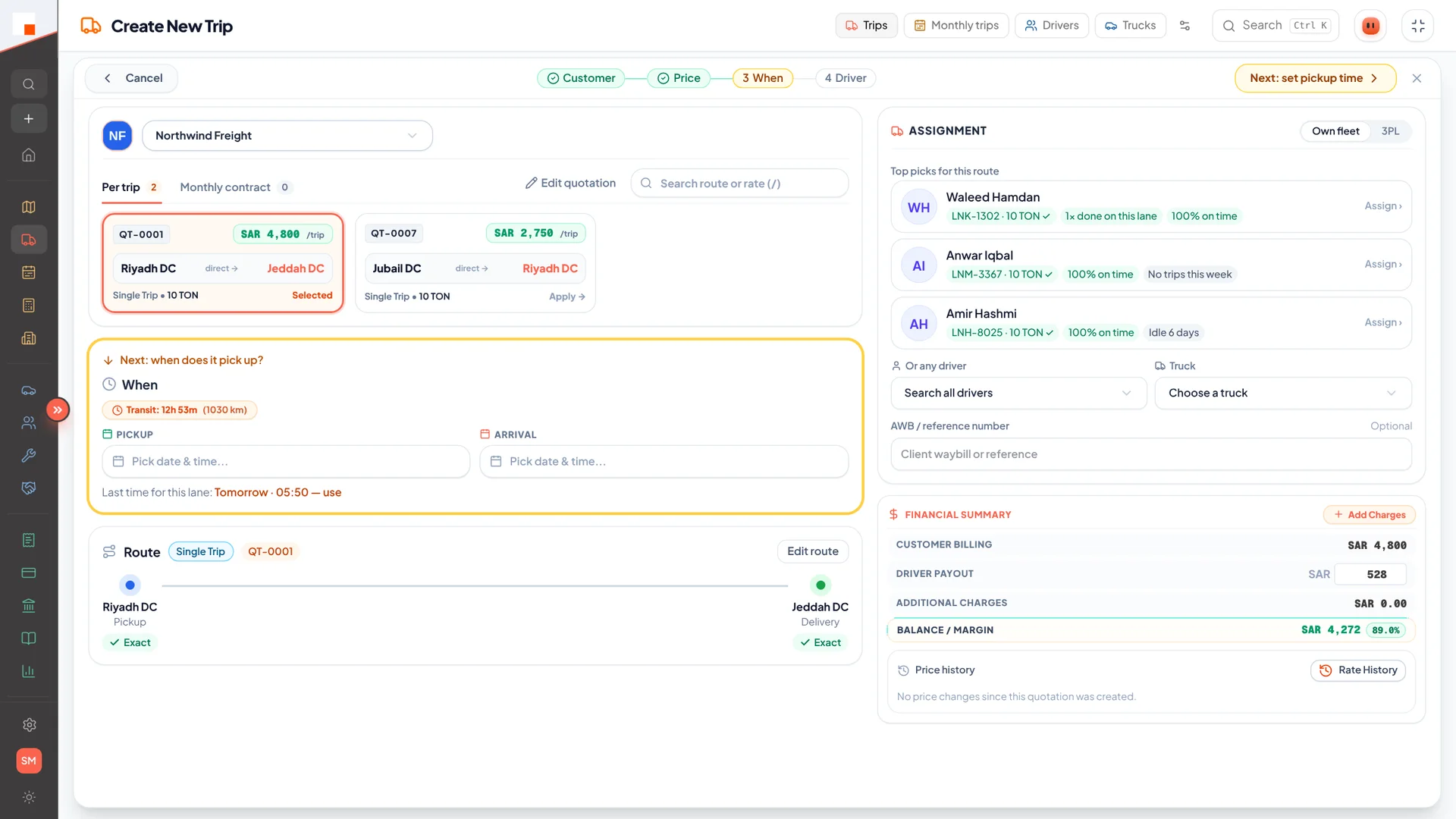
Customer, route and price come from the quotation. The drive time comes from the road network. The best drivers are suggested. You see the margin before you commit.
- Start from a recent trip or a saved route
- Multi-stop and round trips
- Drivers ranked by who is free and ending near the pickup
- Own fleet or a 3PL partner
- Review the whole trip and its margin
Dispatch
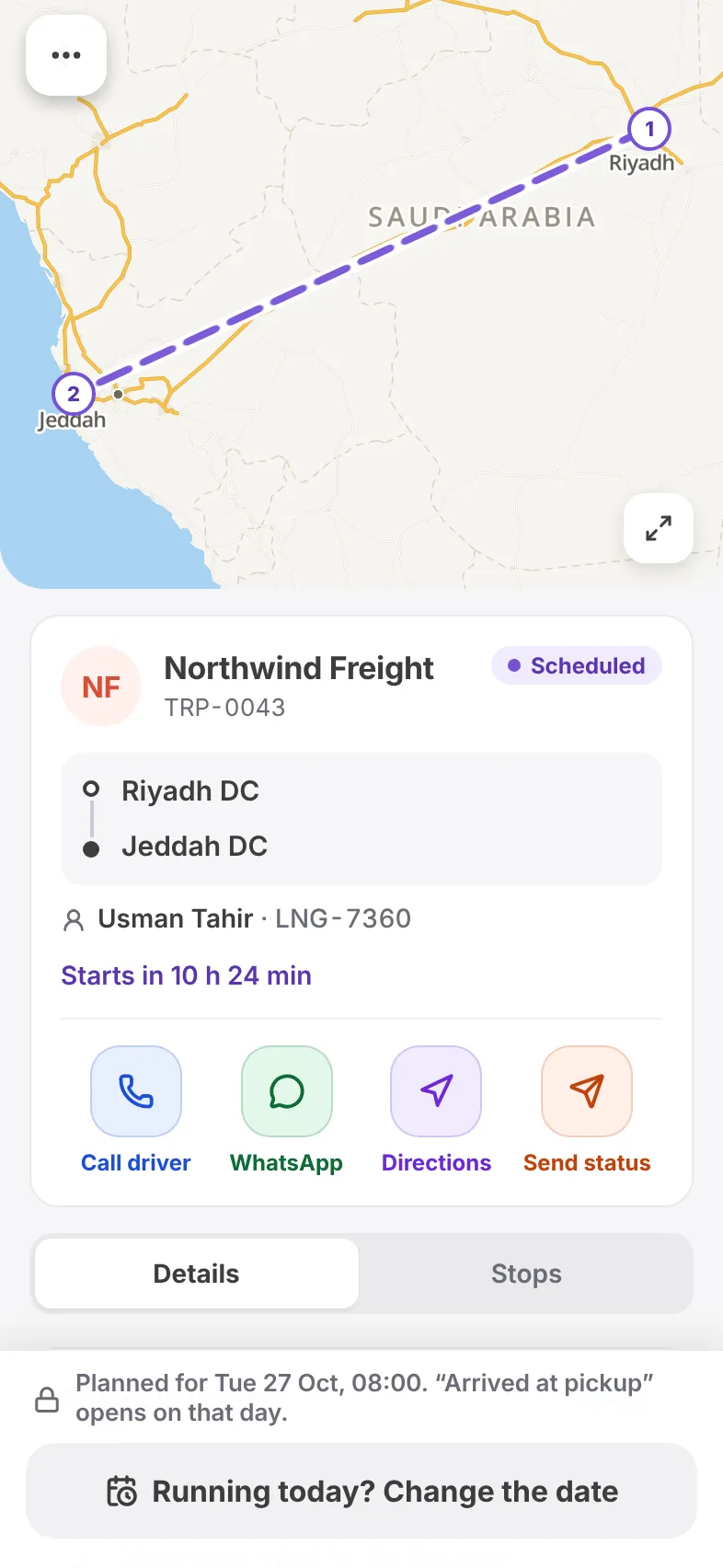
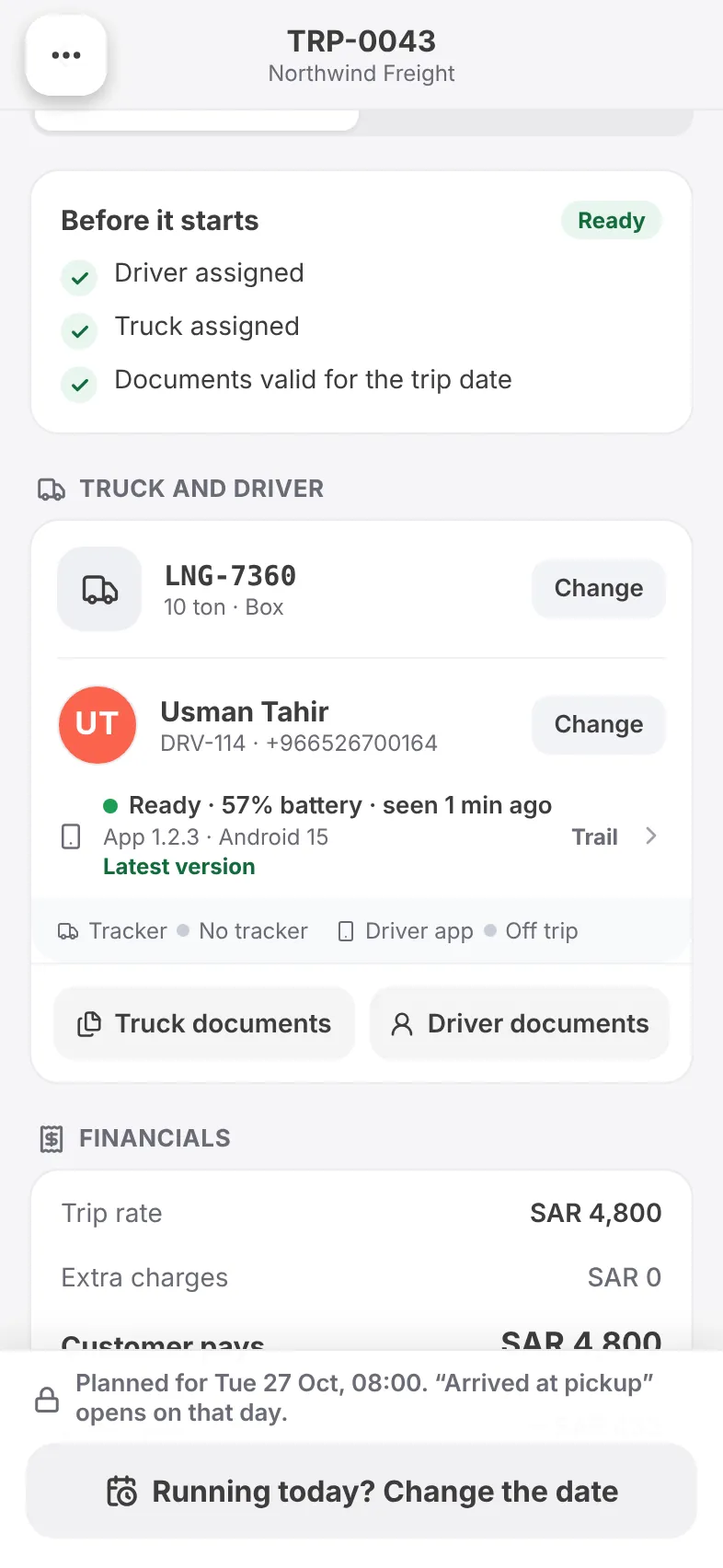
The driver is notified on their phone. The trip shows whether it is ready to run — driver, truck and documents valid for the day — and the customer can be told who is coming.
- Driver notified instantly
- “Before it starts” readiness check
- Driver’s phone: app version, battery, last seen
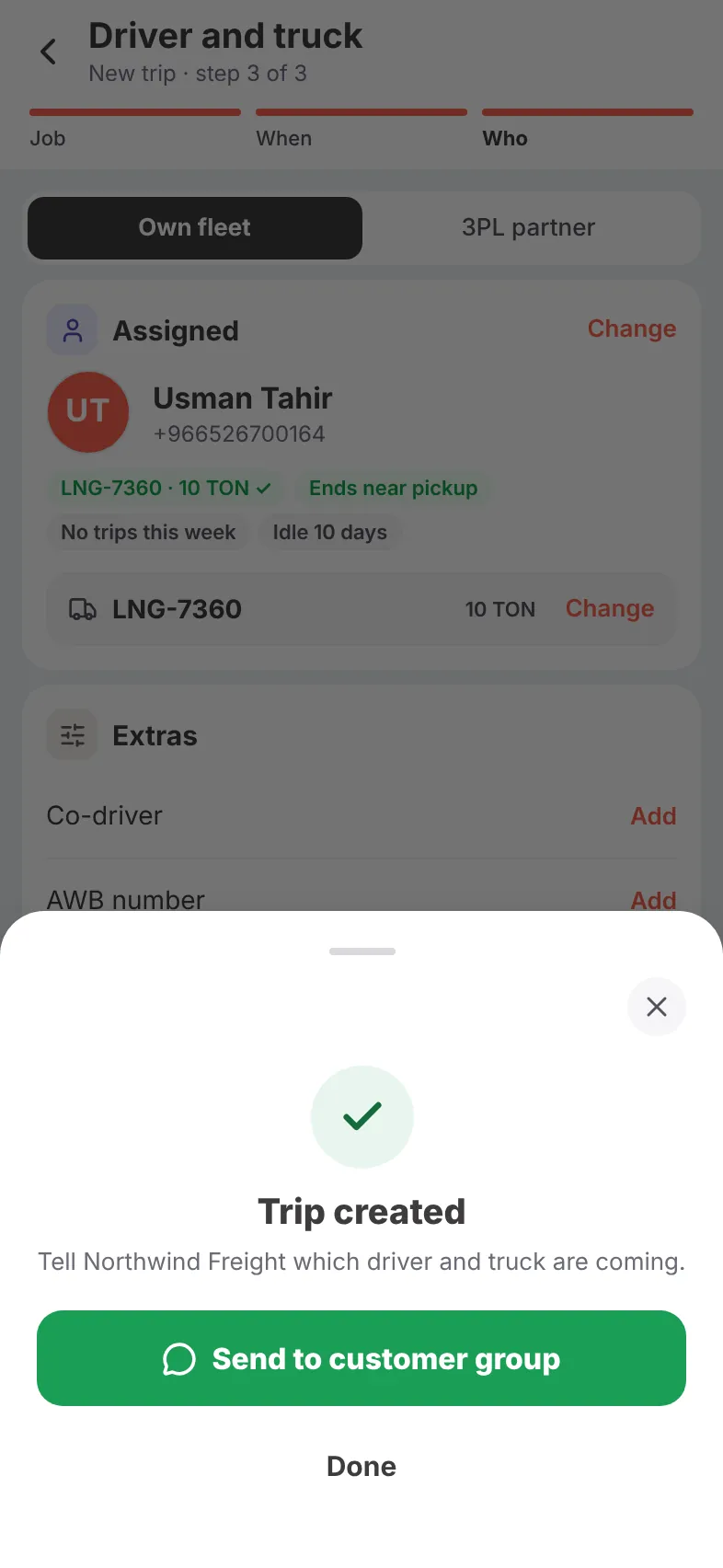
- Send driver and truck to the customer’s WhatsApp group
Drive and deliver
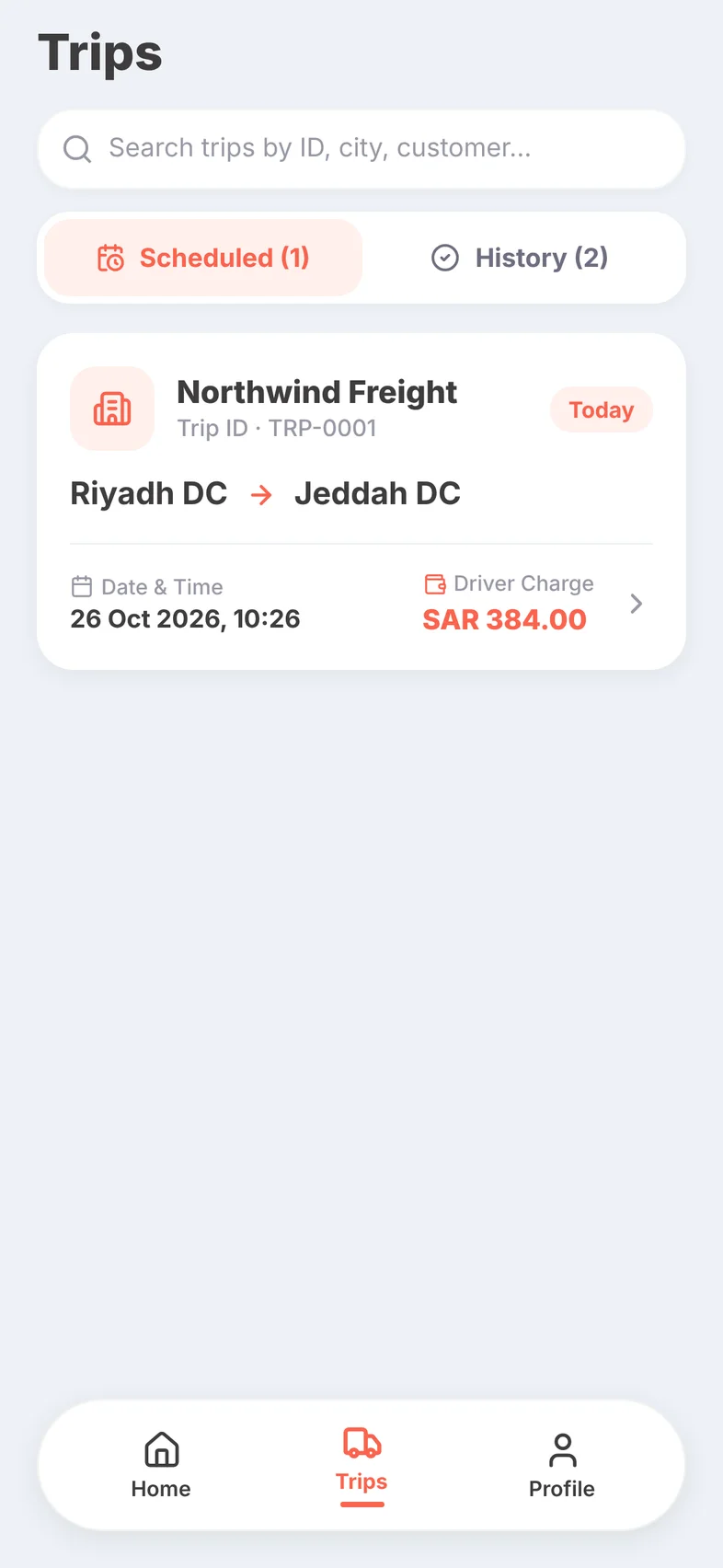
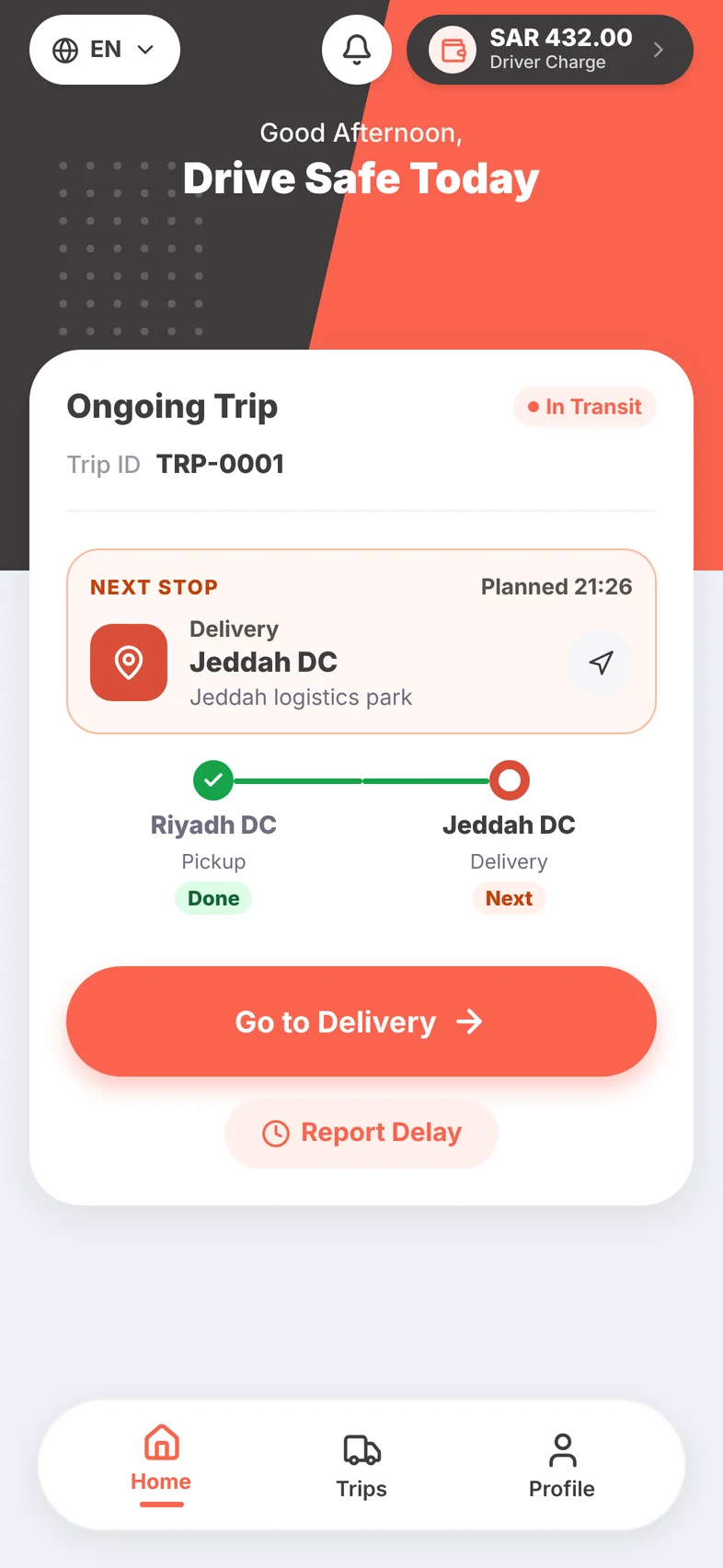
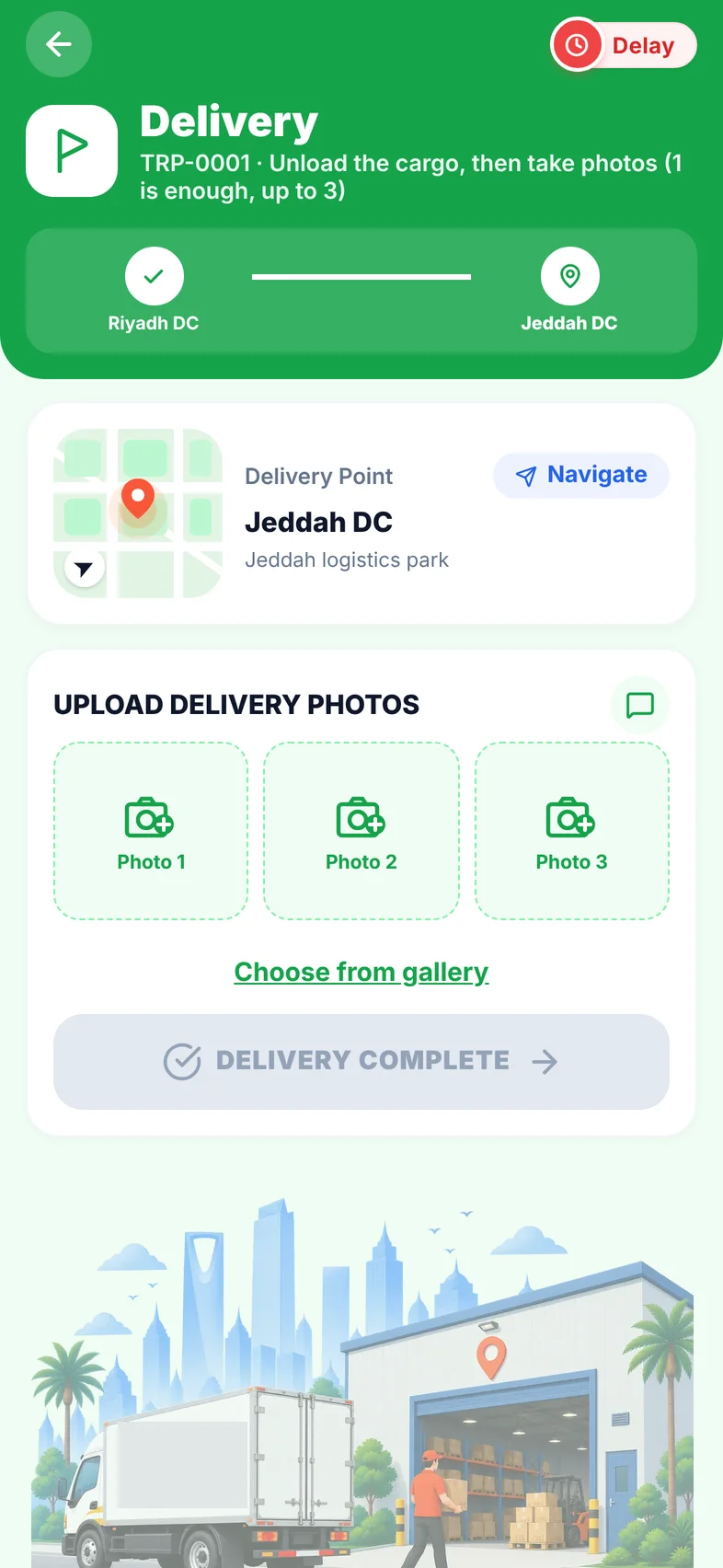
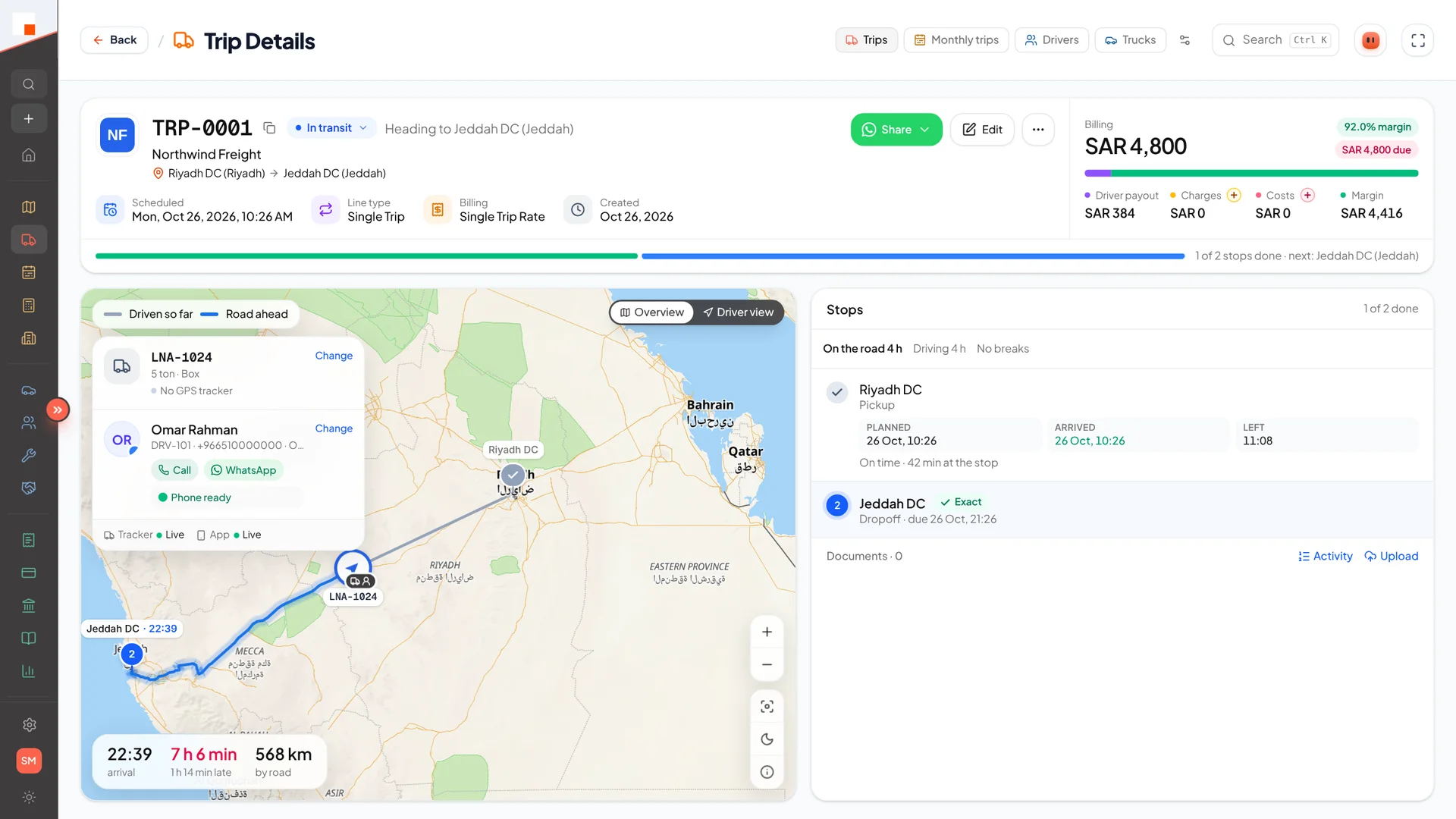
The driver app walks each stop in order — arrive, photo, depart. GPS runs while the trip is live and confirms arrivals, so everyone sees the same times.
- Phone number and licence login
- Big buttons, English and Urdu
- Photos at pickup, every stop and delivery
- Emergency button and notifications
Track
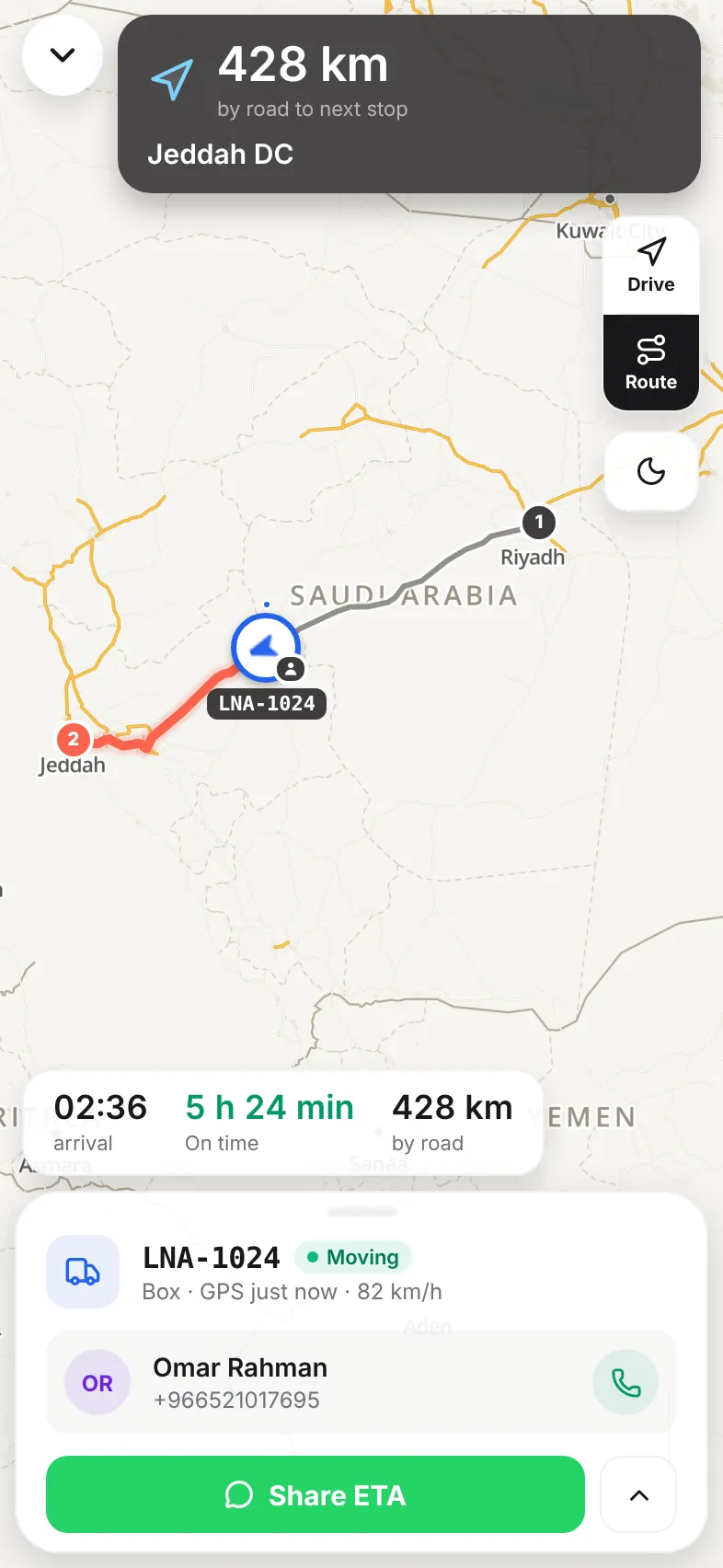
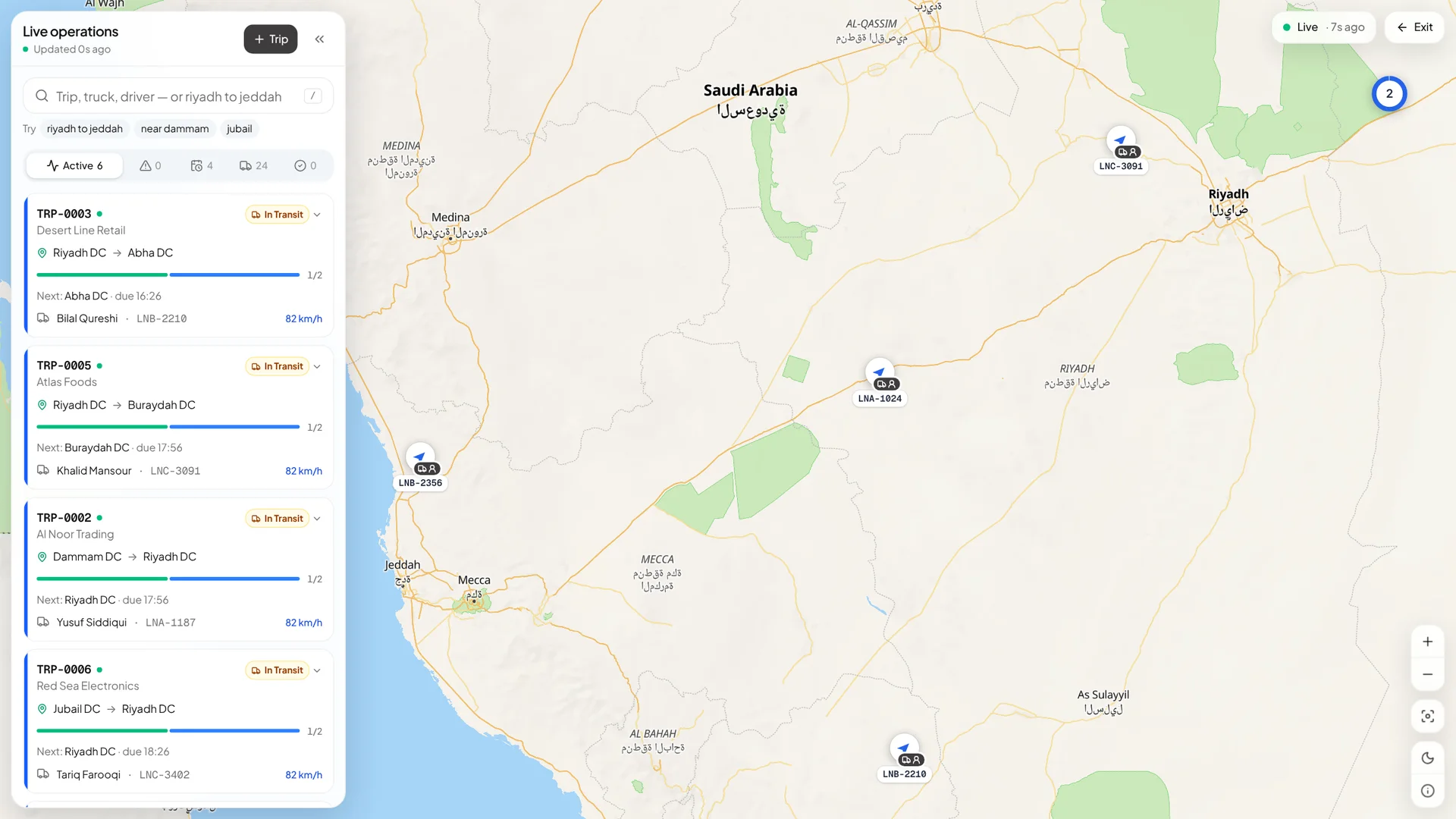
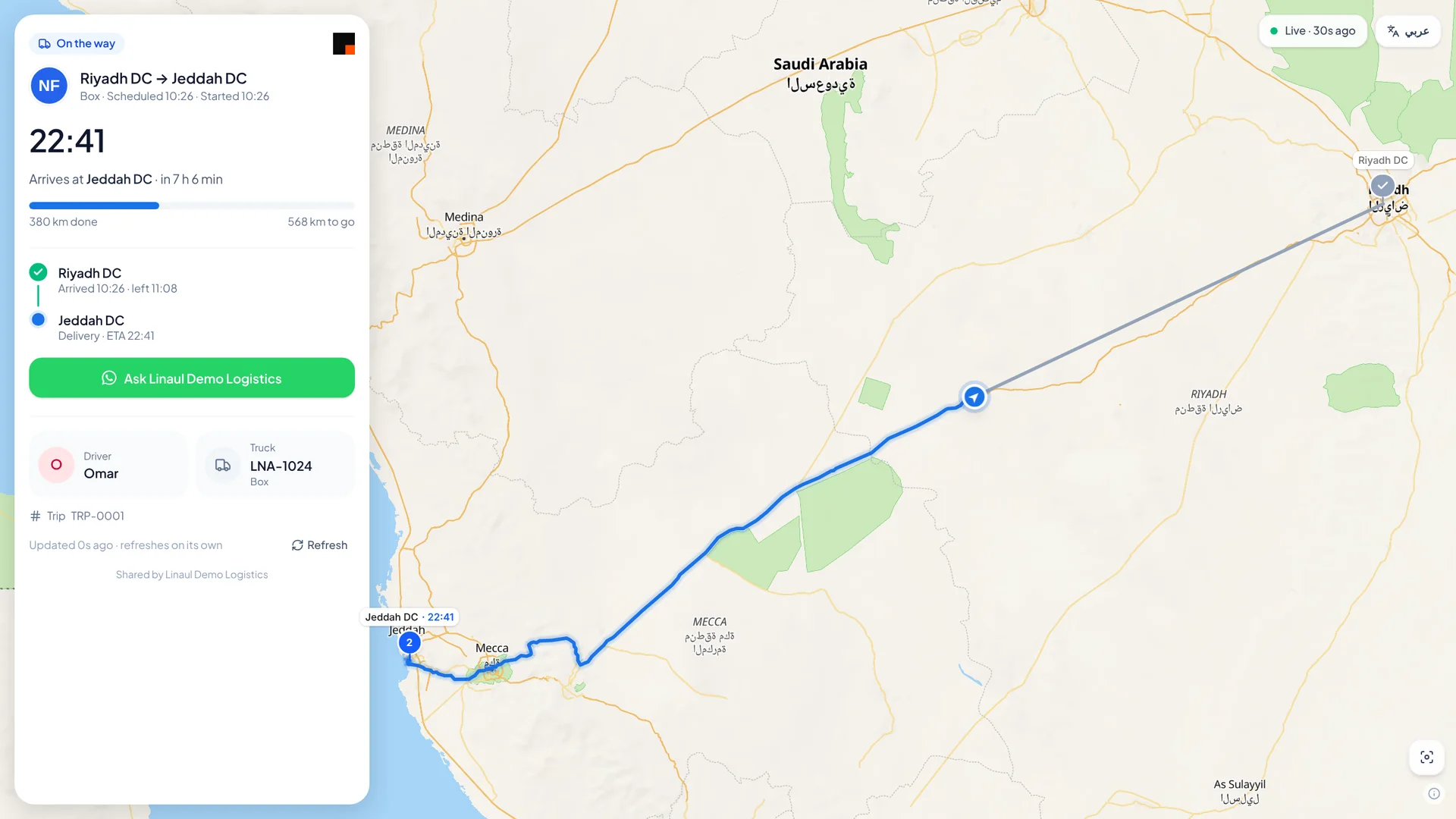
Ops follow every truck live — distance and ETA to the next stop, on time or late. The customer gets a link to their own tracking page, no login needed.
- Full-screen live trip on the phone
- Live operations map on the web
- Share the ETA on WhatsApp
- Customer tracking page with timeline and photos
Close the trip
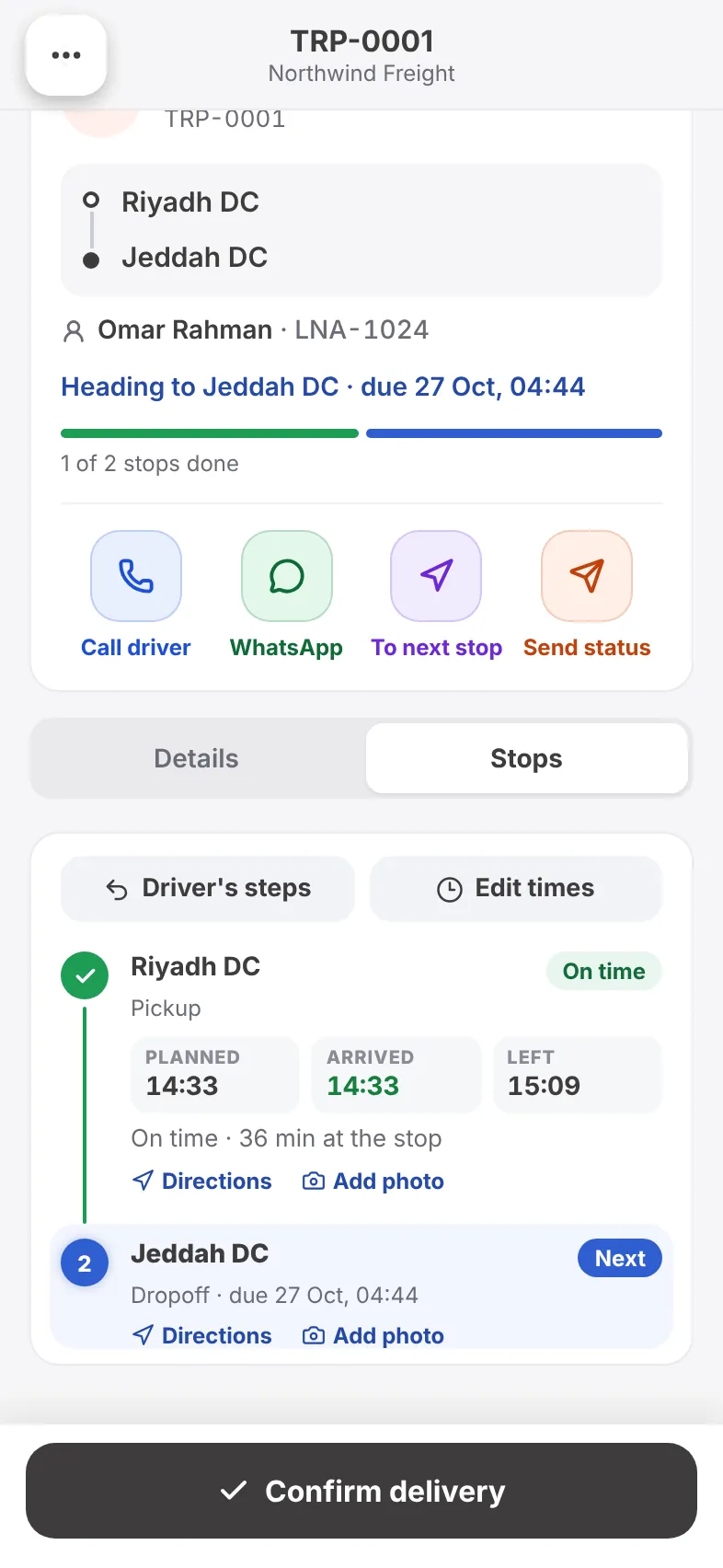
Every stop has its planned, arrived and left time, with photos as proof. Late stops carry a reason, so the delay report writes itself.
- Planned vs actual at every stop
- Edit actual times when they need correcting
- Delay reasons per stop
- Confirm delivery from the phone
Bill and account
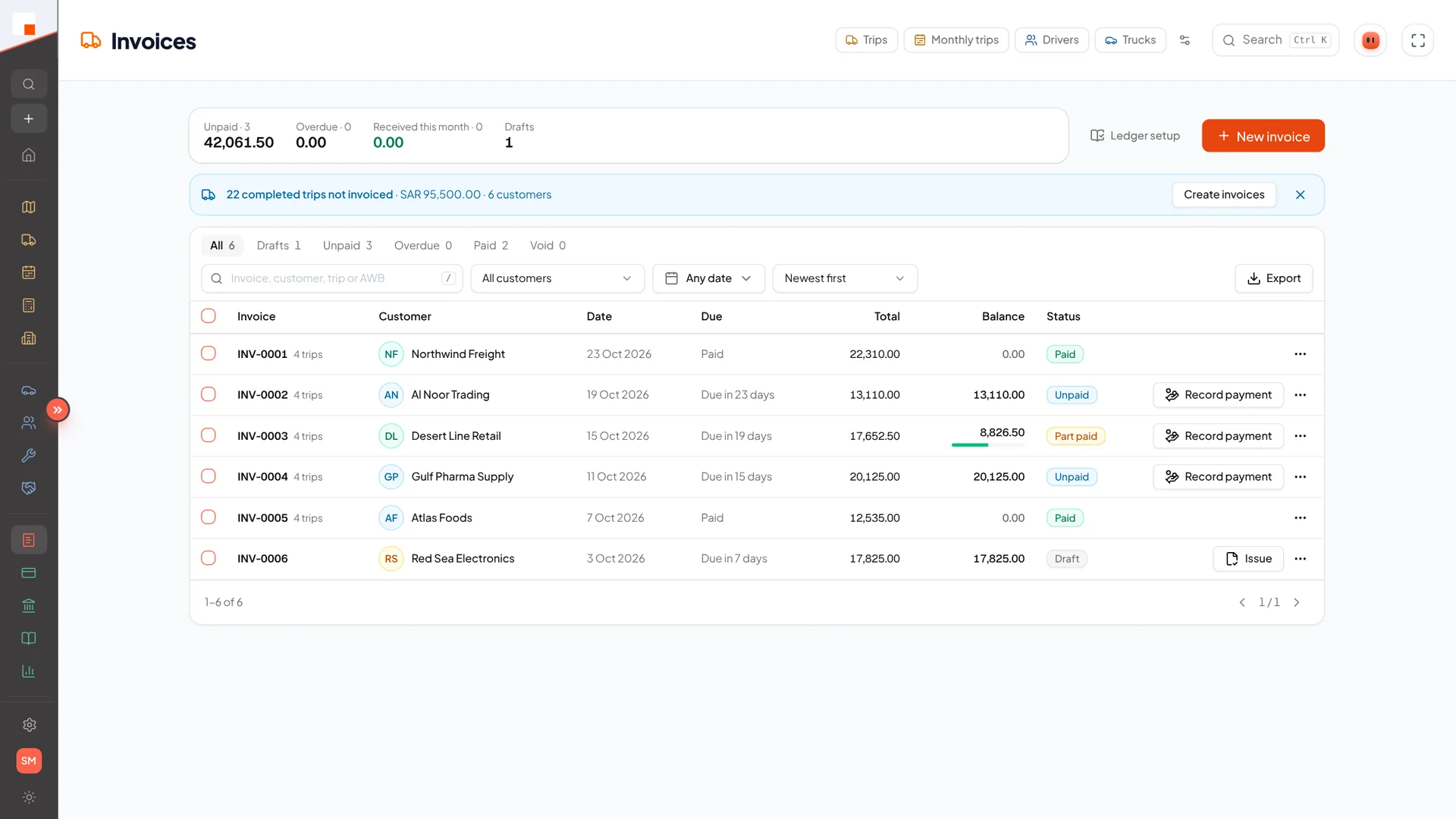
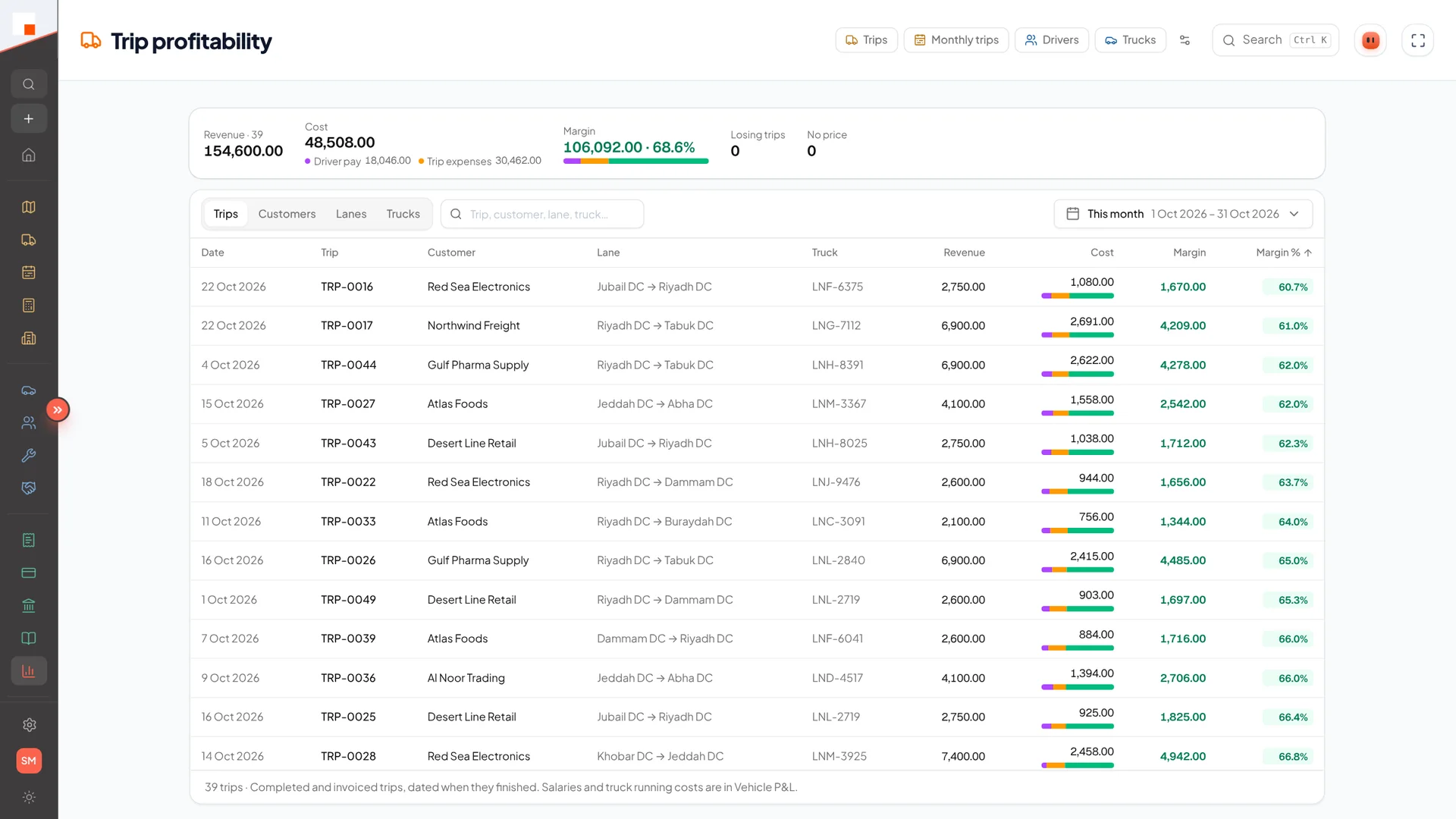
Invoice from the completed trip. Freight, extra charges, fuel, tolls and driver pay land in the books as the work happens — margin per trip and per truck.
- Invoices with balances and payment status
- Extra charges from the trip
- Trip profitability and vehicle P&L
- VAT return and financial statements