Book a demo
Modules6 groups

Everything a fleet runs on.

01

Operations

Plan, dispatch and run every trip from quote to proof of delivery.

1.1

Trips

The full trip lifecycle in one record — draft, dispatch, pickup, delivery, completion.

  • Multi-stop and round trips with legs on their own dates
  • Assign driver and truck now, or leave for later as a draft
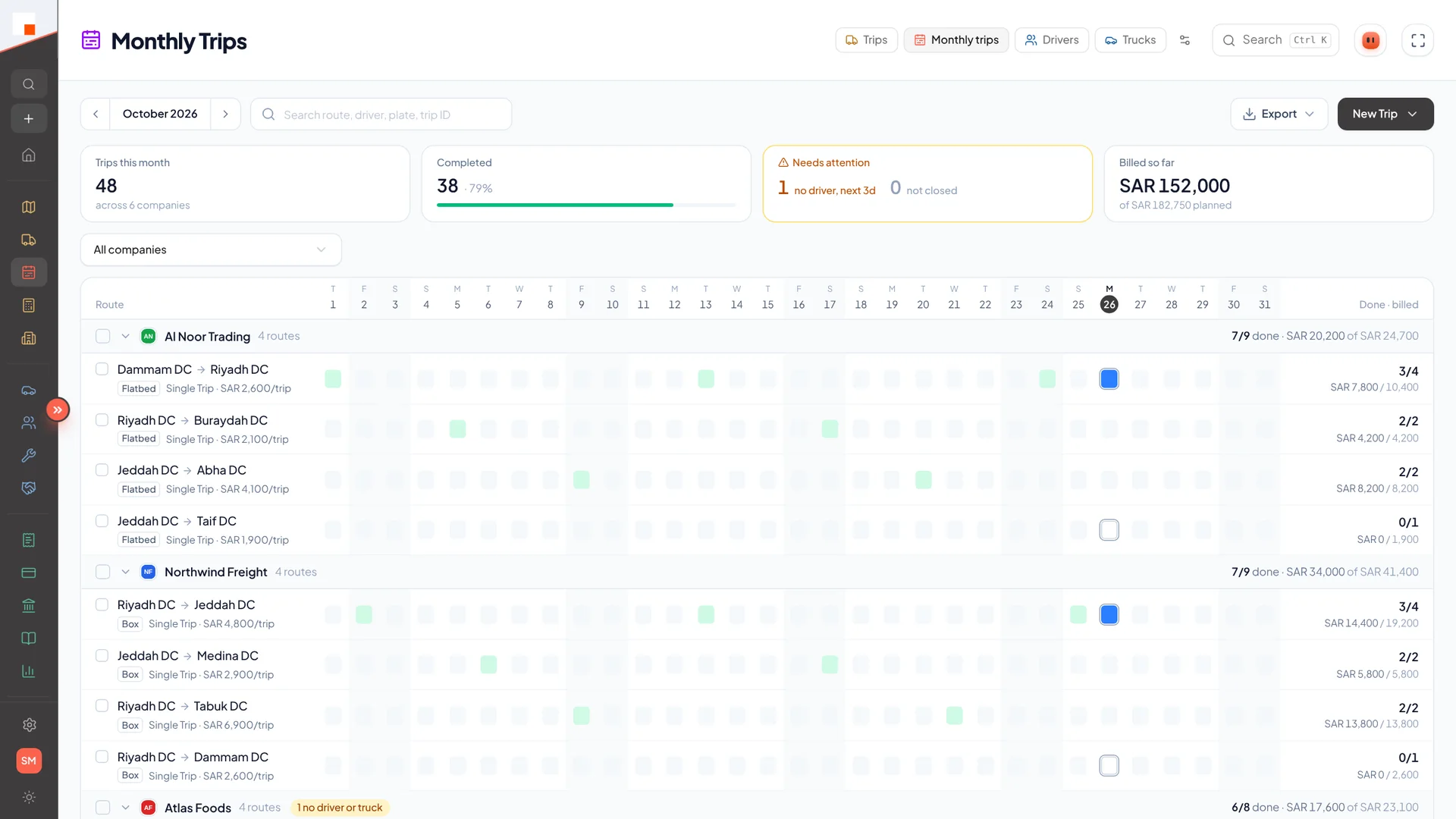
  • Monthly recurring runs with overlap warnings
  • Replace driver mid-trip, cancel, or edit actual times
  • Start from a recent trip or a saved route in one tap
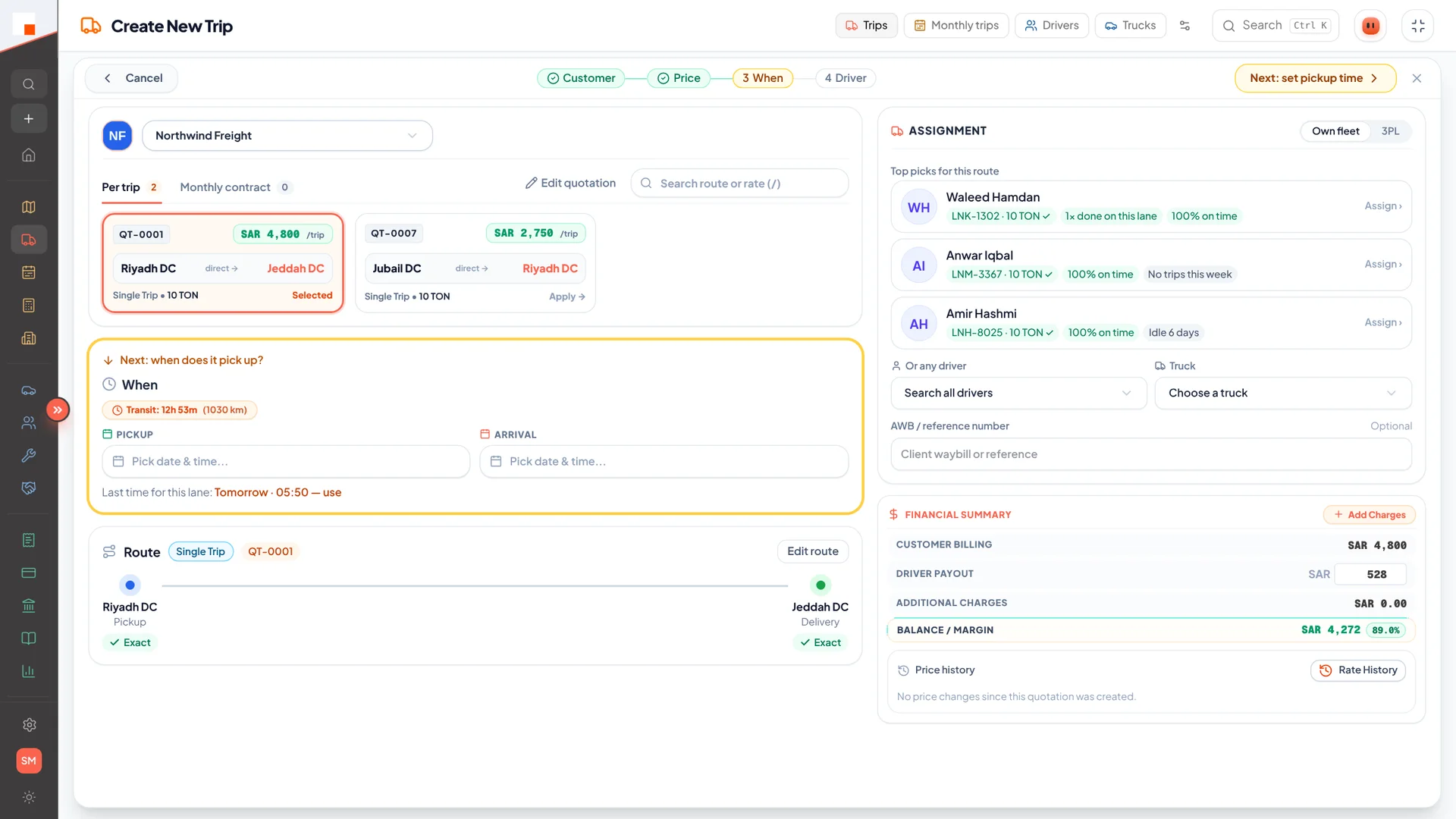
  • Suggested drivers ranked by where their last trip ends
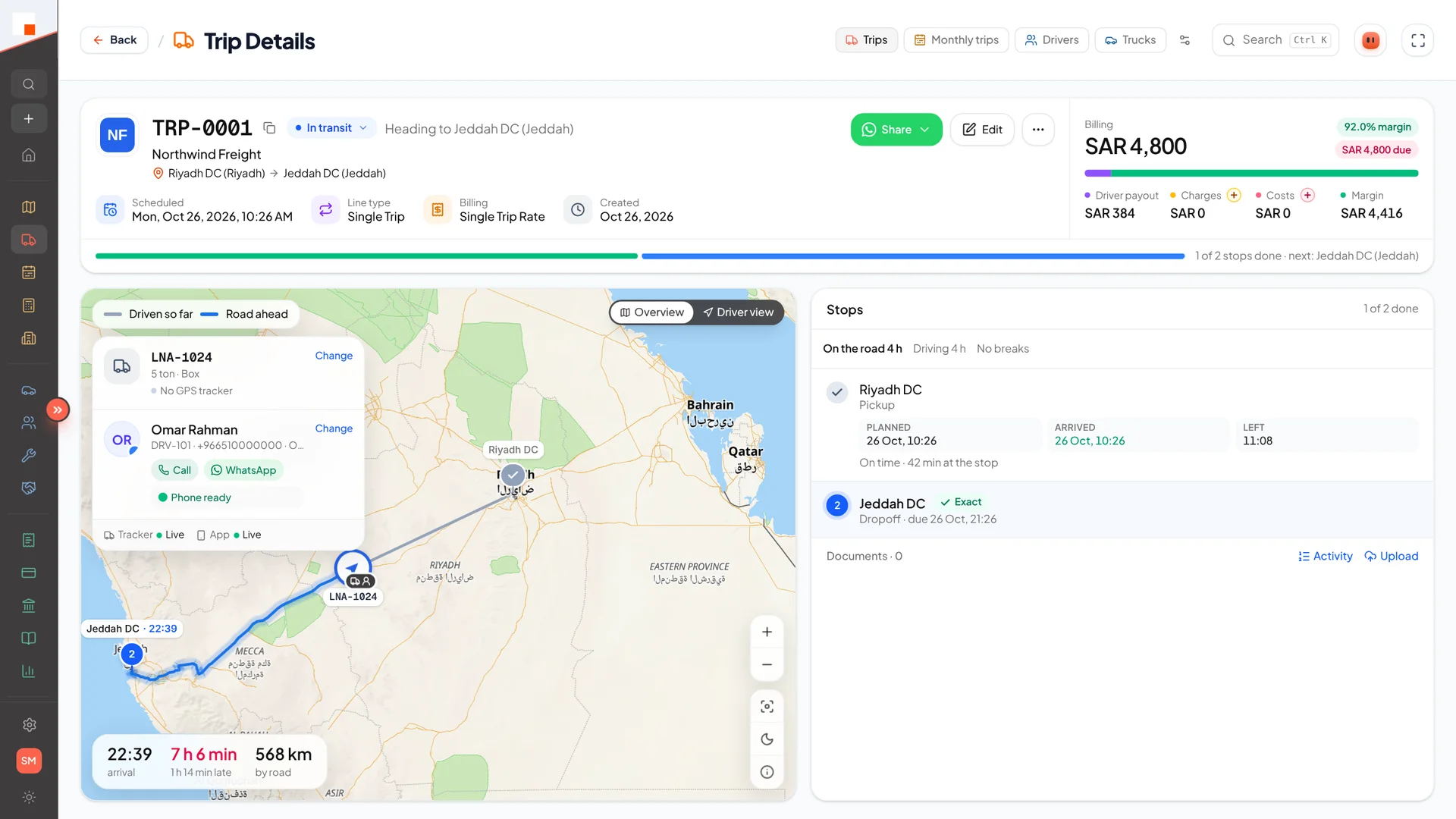
  • Road distance, drive time and margin before you dispatch
  • Co-driver, AWB number and extra charges on the same trip
app.linaul.com
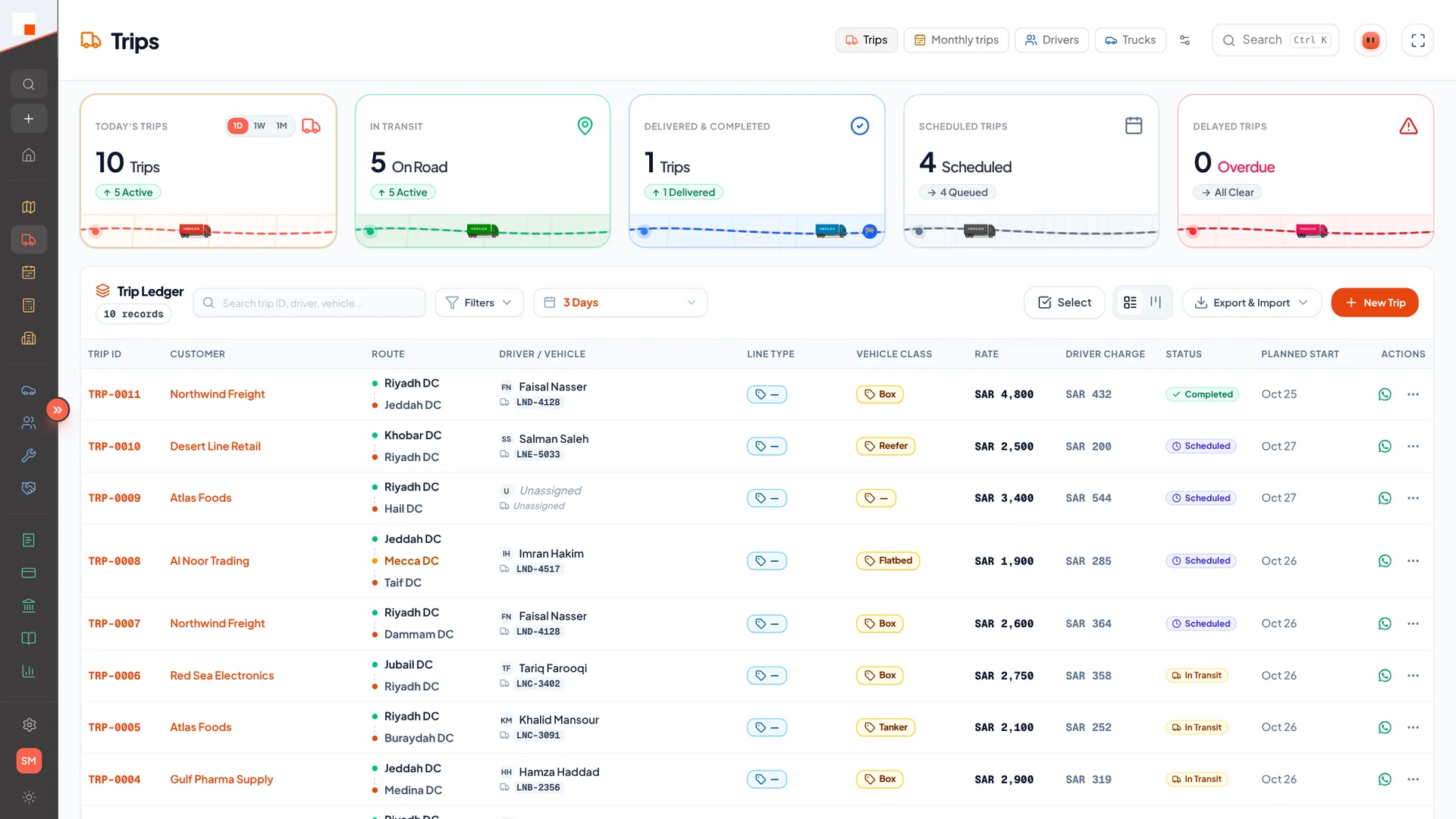
Trip ledger
Trip ledger with today, in-transit and delayed counts
app.linaul.com
Create trip
Create trip: quotation, suggested drivers and live margin
app.linaul.com
Trip details
Trip details with route, stops and billing
app.linaul.com
Monthly trips
Monthly runs per customer and lane
1.2

Live Map

Every active truck on one map, streamed from the driver app.

  • Real-time GPS over WebSockets
  • Automatic arrival detection at each stop
  • Driver breaks and stops visible on the route
  • Find the nearest suitable truck for a new load
  • Search a lane like “riyadh to jeddah” or a place to see trucks near it
  • Road distance and ETA to the next stop, with on-time status
  • Driver view and a dark map for night shifts
app.linaul.com
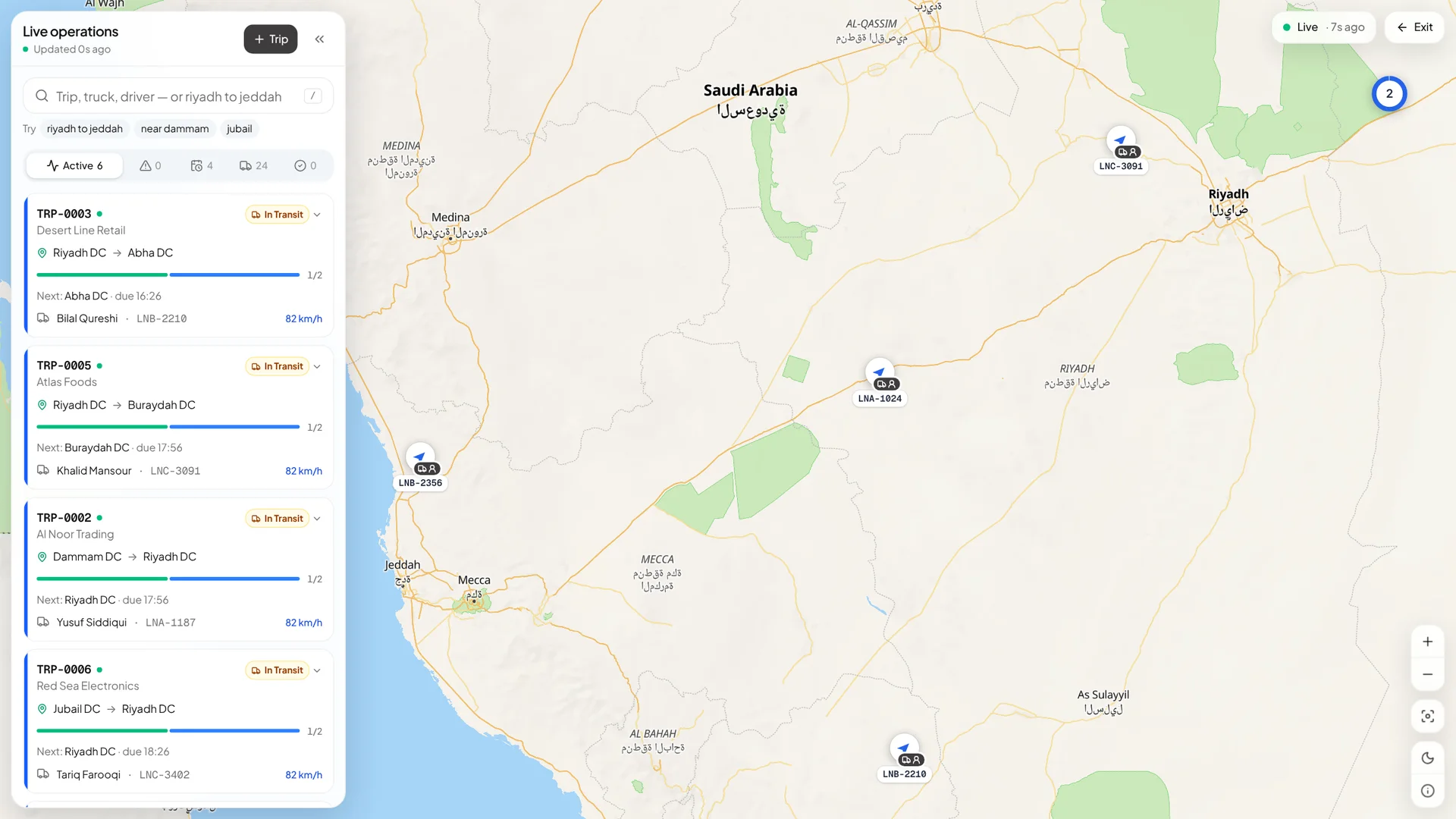
Live map
Live operations map
1.3

Quotations

Price, send and track quotes, then turn them into trips.

  • Rate cards and a rate finder for lanes you already priced
  • Compare one lane’s price across every customer: low, average, high
  • Branded PDF quotations
  • Import existing quotes with AI-assisted extraction
  • Expiry alerts before a quote lapses
  • Create a trip straight from a quotation
app.linaul.com
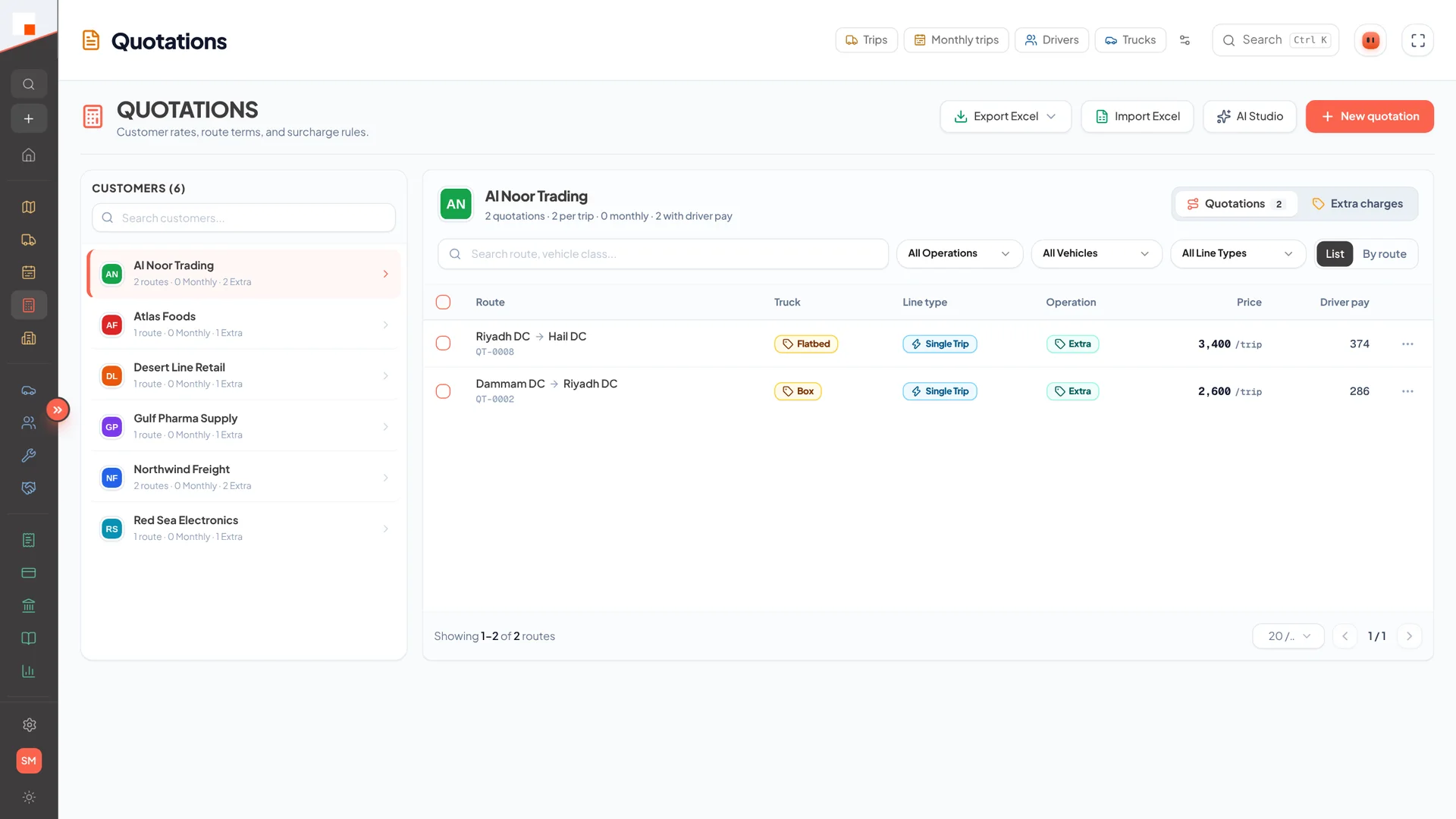
Quotations
Quotations per customer
1.4

Delay Reporting

Know which trips ran late, where, and why.

  • Delay log with reasons per stop
  • On-time grid across customers and lanes
  • Delay analysis to spot repeat problems
1.5

Locations

A shared address book of sites with exact map pins.

  • Pickup, offload and depot locations
  • “Pin needed” flags until a precise point is set
  • Geocoded search while creating trips
app.linaul.com
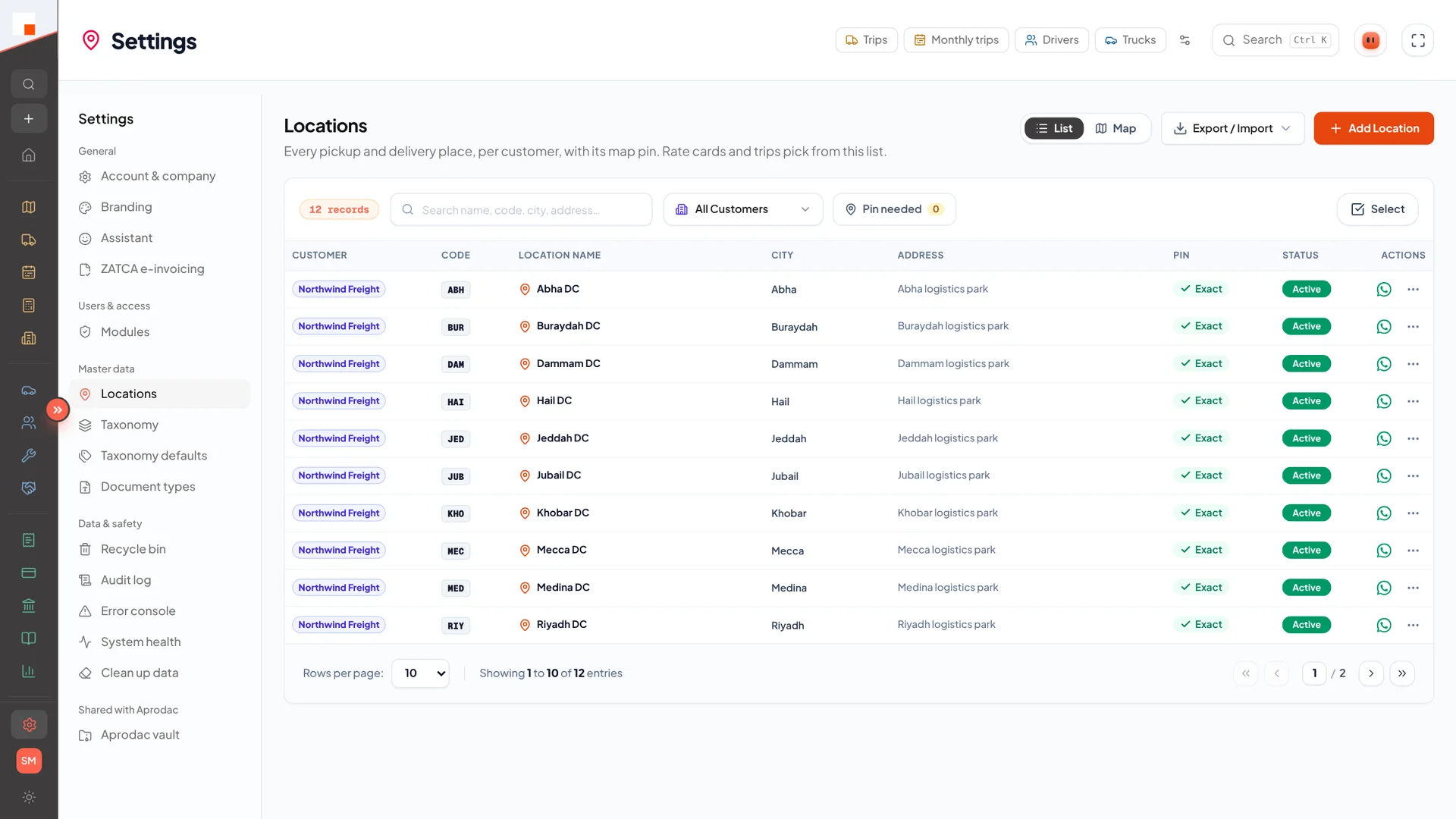
Locations
Locations with exact pins
1.6

Third-party Carriers

Subcontract loads and keep them in the same trip board.

  • Carrier directory with contacts and terms
  • External trips tracked alongside your own fleet
02

Fleet & People

Trucks, drivers and their paperwork — always current, never expired by surprise.

2.1

Vehicles

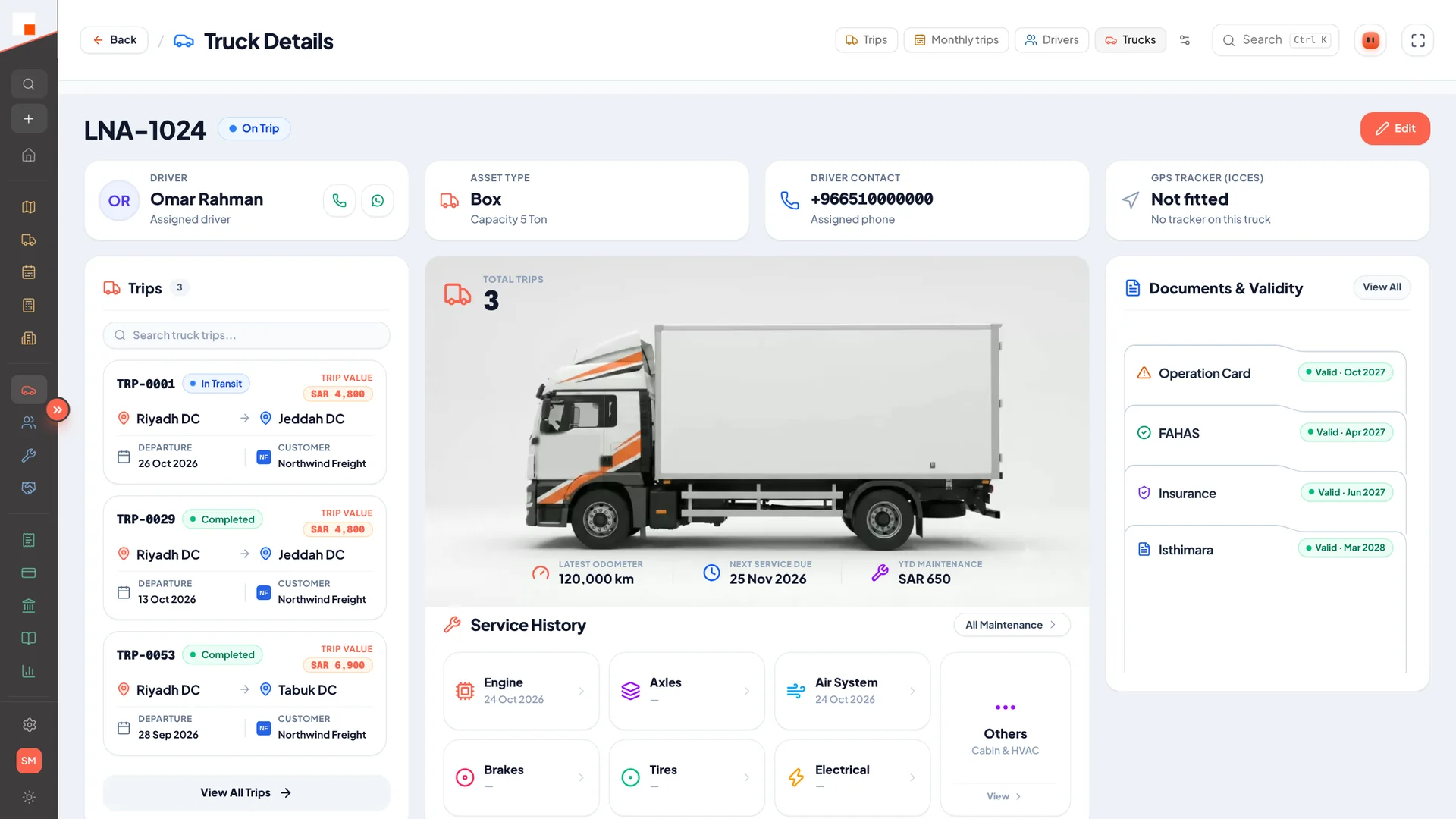
Every truck with its type, capacity, documents and availability.

  • Vehicle documents with renewal reminders
  • Cargo compatibility by vehicle type
  • Fleet utilisation by day, week and month
app.linaul.com
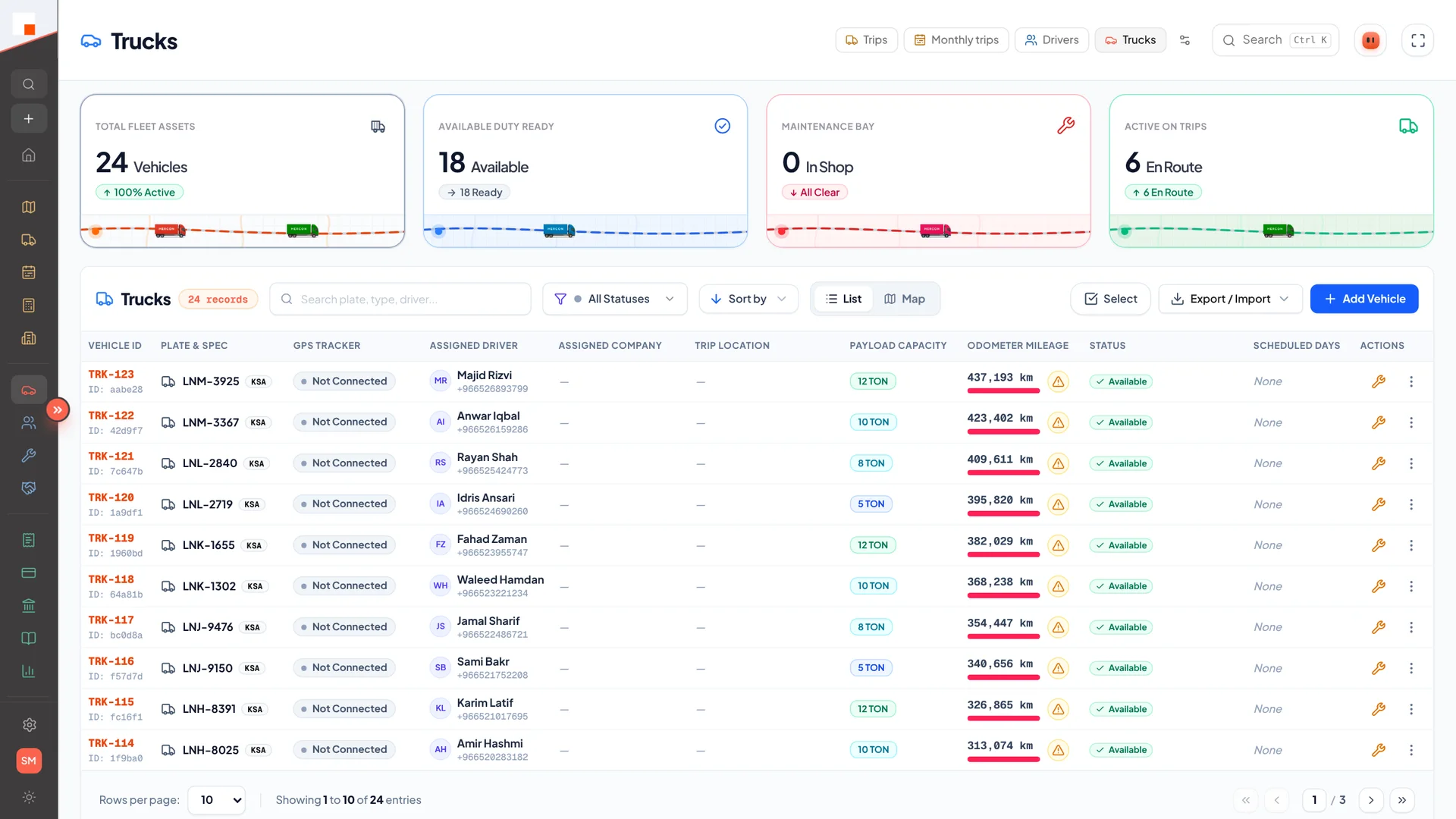
Trucks
Fleet list with status and capacity
app.linaul.com
Truck details
Truck details, trips and document validity
2.2

Vehicle P&L

Profit and loss per truck, not just per company.

  • Fleet-wide statement and per-truck statements
  • Cost setup for fixed and running costs
  • Revenue from trips matched to each vehicle
2.3

Drivers

Driver profiles, licences, documents and app access in one place.

  • Phone + licence-number login for the driver app
  • Performance overview and trip history
  • Driver pay, advances and settlements
  • Phone health check: GPS, battery and notification status
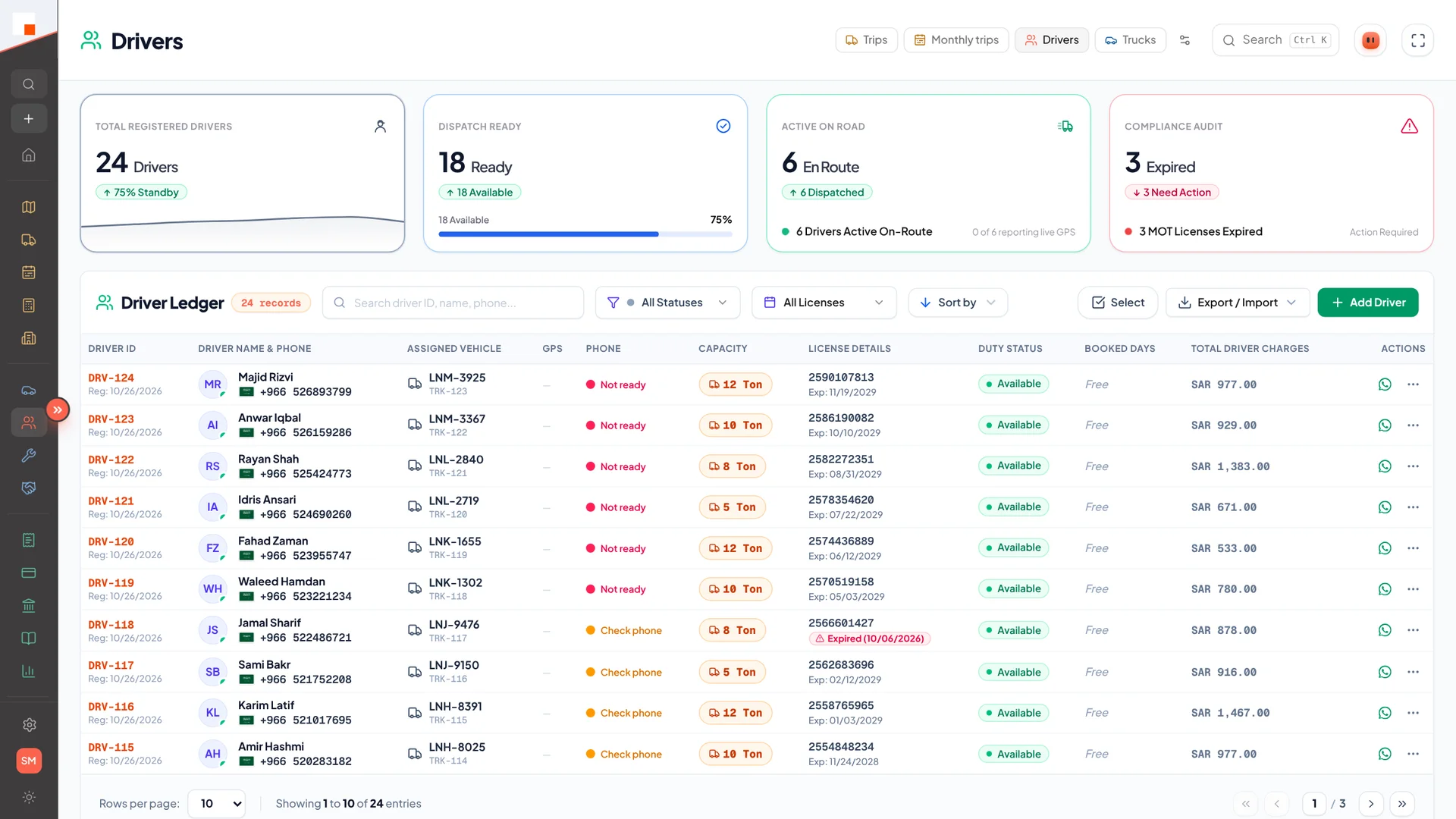
  • Ready / not ready at a glance before you dispatch
  • Licence expiry flagged on the driver list
app.linaul.com
Drivers
Driver ledger with app readiness and licences
2.4

Maintenance

Service and repair records tied to each vehicle.

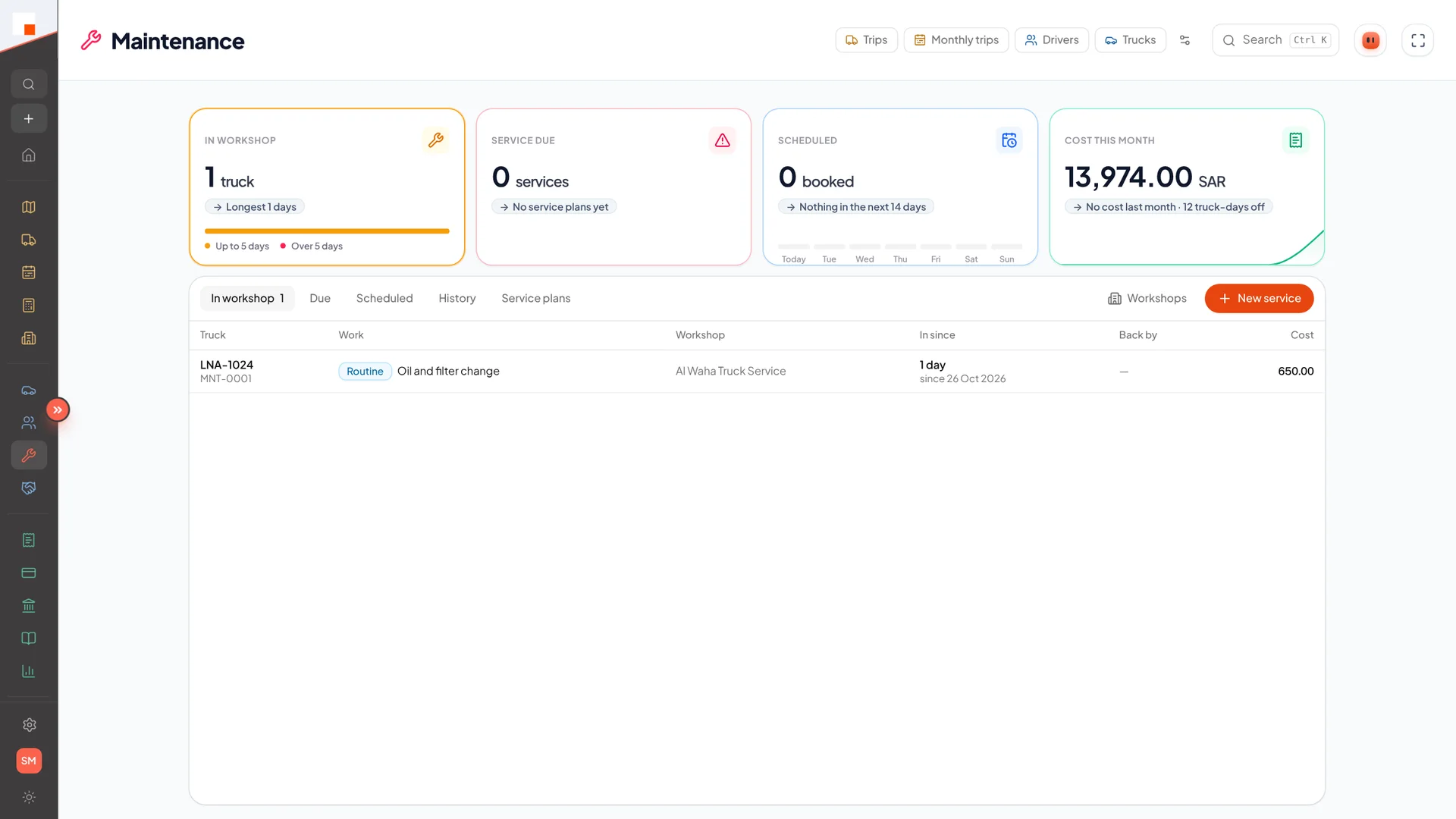
  • Maintenance log with costs
  • Feeds directly into Vehicle P&L
app.linaul.com
Maintenance
Trucks in the workshop and service costs
2.5

Documents

A document centre for company, driver and vehicle files.

  • Folders per owner with custom document types
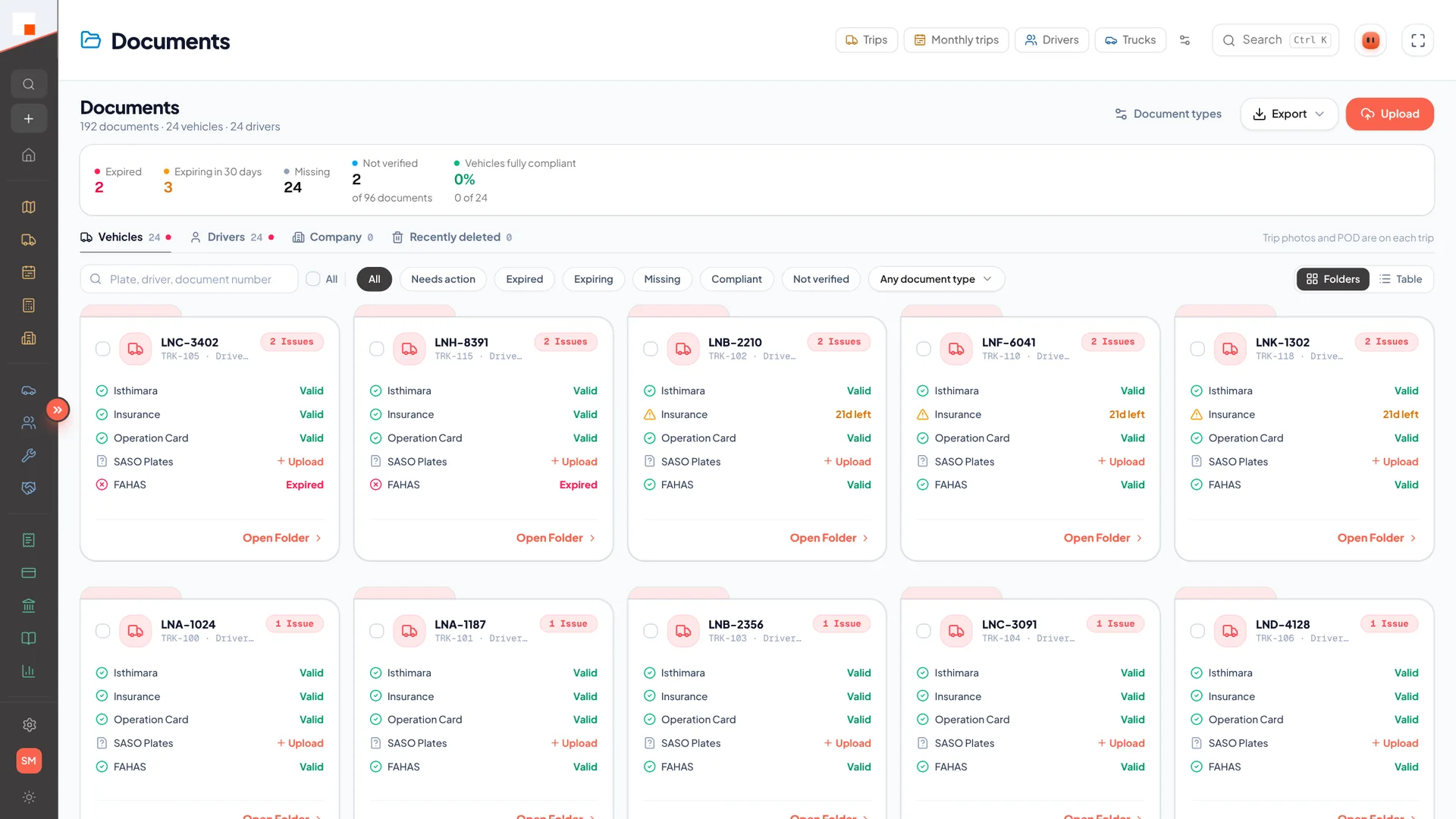
  • Expiry tracking and alerts
  • Private files served through signed, expiring links
app.linaul.com
Documents
Expired, expiring and missing documents at a glance
03

Customers

Keep customers informed without a single phone call.

3.1

Customers

Customer accounts with trips, invoices and balances on one page.

  • Contacts, terms and billing details
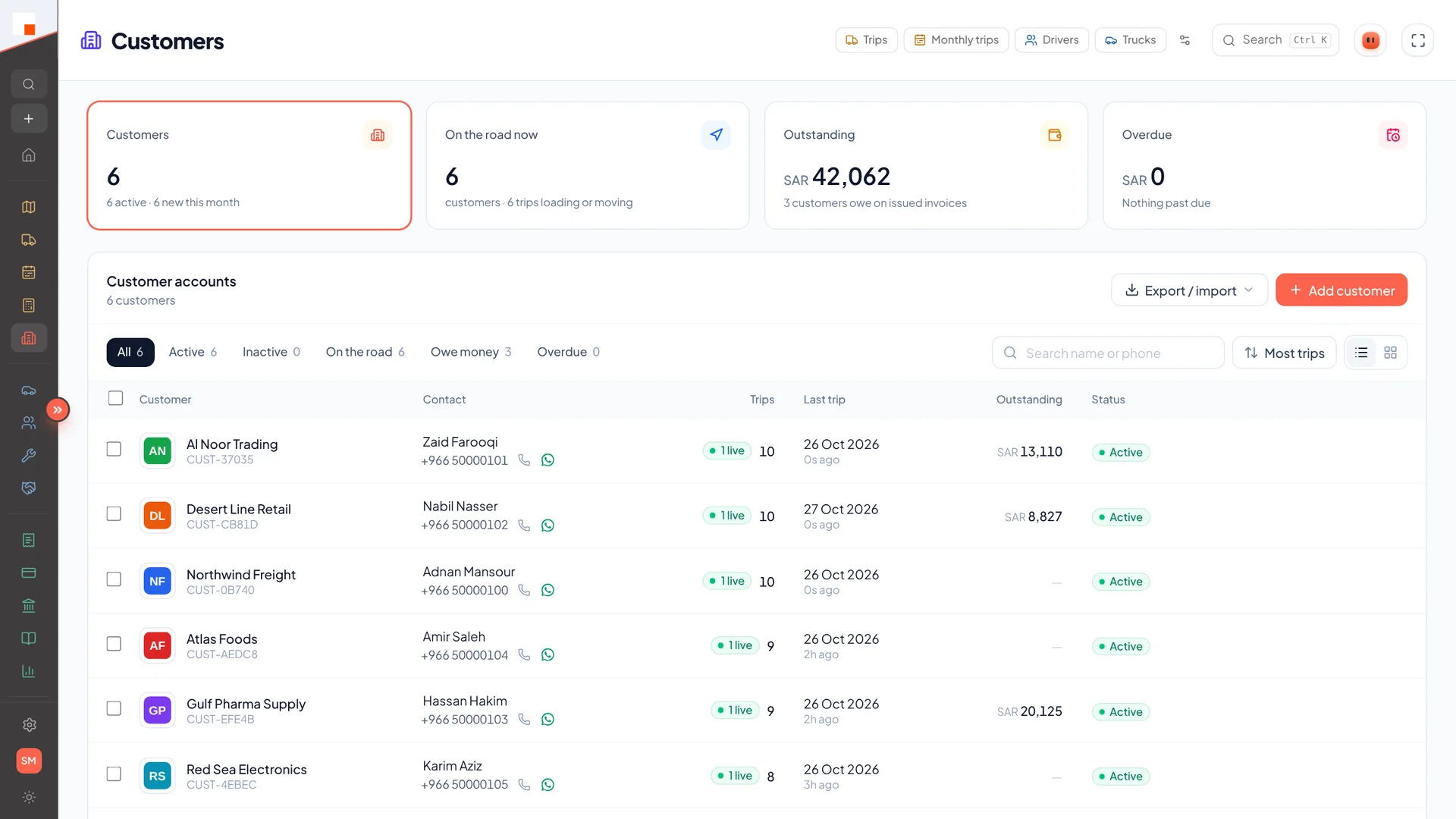
  • Trips this month and outstanding receivables
  • Branded customer logos across quotes and invoices
app.linaul.com
Customers
Customer accounts with live trips
3.2

Tracking Links

Share a live tracking page with your customer — no login required.

  • Public page with truck position and trip timeline
  • Delivery photos as proof, in a shareable gallery
  • Fleet-level tracking page for key accounts
  • One-tap “Ask us” button to your operations WhatsApp
  • Share a live ETA from the operator app over WhatsApp
  • Links expire on their own; see which ones were opened
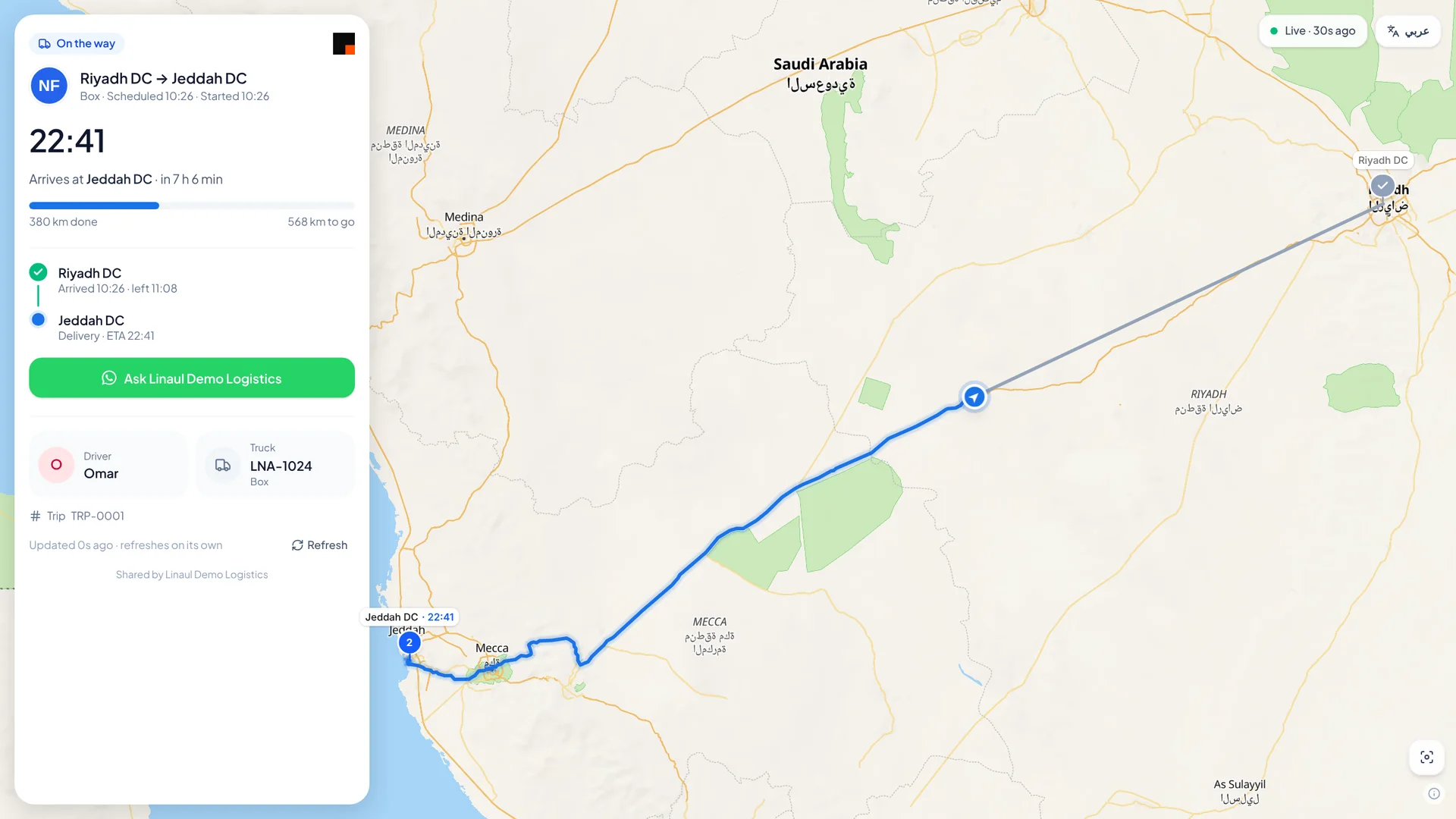
app.linaul.com
Customer trip tracking page
What your customer sees: one trip
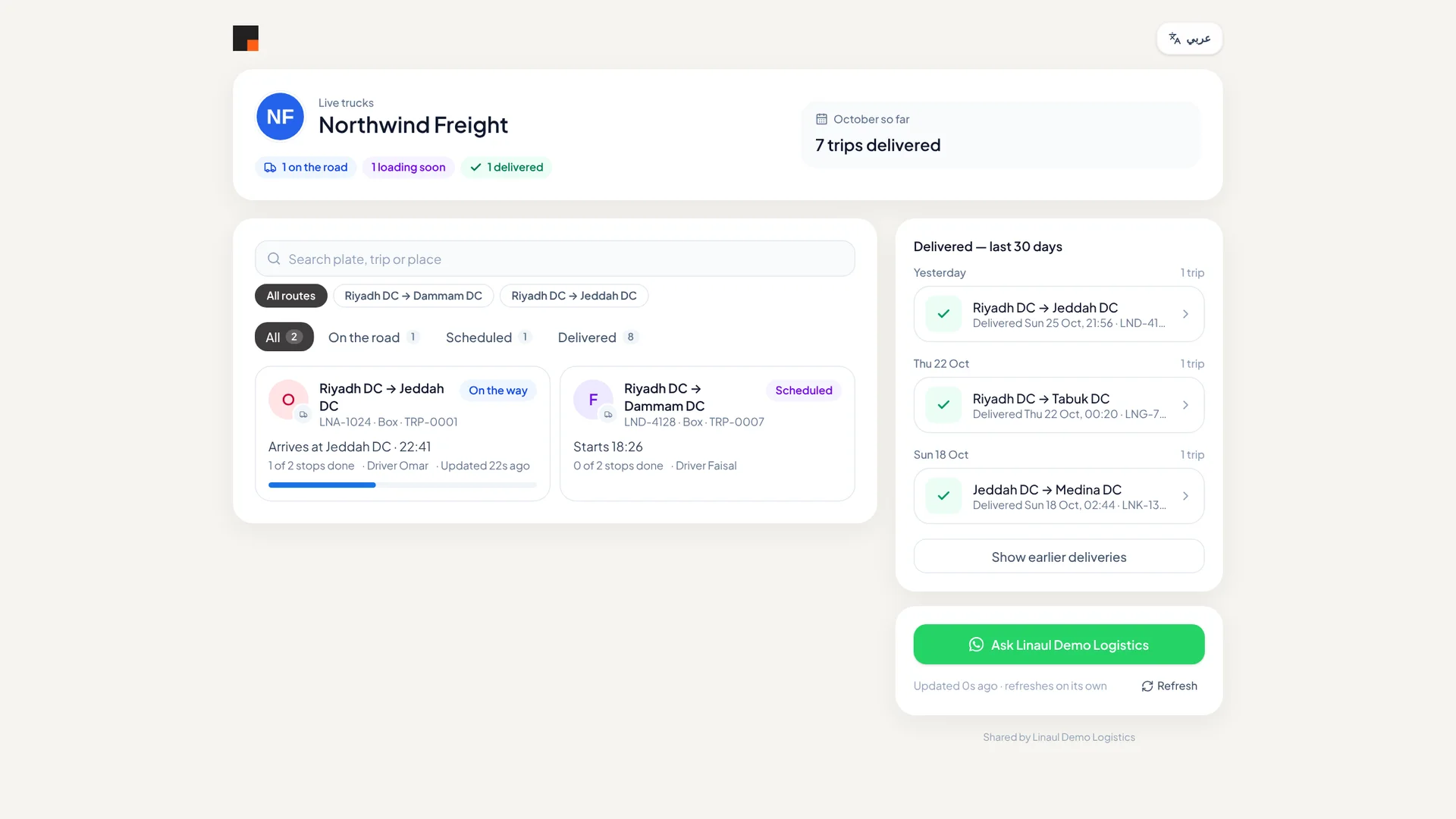
app.linaul.com
Customer fleet tracking page
A key account’s page for all their trips
04

Finance

Full double-entry accounting built around trips, not bolted on afterwards.

4.1

Invoices & Bills

Invoice customers from completed trips and record supplier bills.

  • Draft, issue, part-pay and settle
  • Extra charges and surcharge rules
  • AR and AP ageing
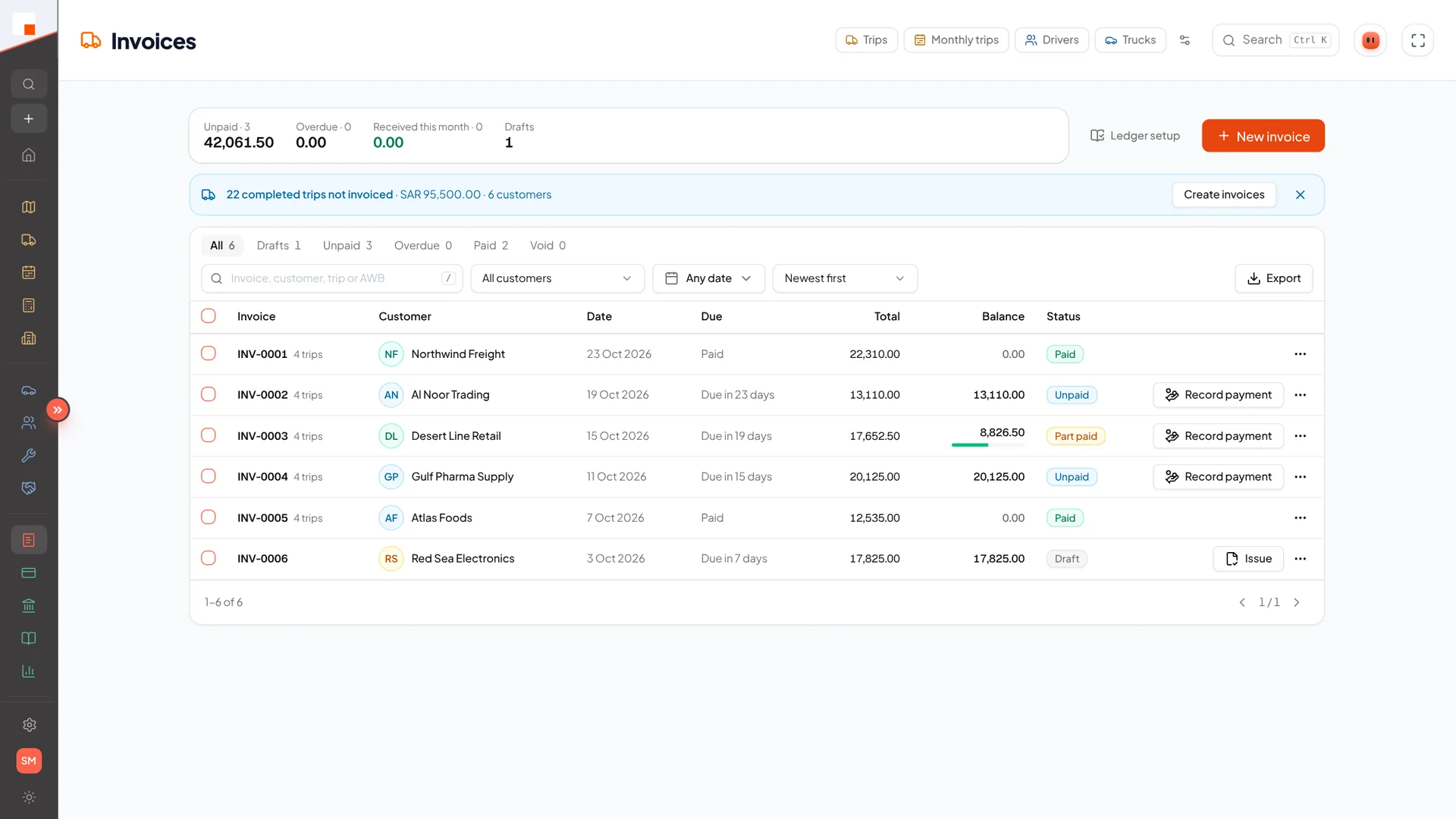
app.linaul.com
Invoices
Invoices with balances and payment status
4.2

Expenses

Trip and company expenses with receipts attached.

  • Fuel, tolls and trip costs per trip
  • Driver-submitted charges from the app
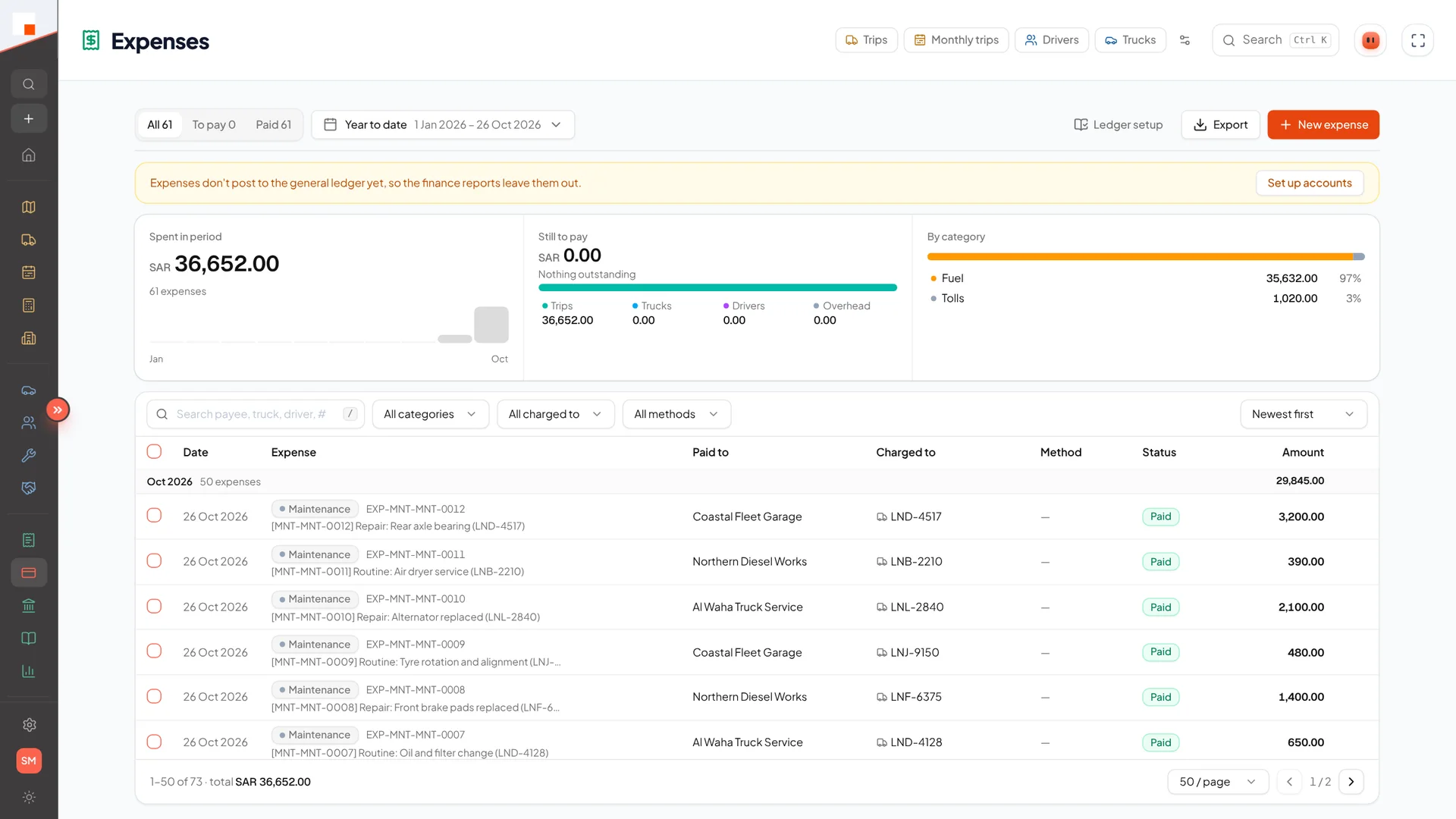
app.linaul.com
Expenses
Expenses by category
4.3

Accounting

Chart of accounts, journals and a general ledger.

  • Journal entries, contra entries and bank accounts
  • Bank reconciliation
  • Accounting periods: open, close and lock
4.4

Financial Statements

Statements that are always up to date.

  • Profit & loss, balance sheet, cash flow
  • Trial balance and VAT return
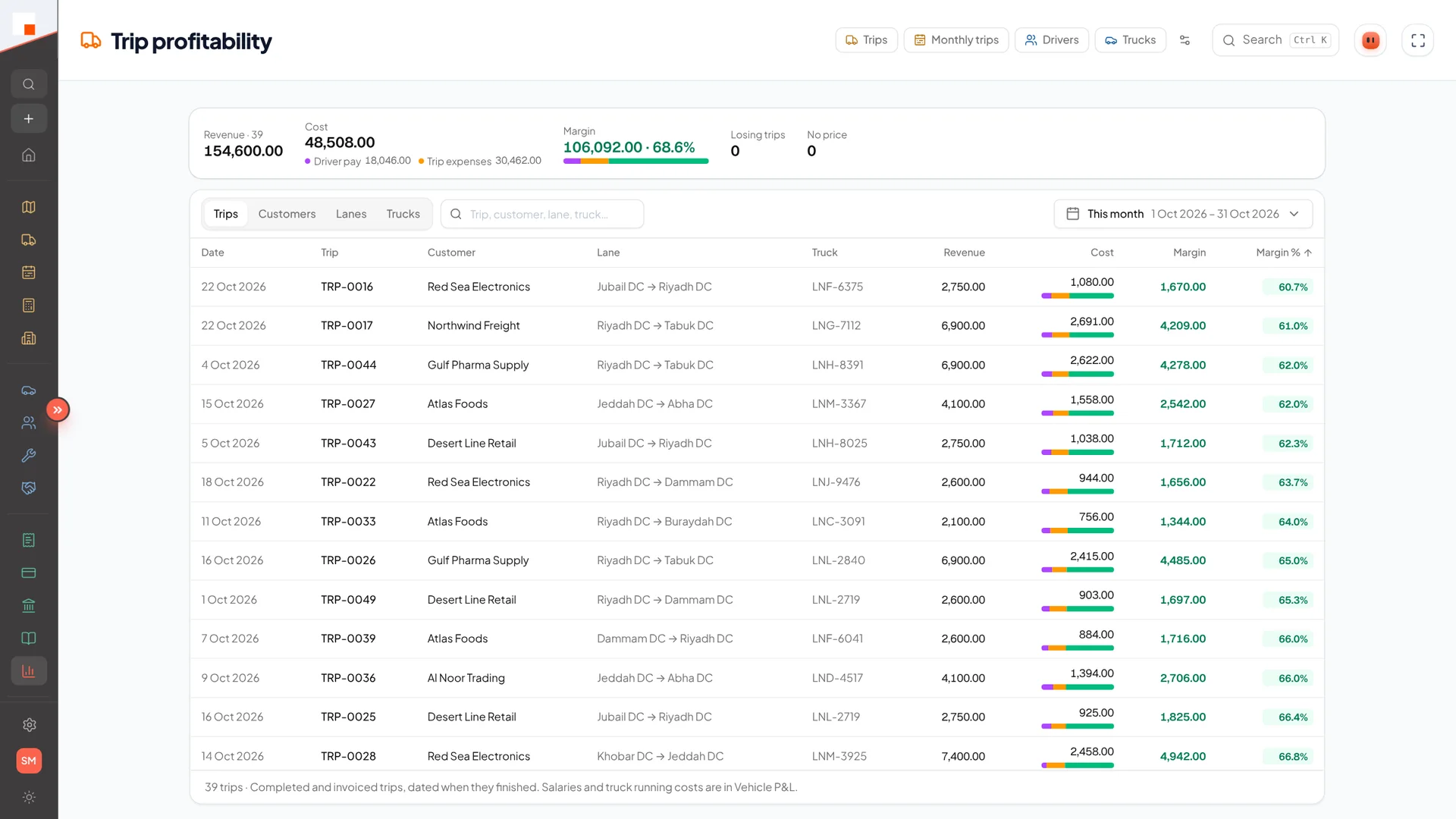
  • Trip profitability
app.linaul.com
Trip profitability
Margin on every trip
4.5

ZATCA E-invoicing

In development

Saudi Fatoora Phase 2 compliance for your invoices.

  • Device onboarding and certificates
  • Signed invoices with QR codes
05

Reports

Answers for the owner, the ops desk and the accountant.

5.1

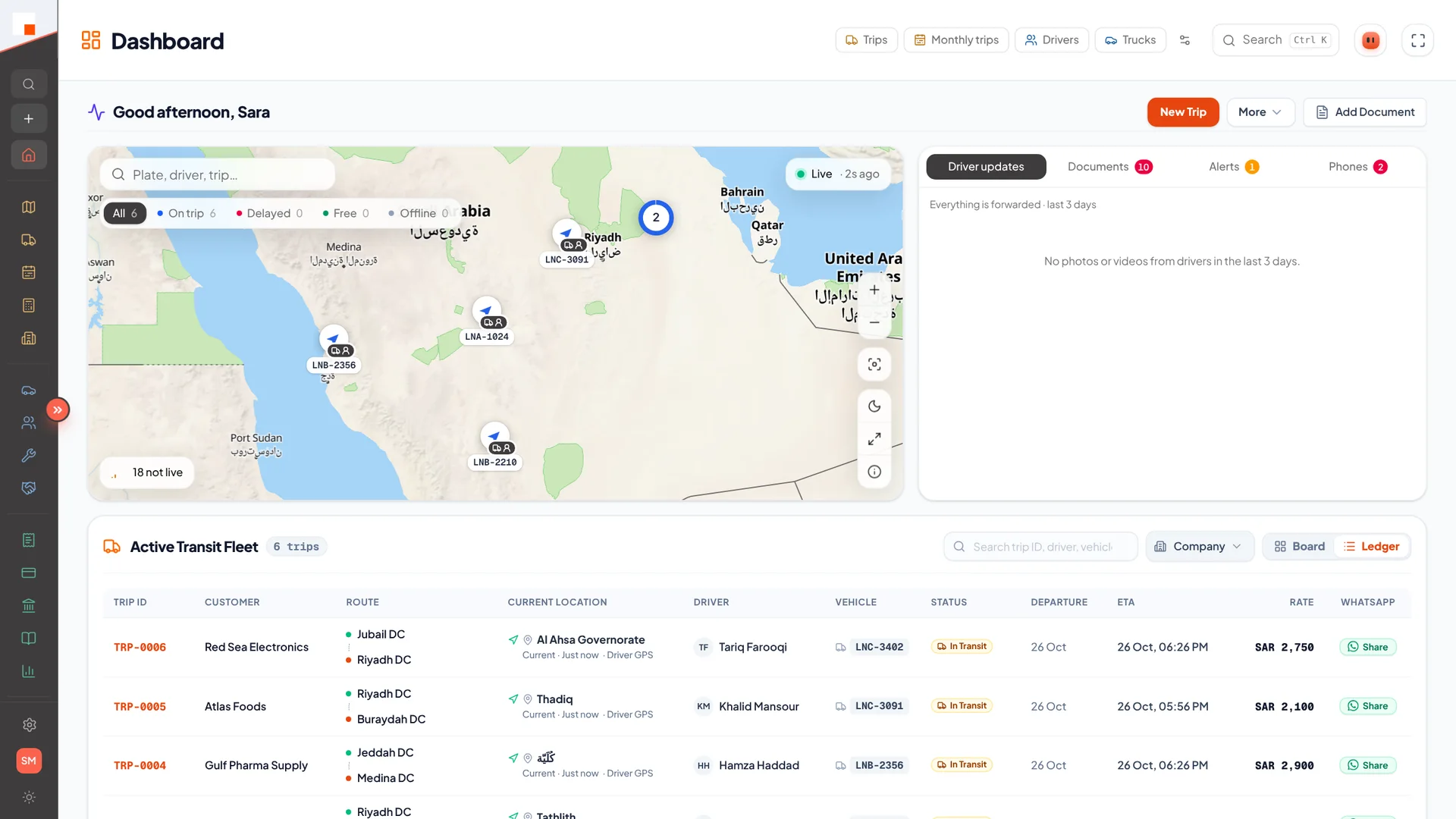
Dashboard

Today’s operation at a glance.

  • Active trips, available trucks, expiring documents
  • Revenue and status charts
app.linaul.com
Dashboard
Live map, alerts and the active fleet
5.2

Reports

Ready-made reports for fleet, drivers and revenue.

  • Fleet and driver performance
  • Revenue reports
  • Your customer’s own Excel layout, filled automatically
5.3

Report Builder

Build your own reports without asking a developer.

  • Quick reports and an advanced builder
  • Export to Excel
06

Administration

Make Linaul yours — your brand, your modules, your rules.

6.1

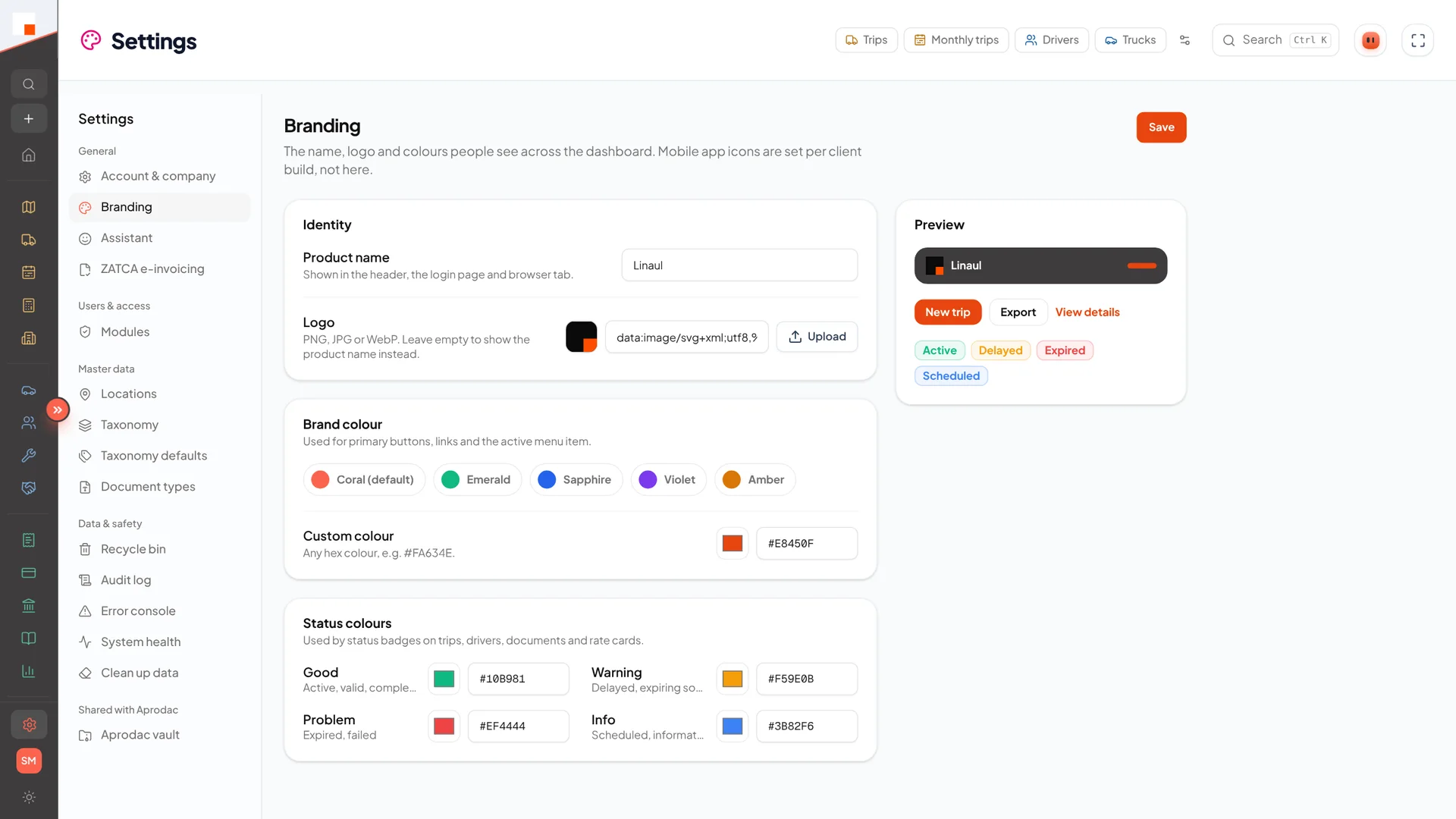
Branding

Your logo, colours and company name across web, apps and PDFs.

  • White-label web dashboard
  • Per-company mobile configuration
app.linaul.com
Branding settings
Name, logo and colours
6.2

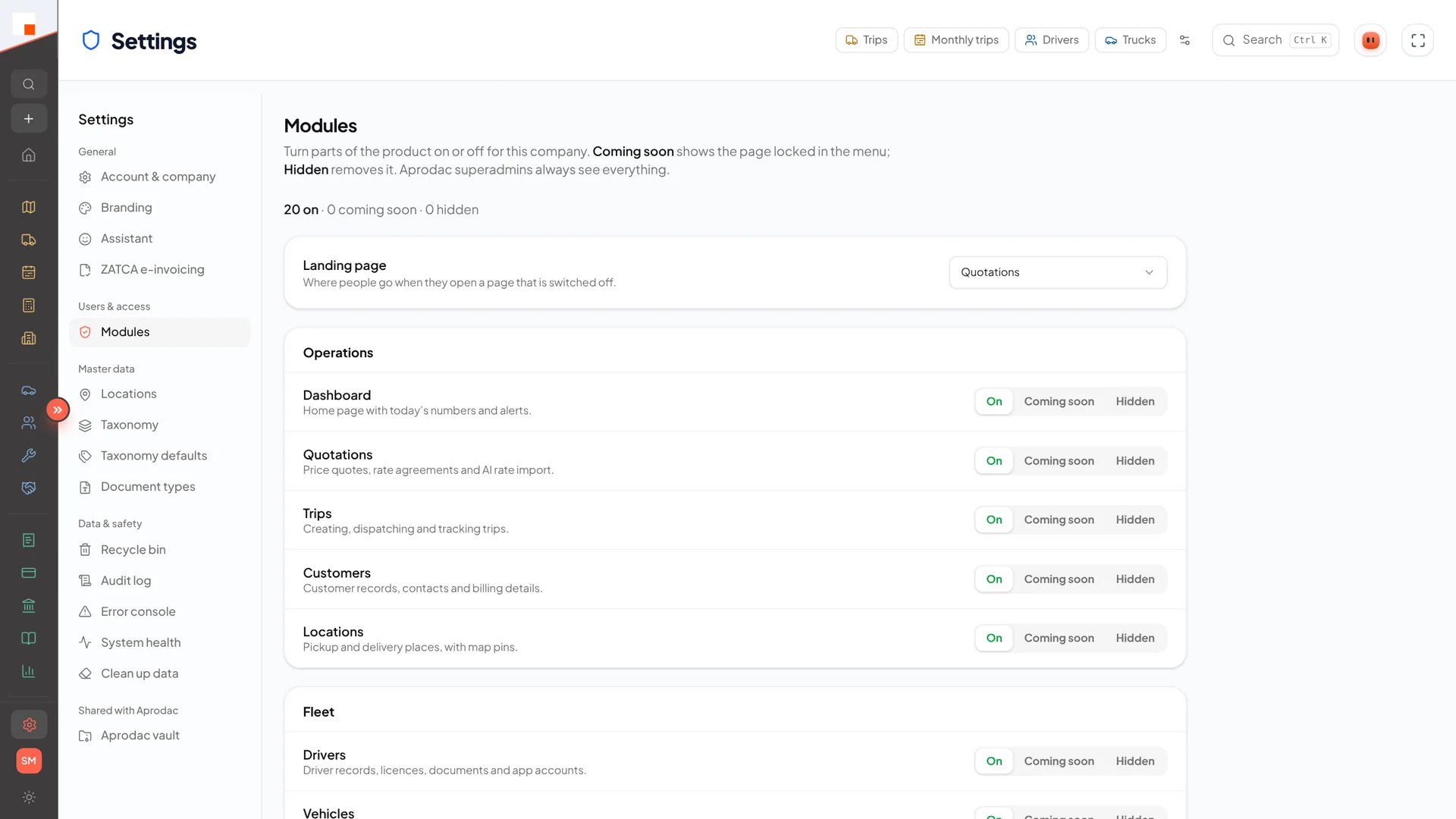
Module Control

Turn modules on or off per company.

  • Disabled modules are blocked in the API, not just hidden
  • Start small, switch on more as you grow
app.linaul.com
Module settings
Switch modules on, off or “coming soon”
6.3

Users & Roles

Three clear roles: Admin, Operator and Driver.

  • Role checks enforced on every request
  • Audit log of who changed what
6.4

Data Safety

Mistakes are recoverable.

  • Recycle bin for deleted records
  • Data cleanup tools
  • System health and error console

Run the whole operation from one place.