The ops desk, in your pocket.
Everything a dispatcher does at the desk, on the phone: create and assign trips, follow every truck live, price a lane, share an ETA. Same data as the Linaul dashboard, the moment it changes.
A new trip in three steps.
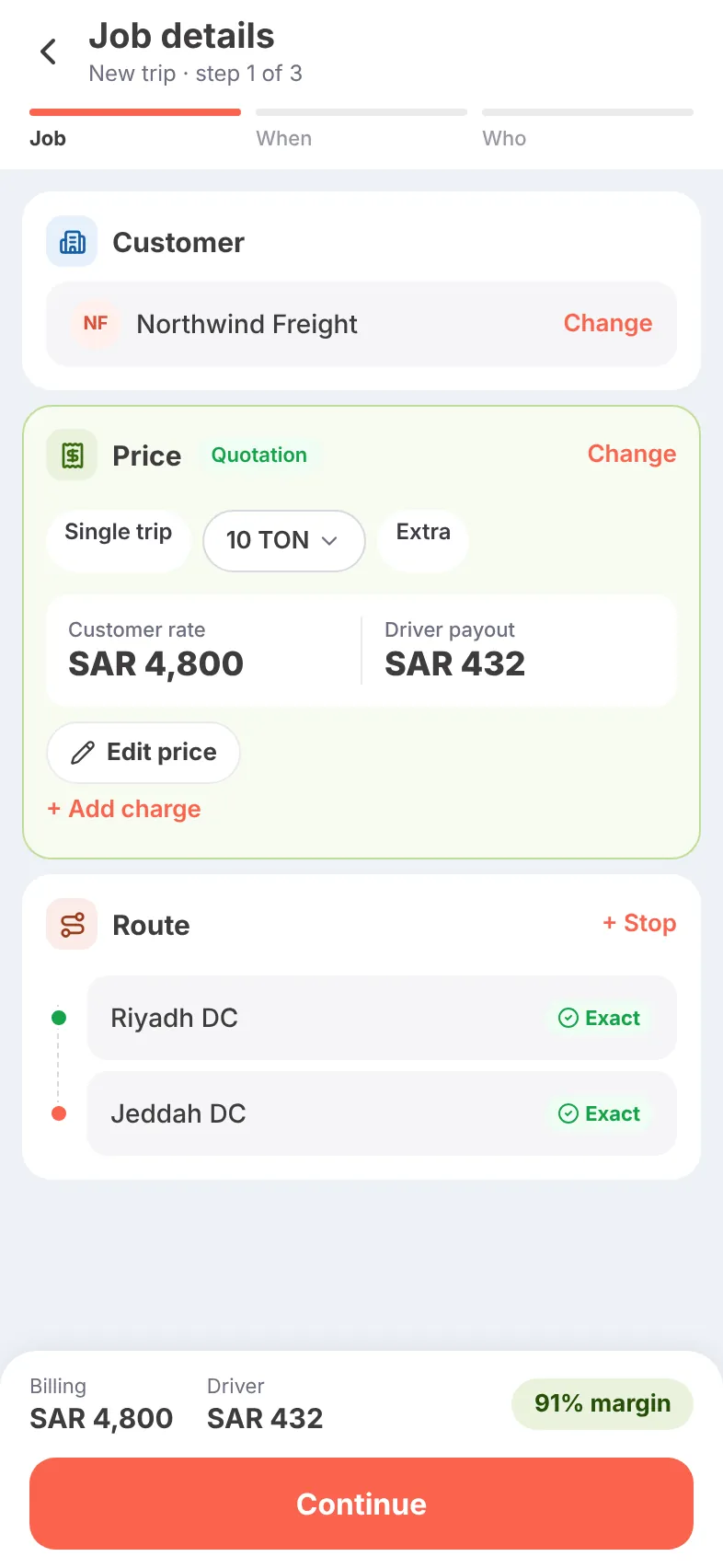
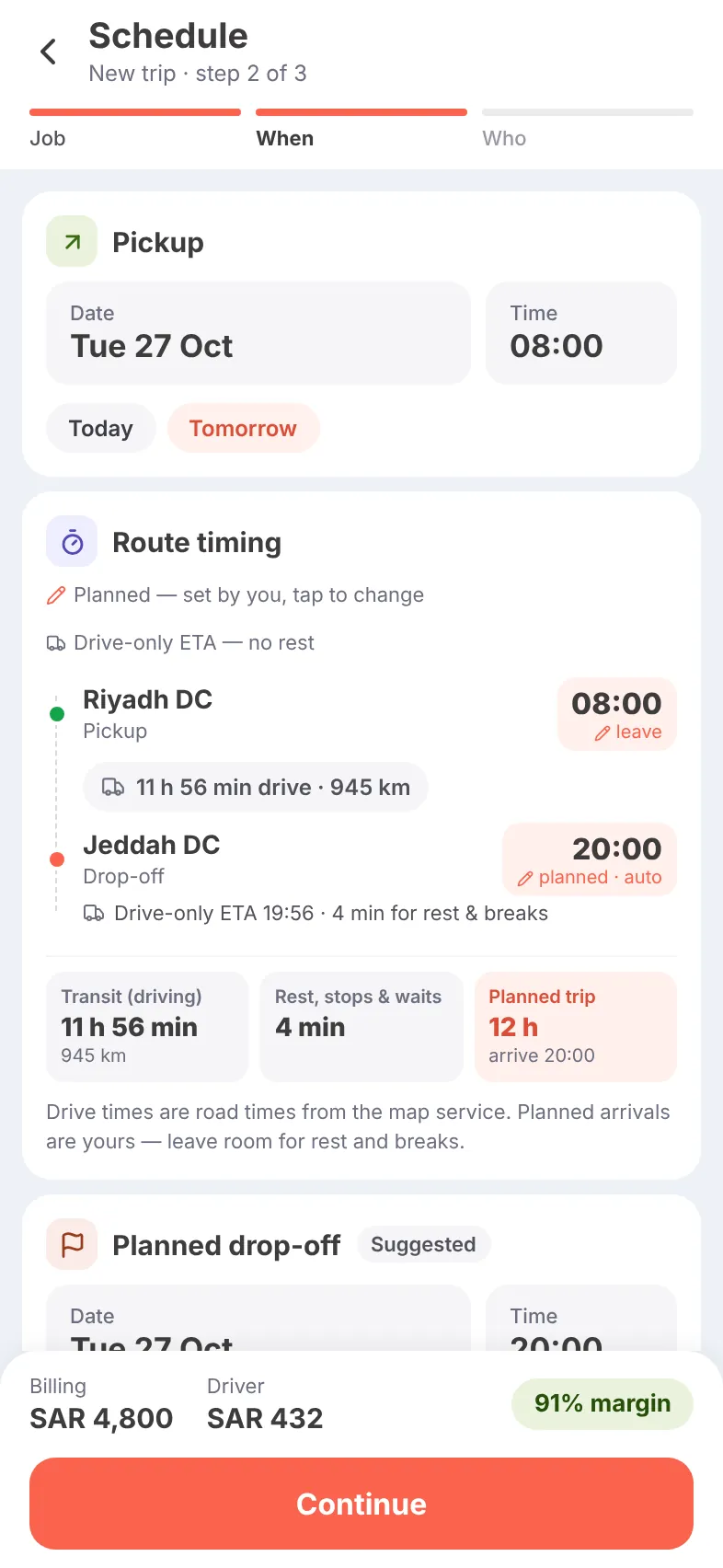
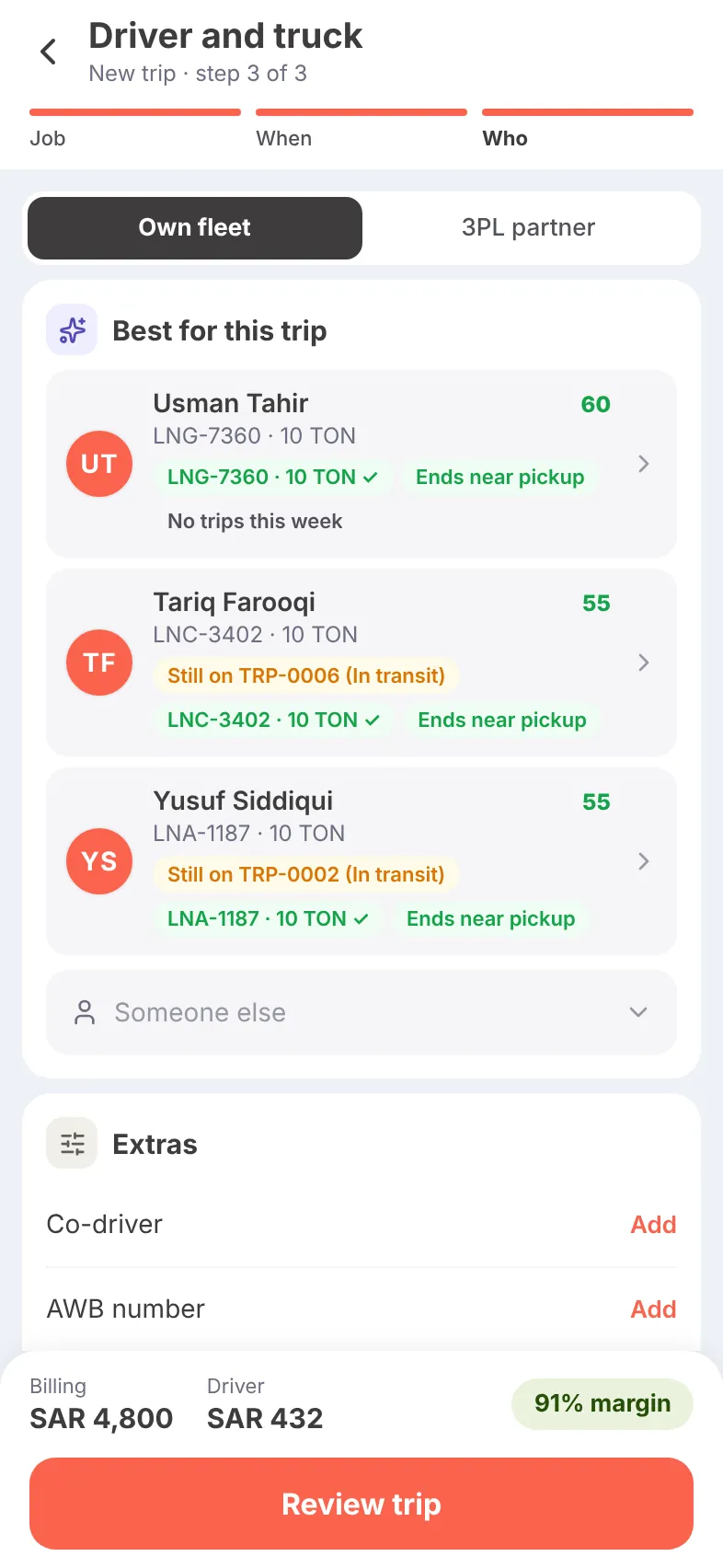
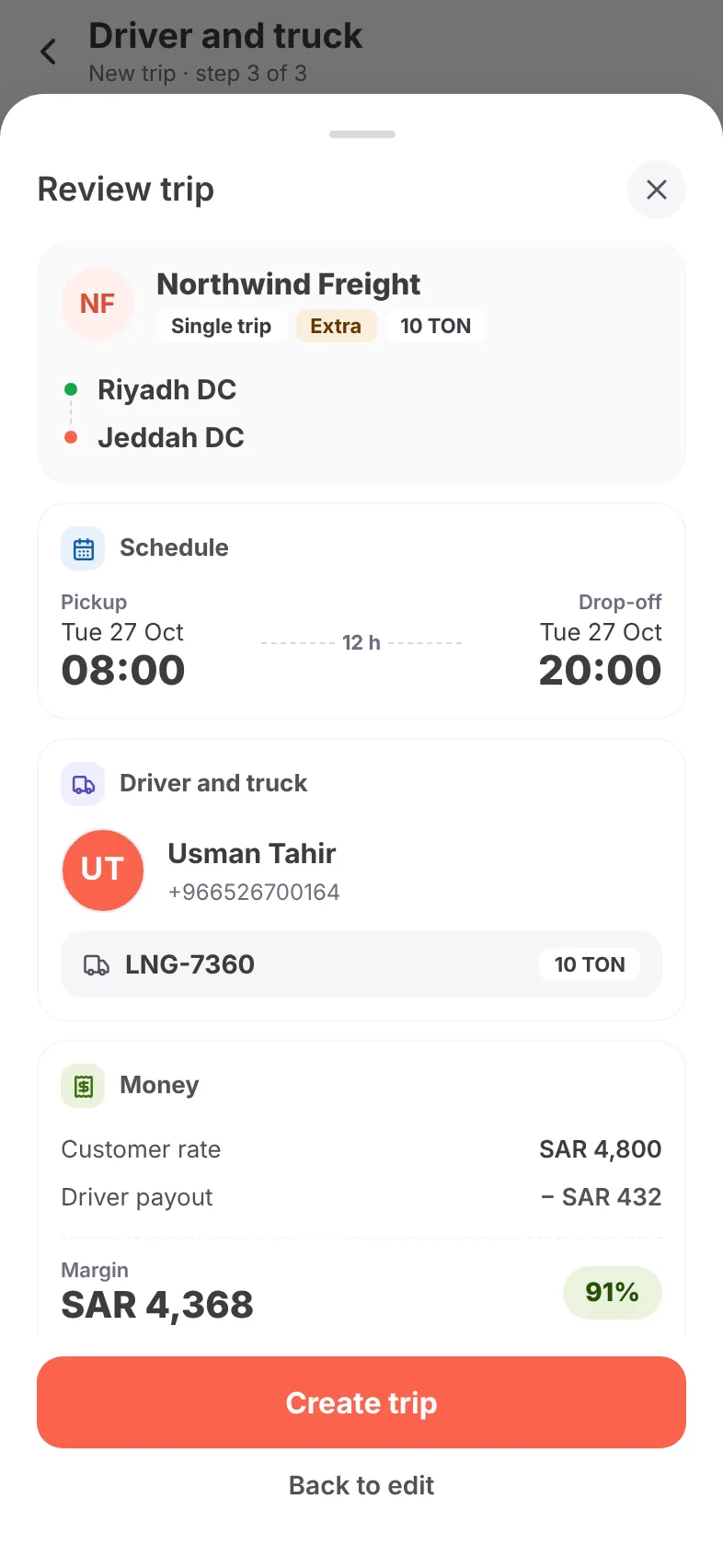
Job, when, who. The price comes from the customer’s quotation, the drive time from the road network, and the best drivers are suggested for you — so the margin is on screen before anything is dispatched.
- Start from a recent trip or a saved route in one tap
- Quotation price and driver pay filled in, editable
- Exact map pins confirmed for every stop
- Planned arrival suggested from the road drive time
- Drivers ranked by fit: free now, ending near the pickup, idle
- Own fleet or a 3PL partner, co-driver and AWB number
- Review the whole trip and its margin, then create
More ways to build a trip
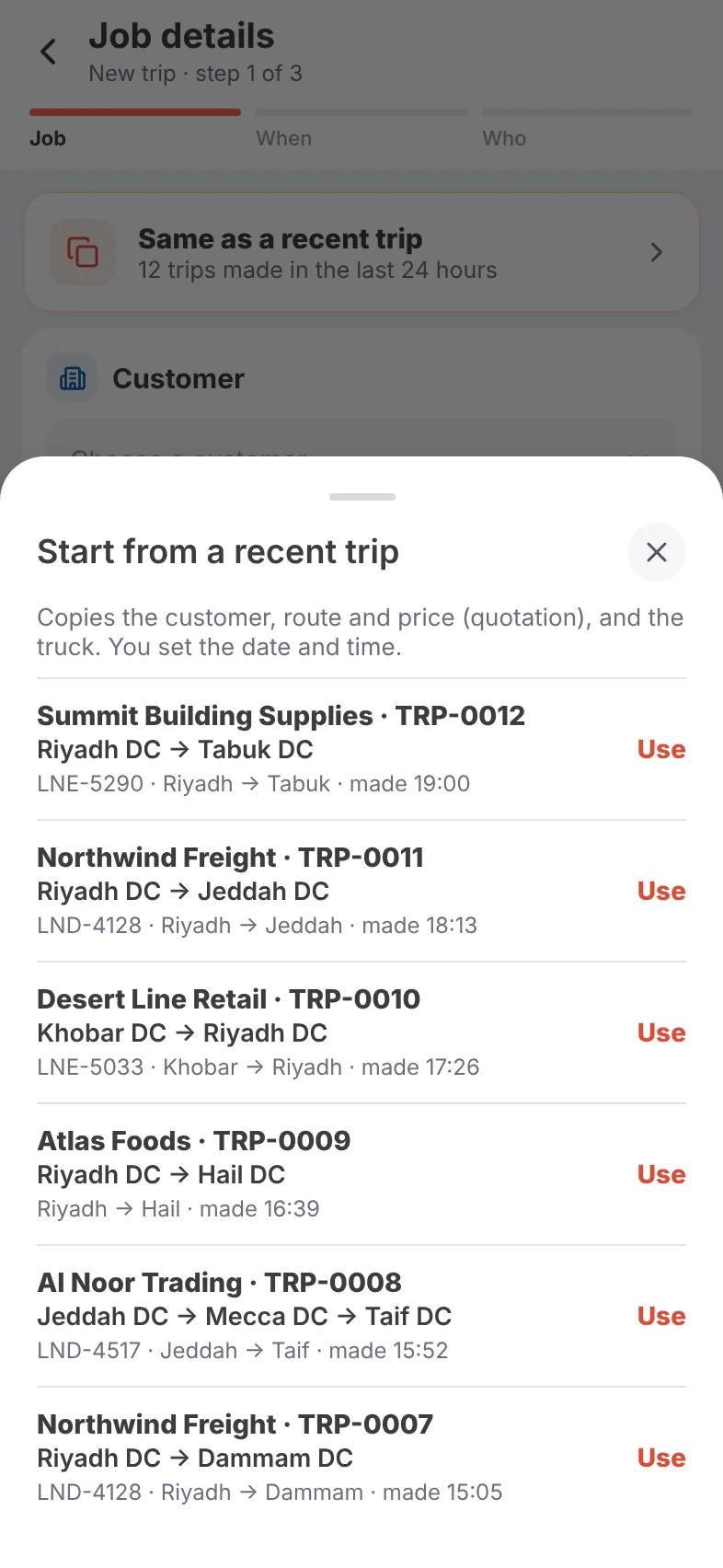
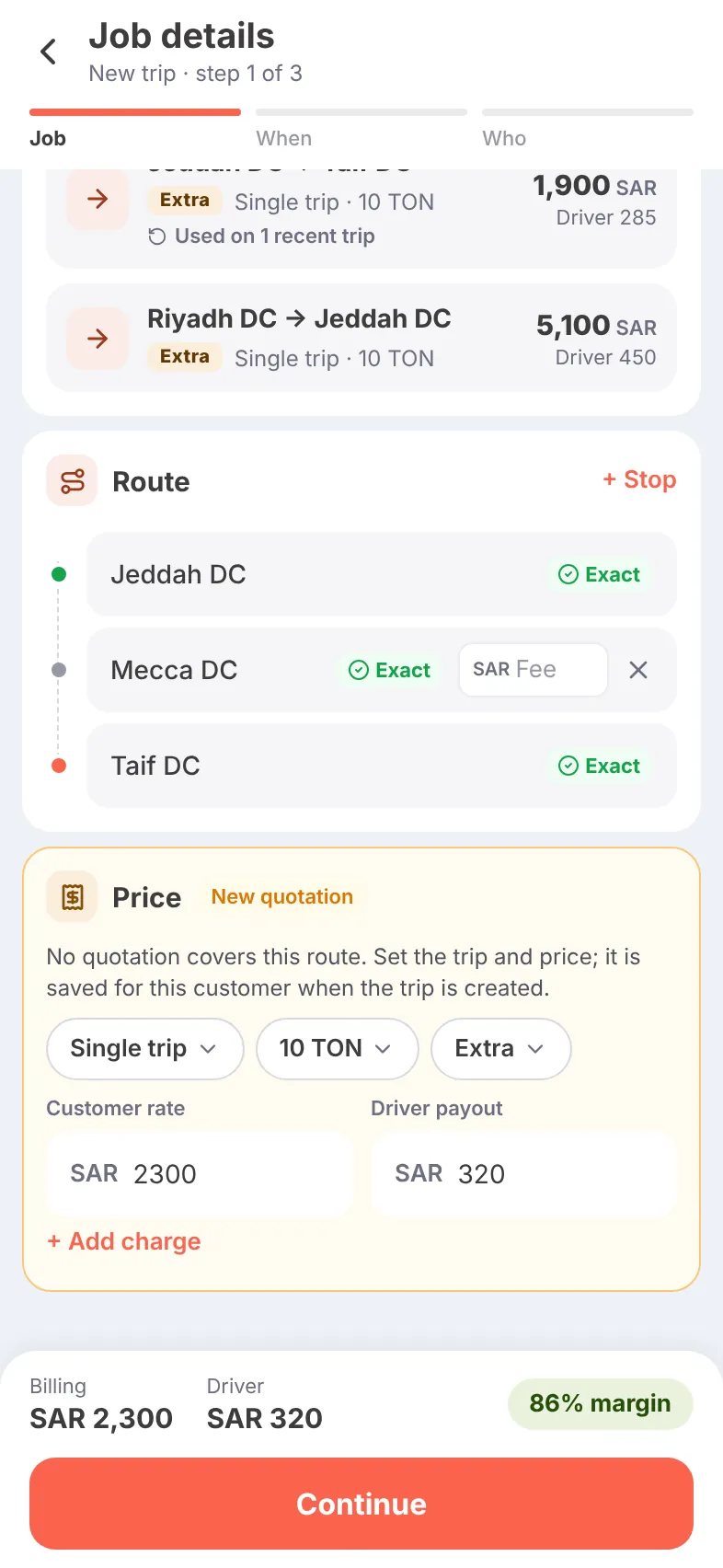
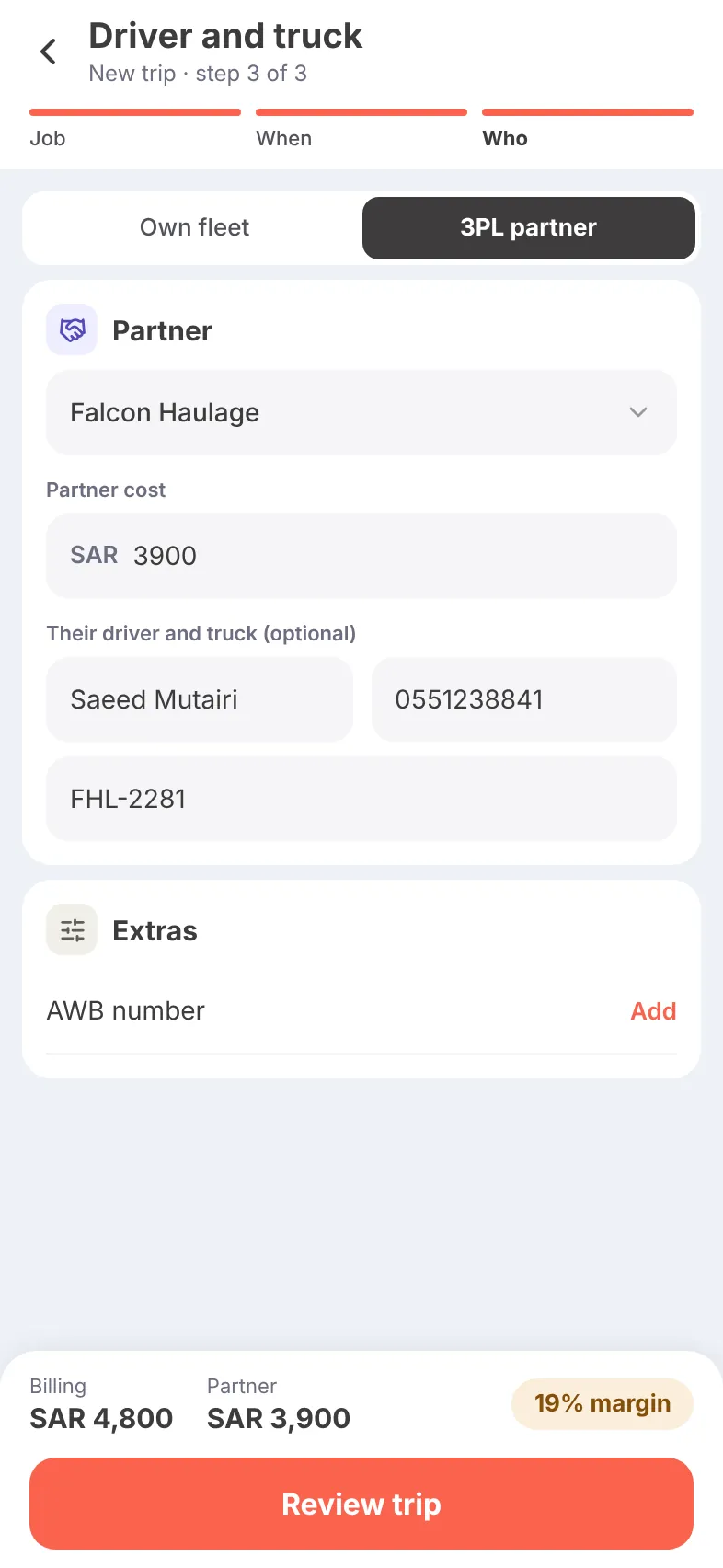
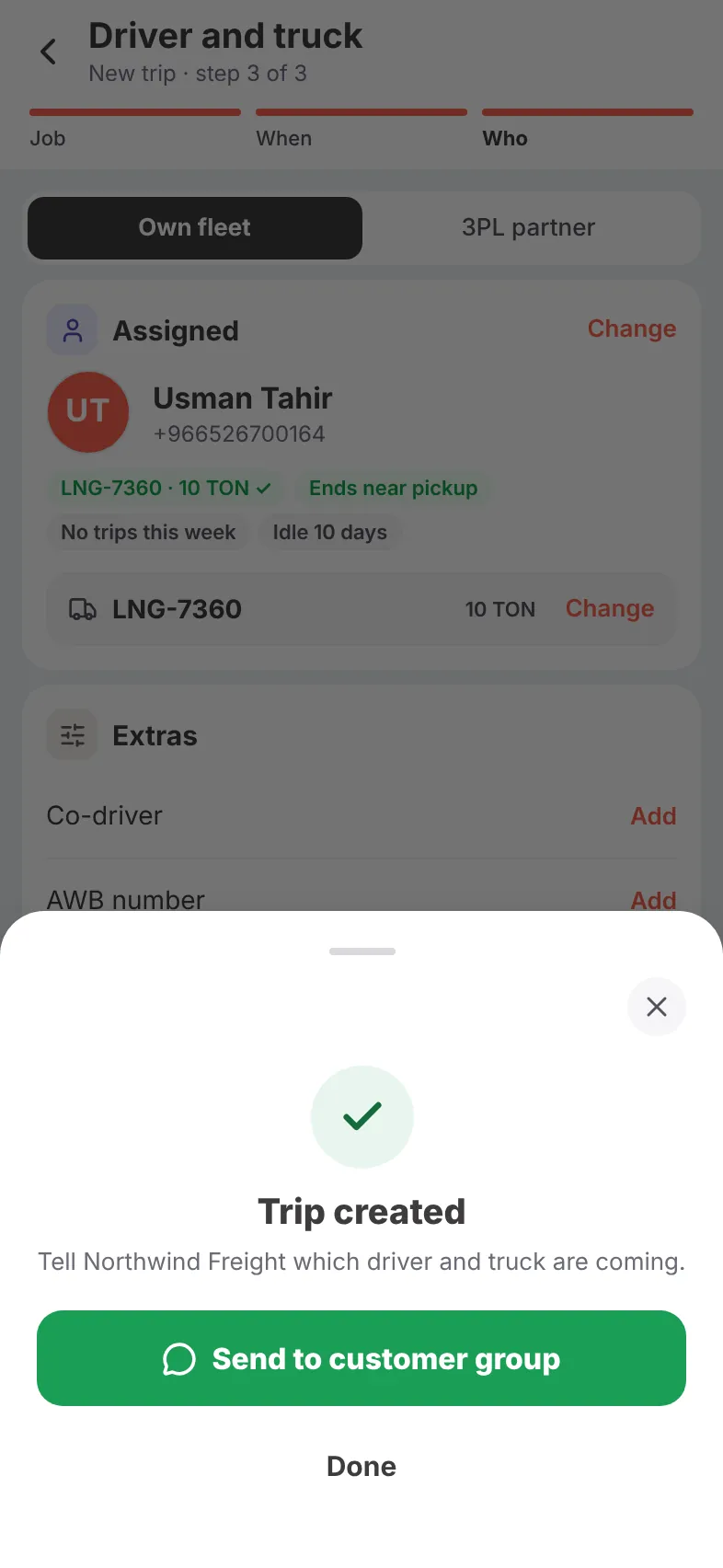
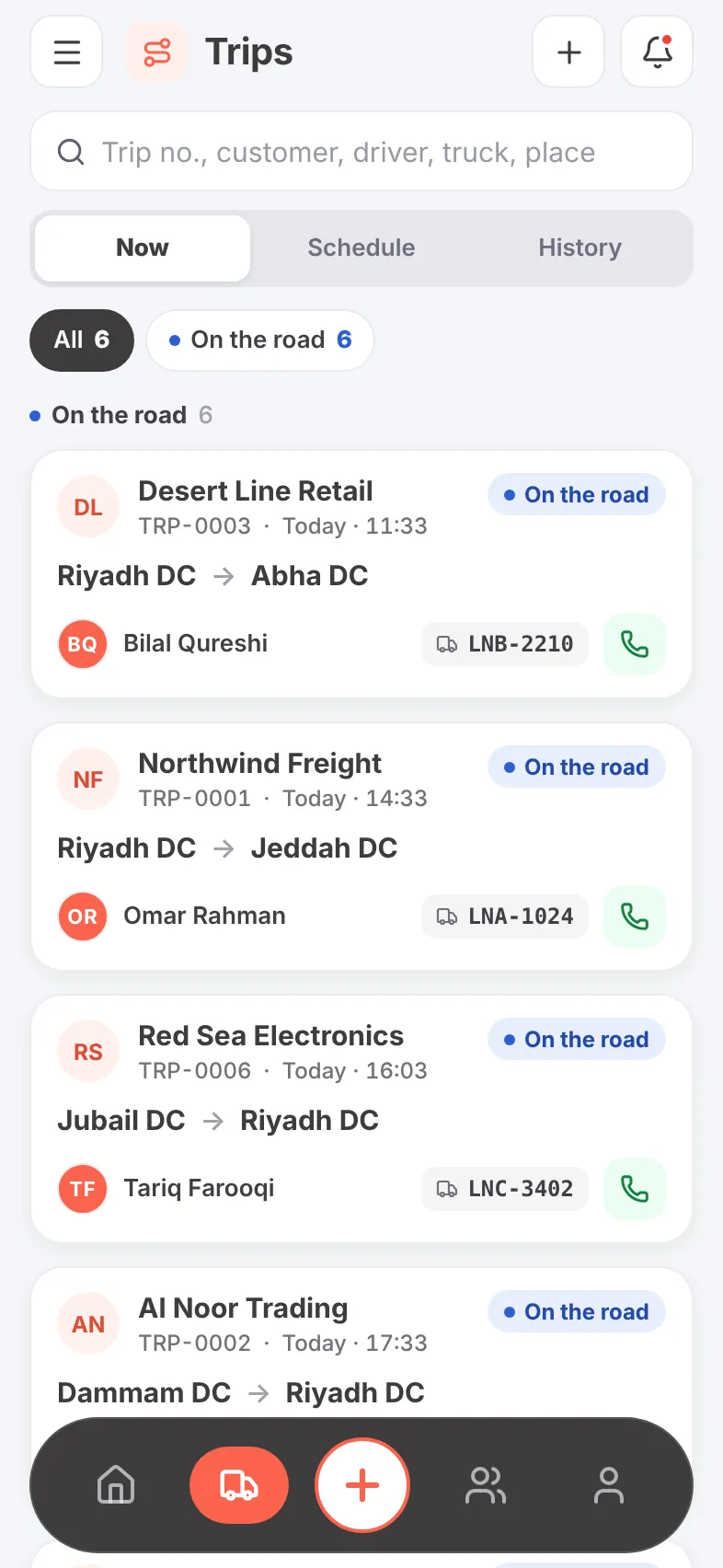
Every running trip, live on the map.
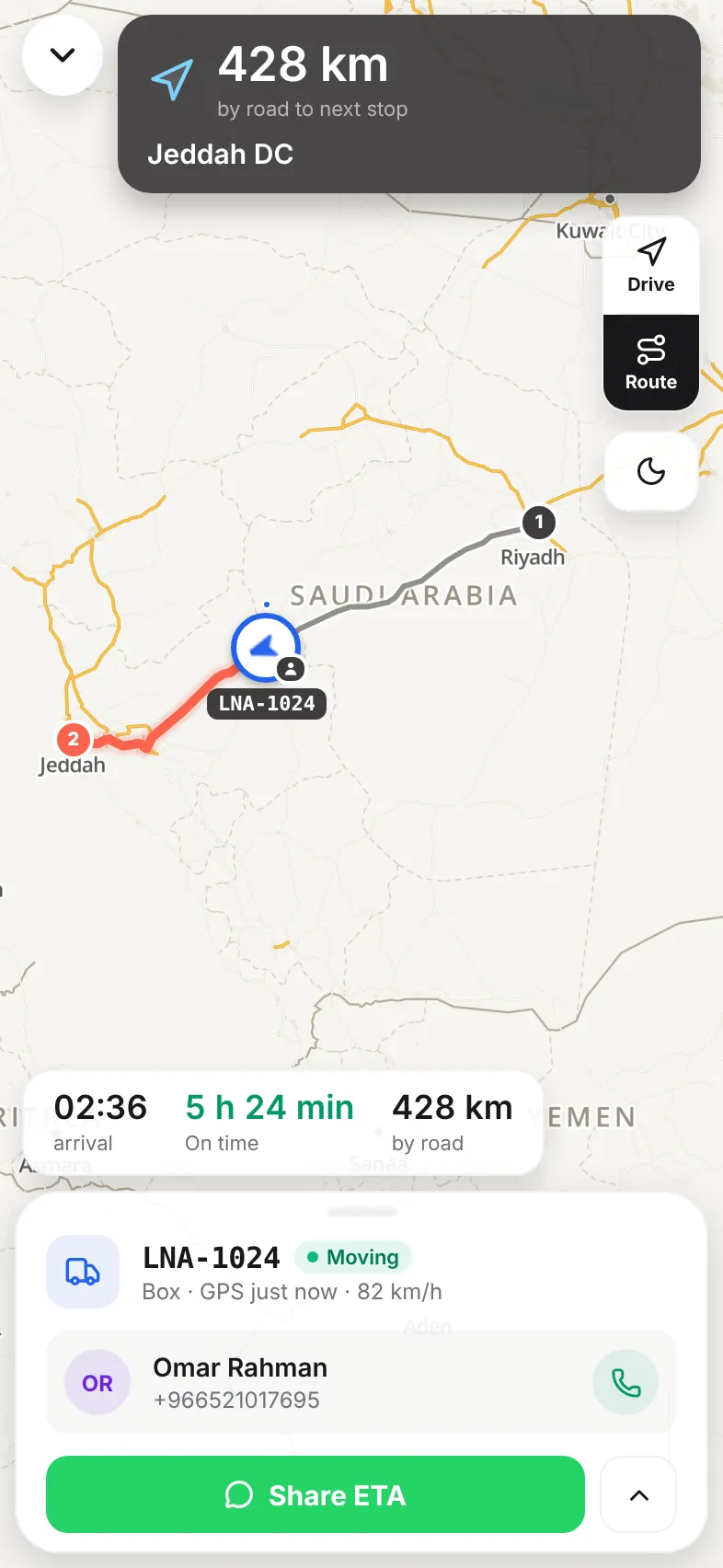
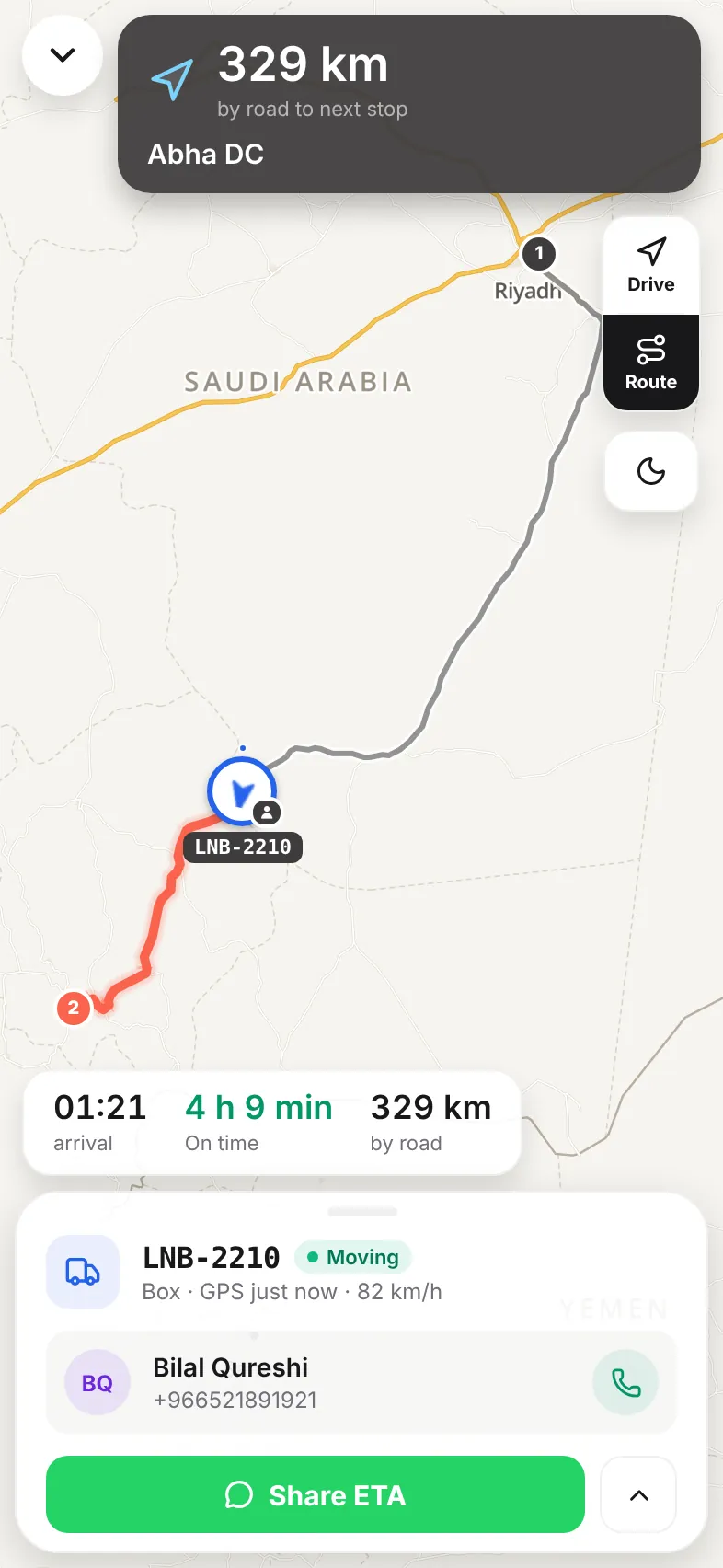
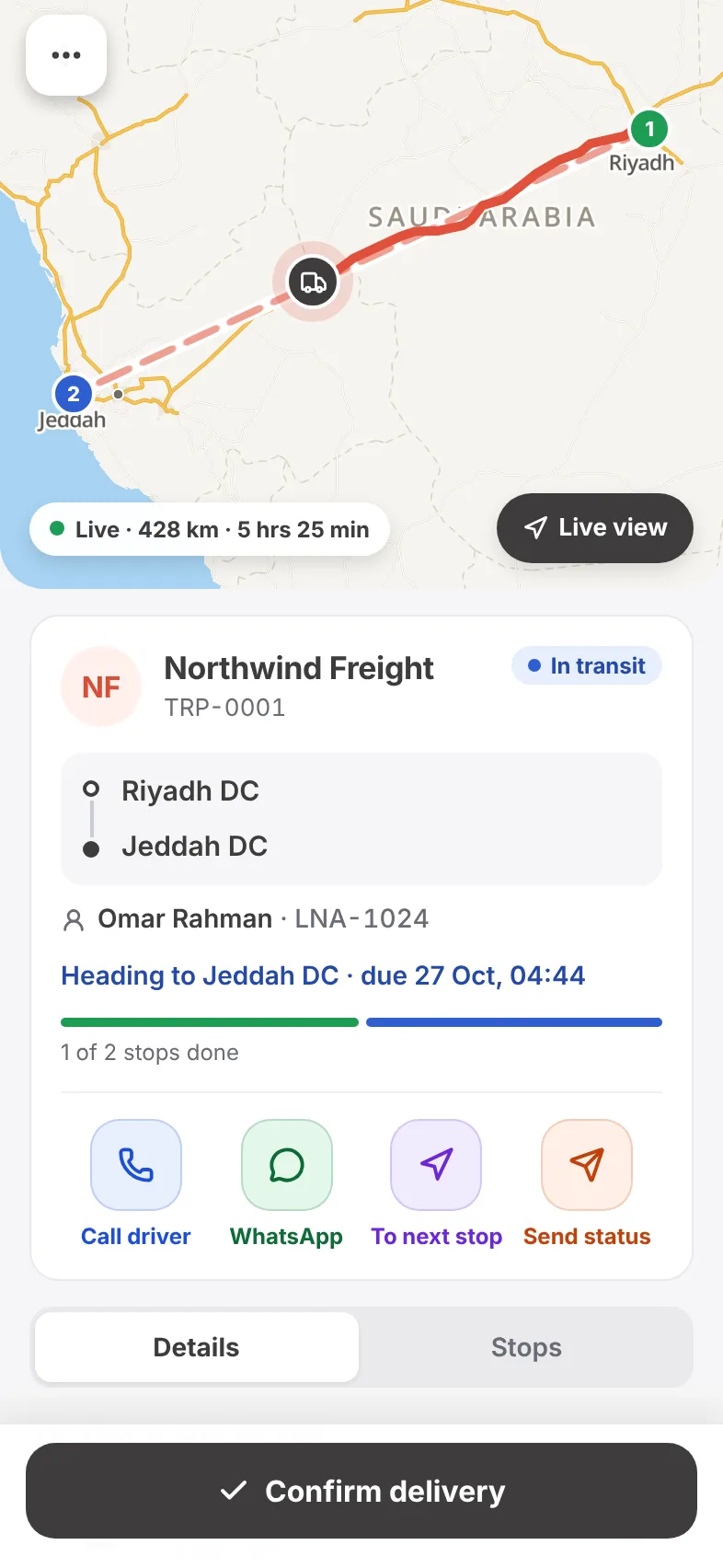
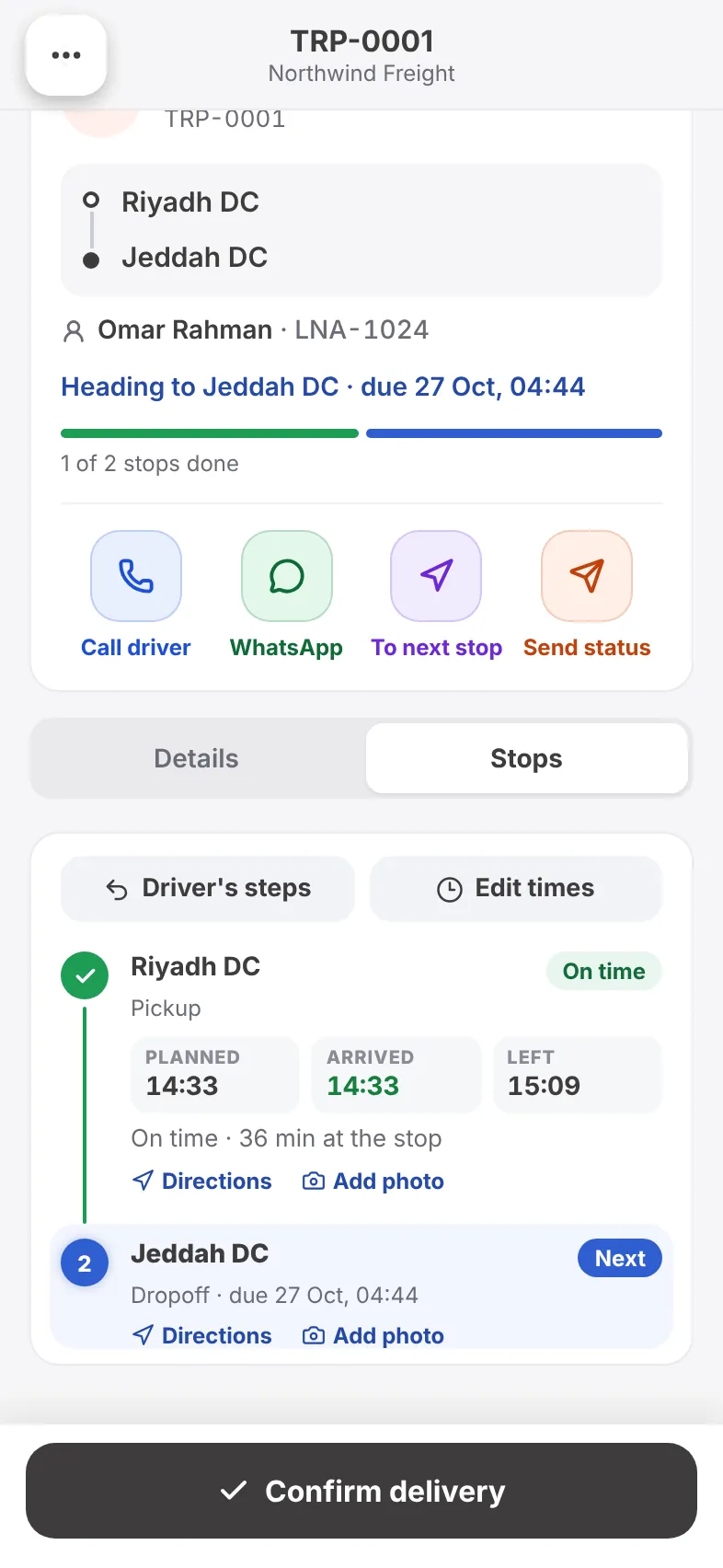
Open any trip full screen and see the truck move along the road, the distance left and the ETA to the next stop — and whether it is on time. One tap shares that ETA with the customer.
- Road distance and ETA to the next stop
- On-time or late, worked out from the plan
- Driven path and the road ahead on one map
- Speed, GPS freshness and phone or tracker feed
- Call the driver or share the ETA on WhatsApp
- Driver view and a dark map for night shifts
Your day, then your fleet.
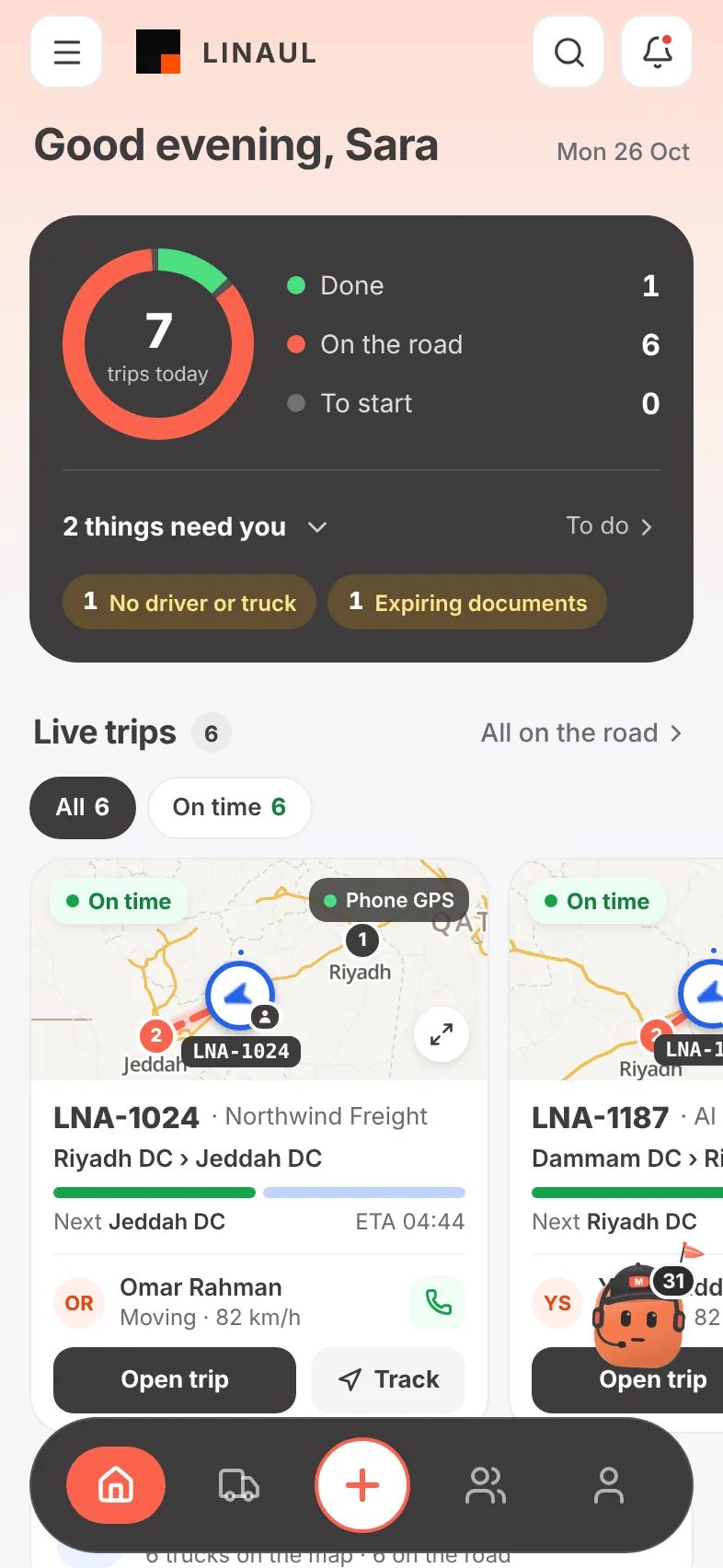
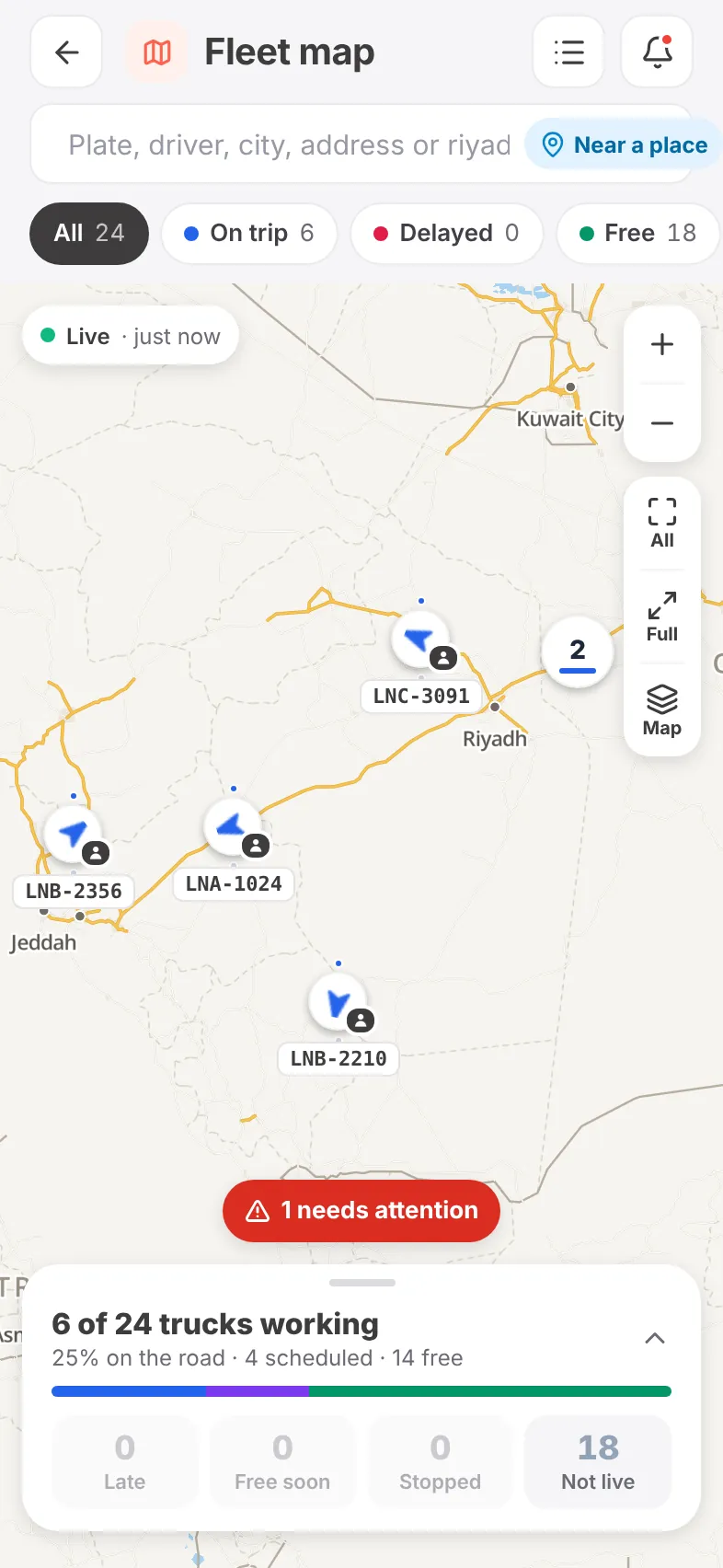
Home tells you what happened today and what needs you next. The fleet map shows every truck, what it is doing and where it is free, with search by plate, driver, place or lane.
- Trips done, on the road and still to start
- “Needs you” list: unassigned trips, expiring documents
- Live trip cards with a mini map for each truck
- Fleet map: on trip, delayed and free trucks
- Find trucks near a place or along a lane
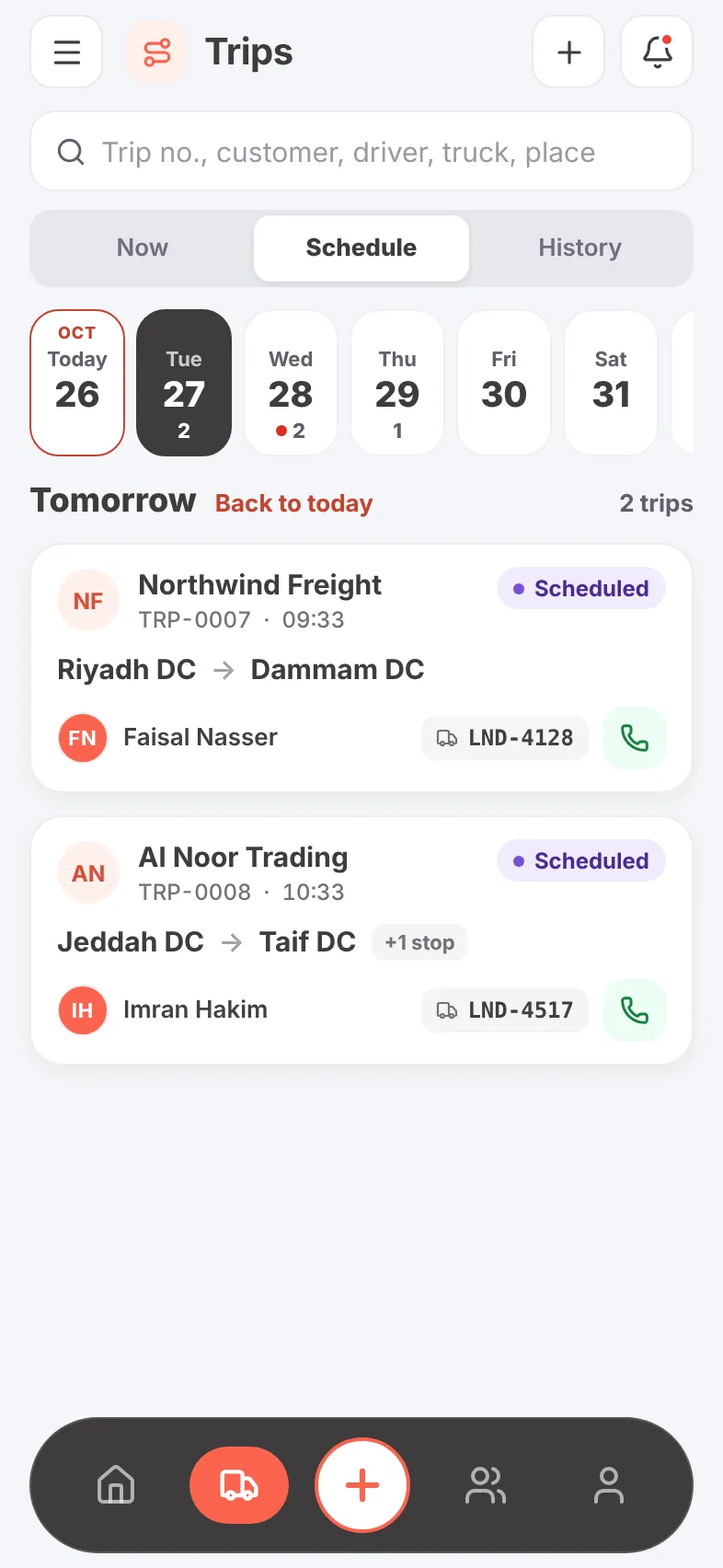
- Schedule by day for the trips coming up
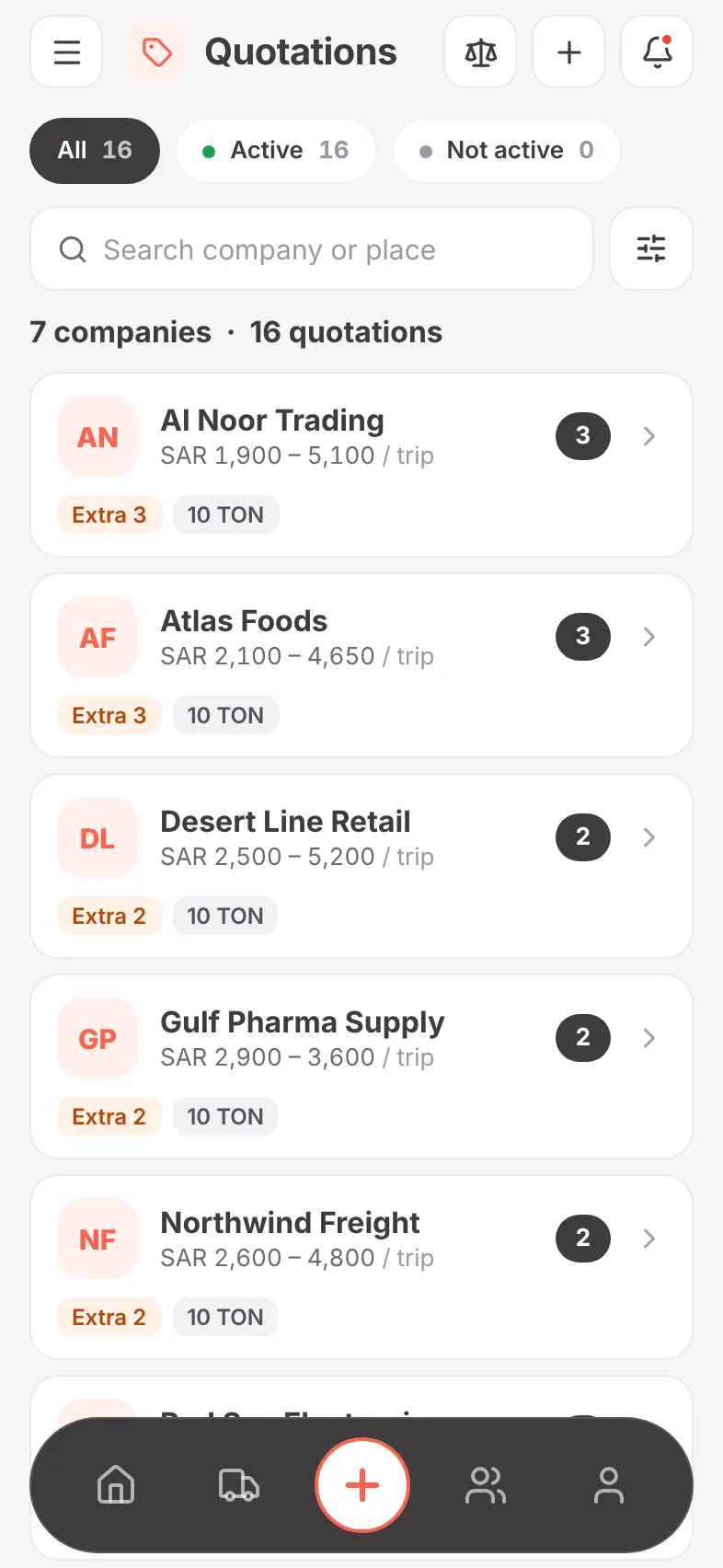
Quote with confidence, from anywhere.
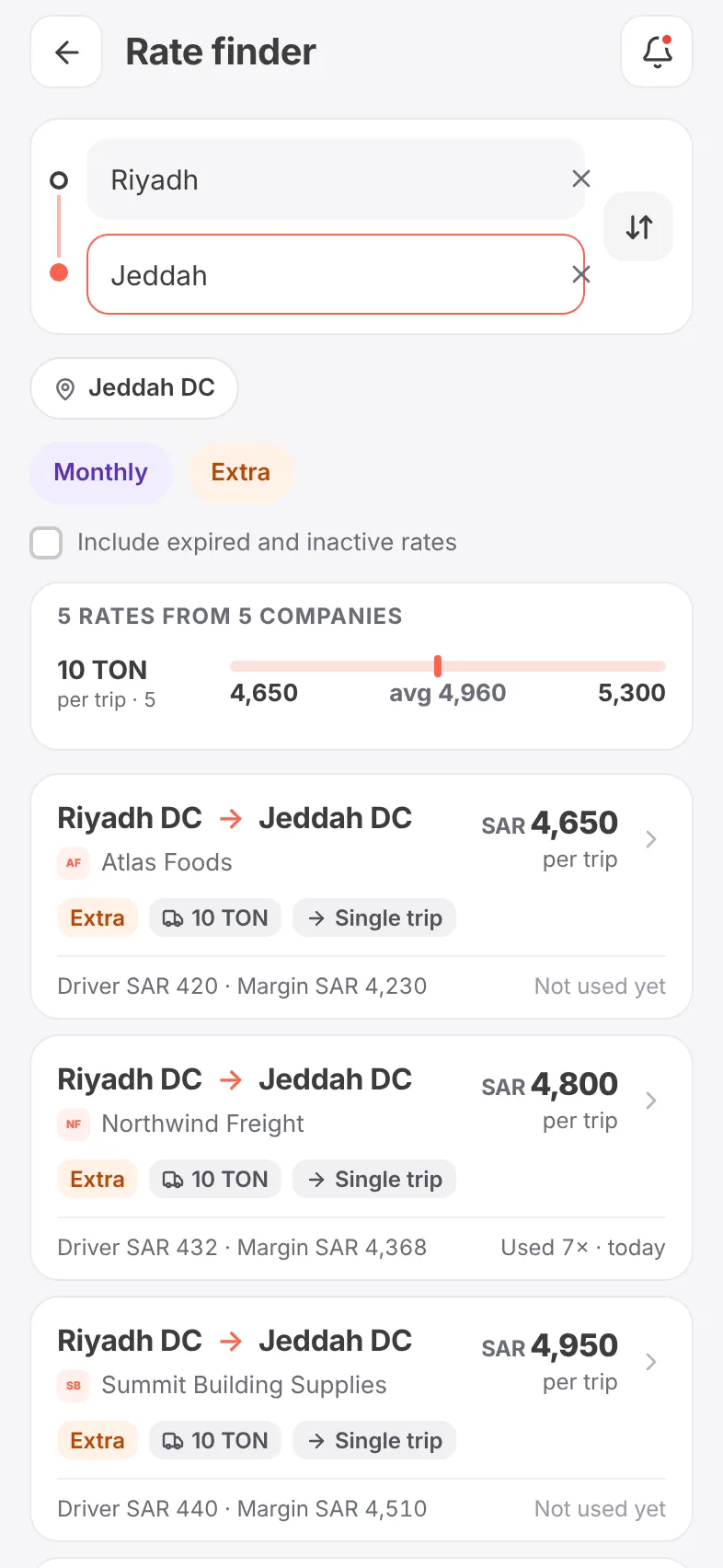
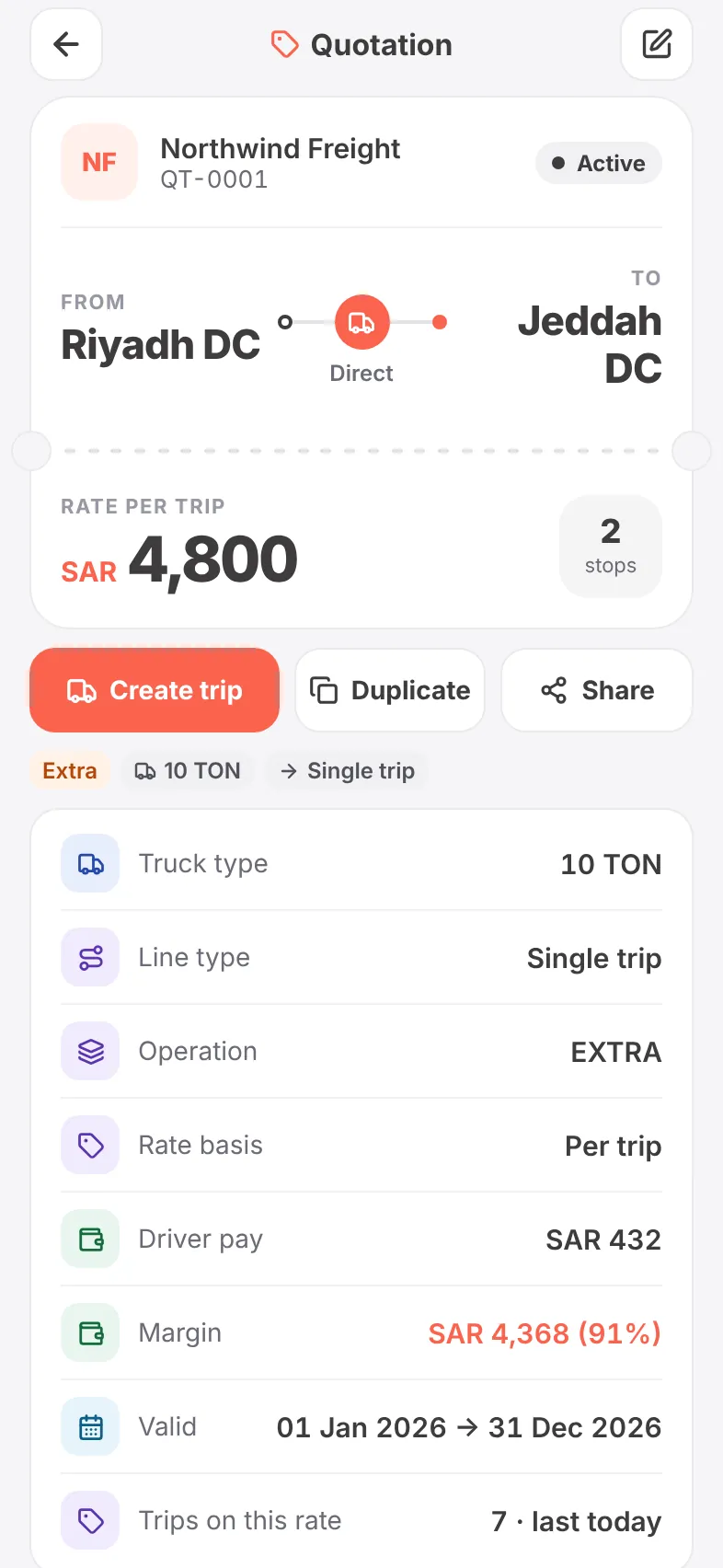
Every customer’s rates are in your pocket. Compare a lane across all of them before you answer a call, and turn a quotation into a trip with one tap.
- Rate finder: one lane across every customer
- Lowest, average and highest price per truck size
- Driver pay and margin on every rate
- How often a rate is used, and when it was last used
- Create, duplicate or share a quotation
Know who is ready before you dispatch.
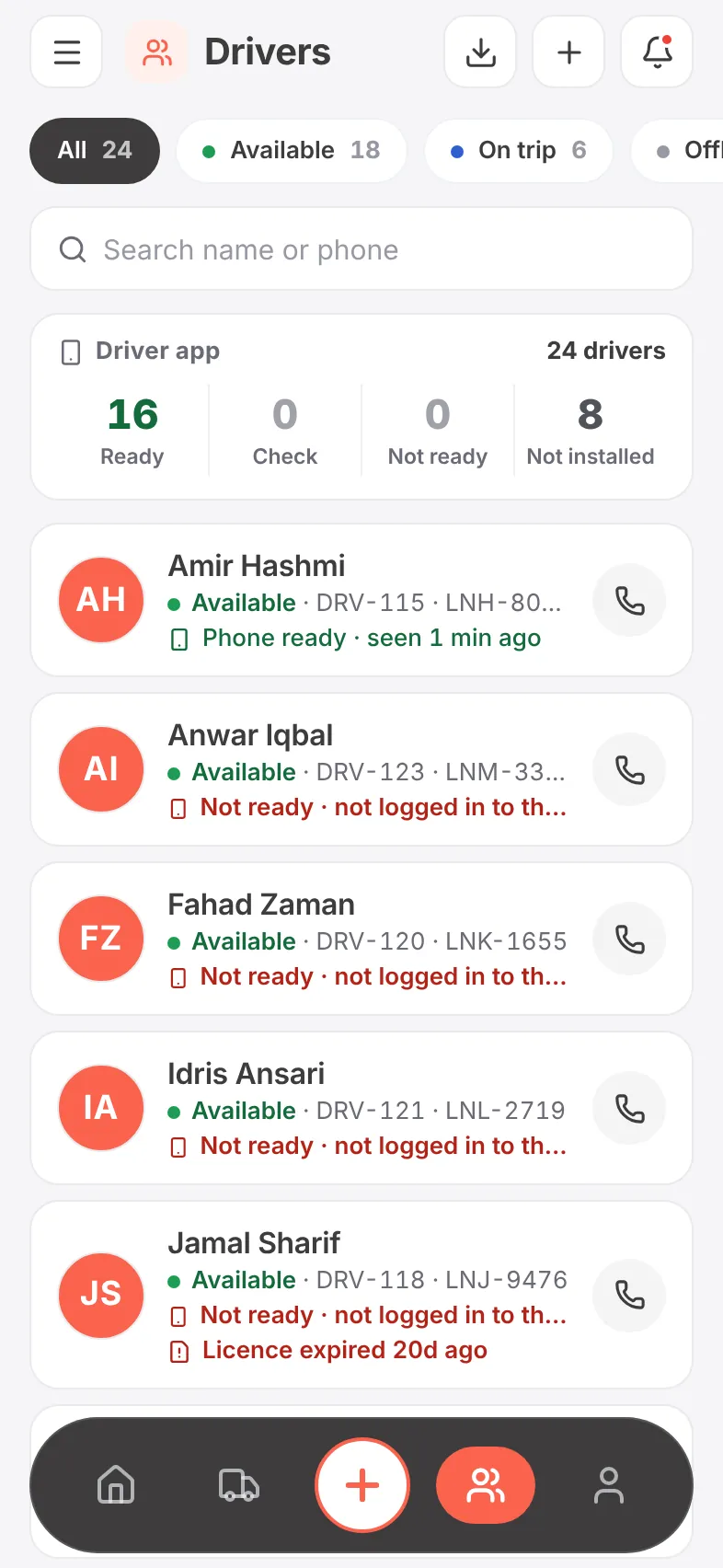
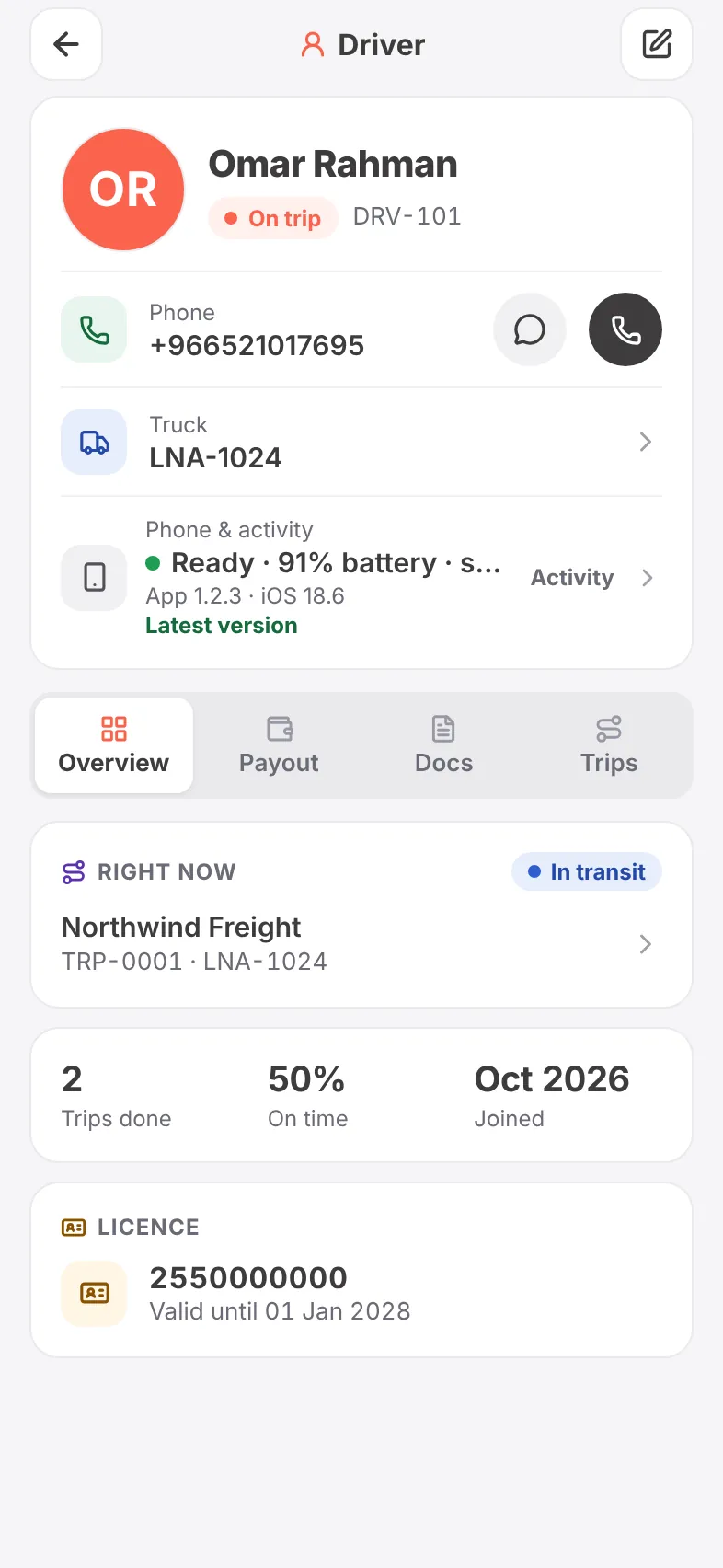
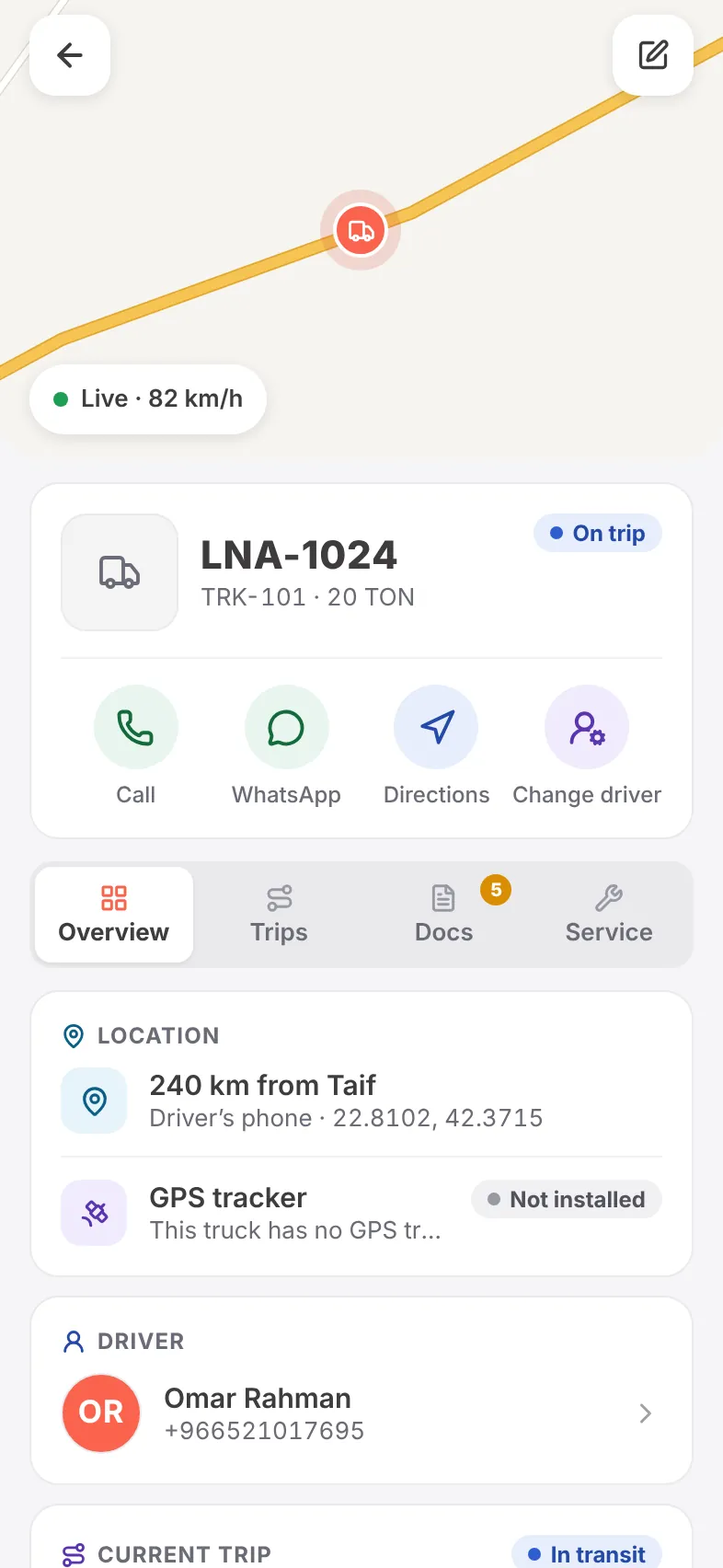
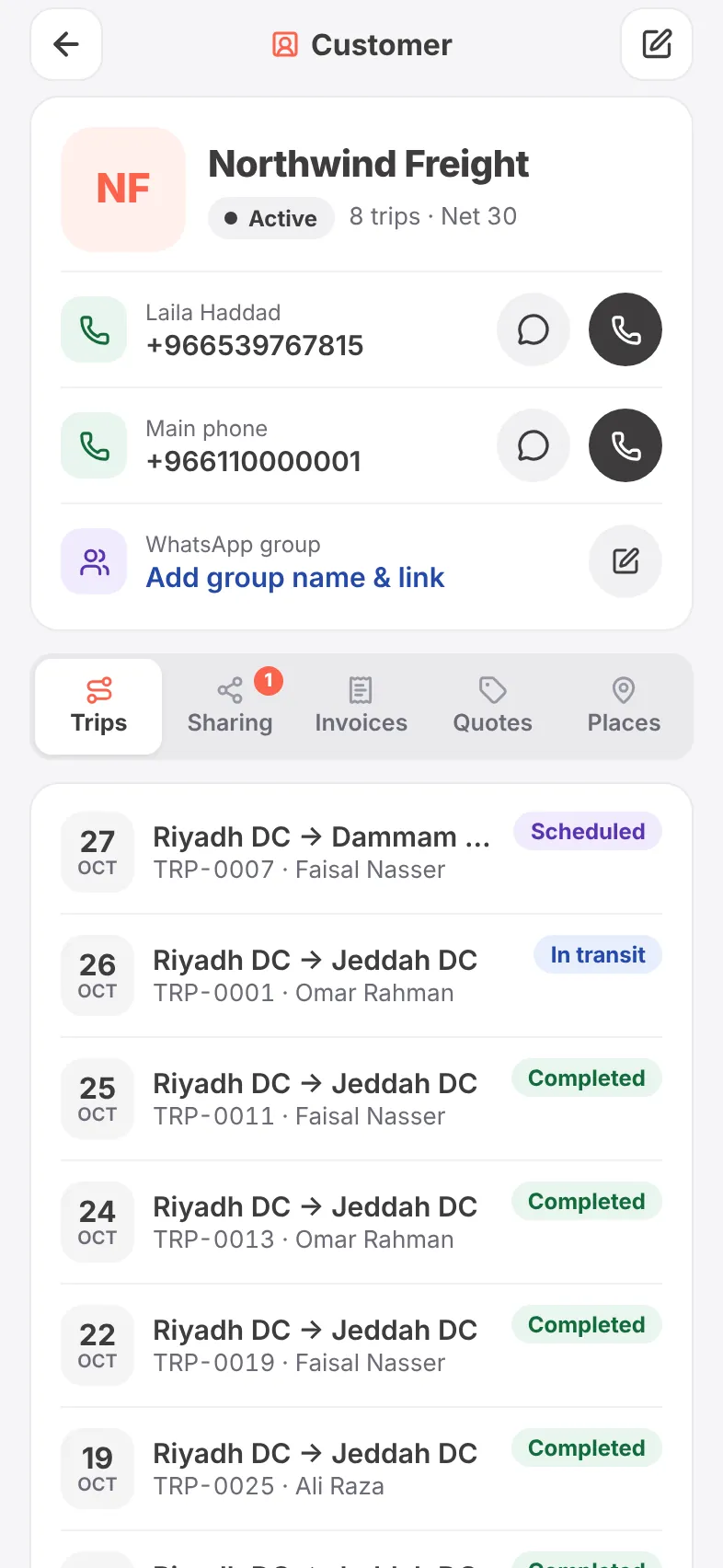
Each driver’s phone reports back — app version, battery, notifications, location permission — so you know who will actually receive the trip. Trucks, customers and their history are one tap away.
- Driver app readiness: ready, check, not ready, not installed
- Licence expiry and documents per driver and truck
- Where each truck is right now, from phone or tracker
- Customer page with trips, sharing, invoices, quotes and places
- Call or WhatsApp any driver or contact directly